13 of 24 © 2011 D 538e - 02/11
Display Range Access Description Set to
Off, Room,
Outdoor, Floor,
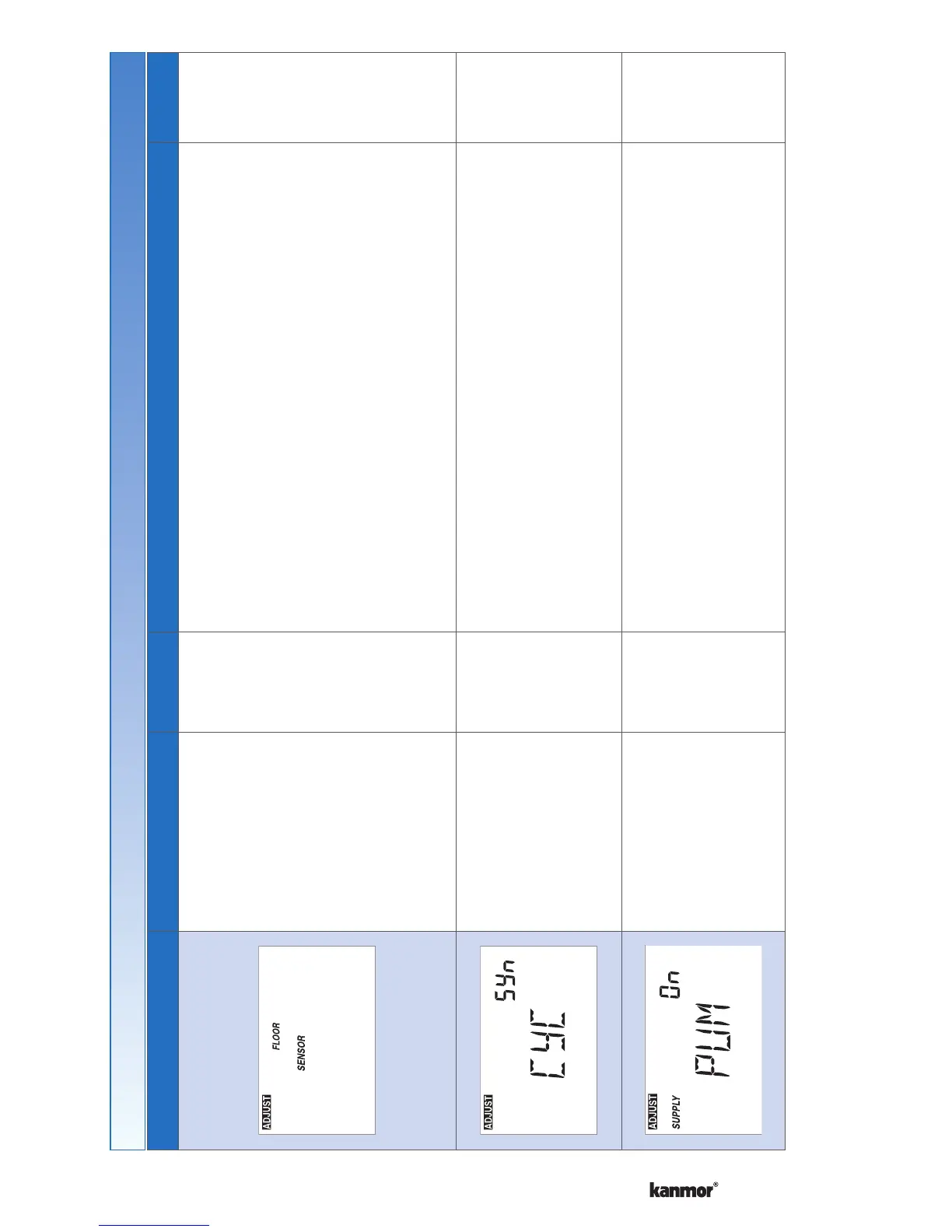
Floor dSP
Installer
AUXILIARY SENSOR
Select the type of auxiliary sensor.
Off = no auxiliary sensor
Room = Indoor Sensor 076e, 084
Outdoor = Outdoor Sensor 070e
Floor = Slab Sensor 079e
Floor dSP = Show floor sensor reading in upper
number field.
Available when:
Auxiliary sensor automatically detected.
Auto,
SYn(Synchronize)
Default =
Sychronize
Installer
HEAT CYCLES PER HOUR
Select either Auto cycle or Synchronize with other
thermostats on the tekmarNet
®
system.
Choose Synchronize when zone heated using a boiler.
Choose Auto when zone is non-hydronic heating.
Available when:
No reset control on the tekmarNet
®
system.•
OFF, dLy (delay),
On
Default = On
Installer
HEATING SUPPLY PUMP
Select whether or not the system supply pump should
turn on, be delayed (for thermal motor or wax actuator)
or be off to allow a zone group pump per manifold.
Available when:
A reset control is present on the tekmarNet
®
system.•
Settings (6 of 7)
Continued on next page.


 To Next Page