33
POLARISATION SETTING
6. Use the
buttons to move to the “Antenna Confi guration” menu item. Confi rm the selection by
pressing the
button.
7. Use the
buttons to move to the “to move the antenna manually” menu item. Confi rm the
selection by pressing the
button.
8. Now use the numeric keys on the remote control to enter “400” in the “Elevation” line. Shortly after the
value has been input, the turntable moves to the desired elevation angle.
9. Turn off the UFS 940sw using the main switch at the rear and disconnect it from the power.
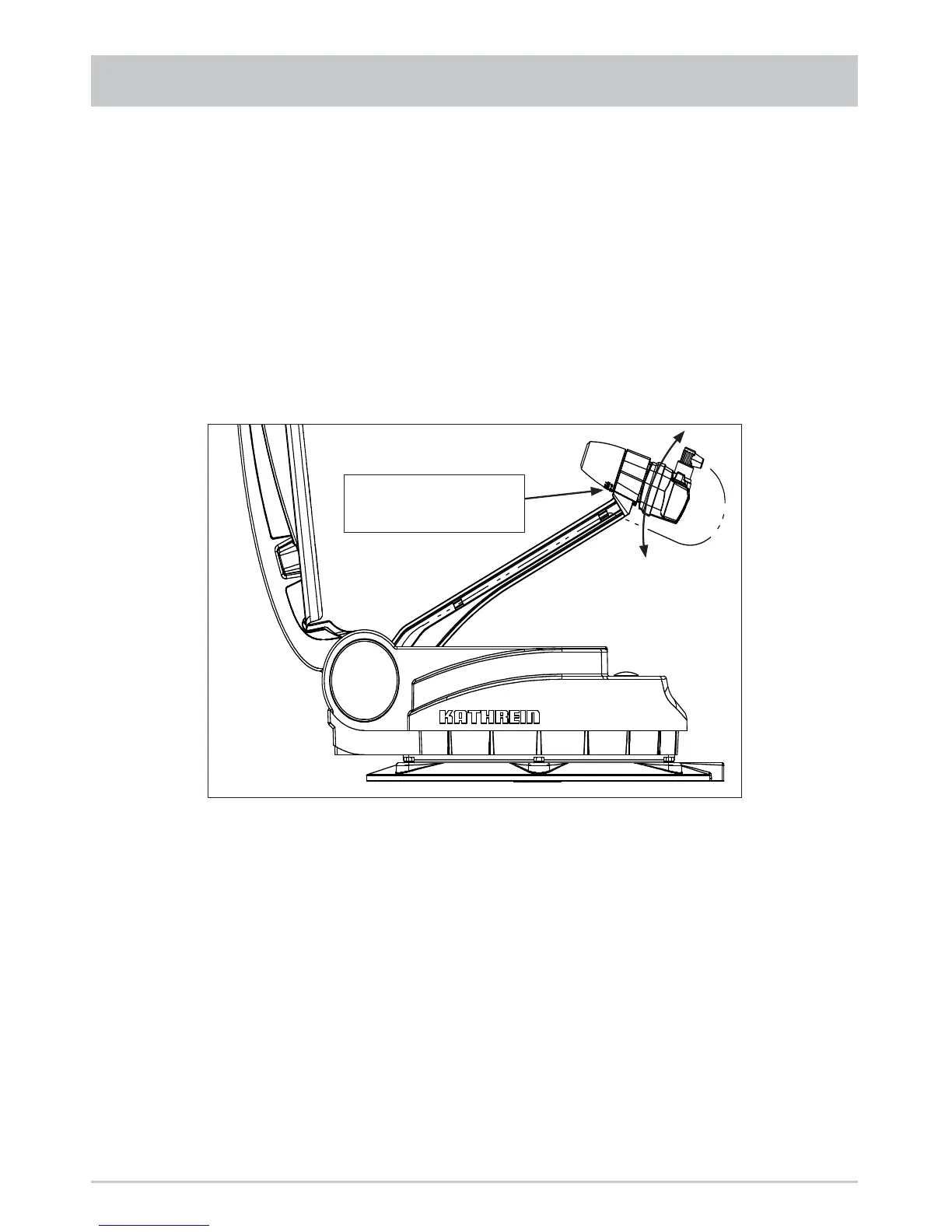
10. Use the socket driver supplied (size 20) to slacken the securing screw of the clamp on the LNB.
11. Rotate the LNB by the required number of degrees (the scale is located on the bottom on the LNB).
Scale for polarisation
setting
12. Tighten the hexagon socket screw to a torque of 3.3-3.5 Nm.
13. Leave the installation location and reconnect the UFS 940sw to the power supply.
15. Switch the receiver on fi rstly with the main switch and then with any of the numeric buttons.
The CAP 710 is now ready to use.



 To Next Page