60
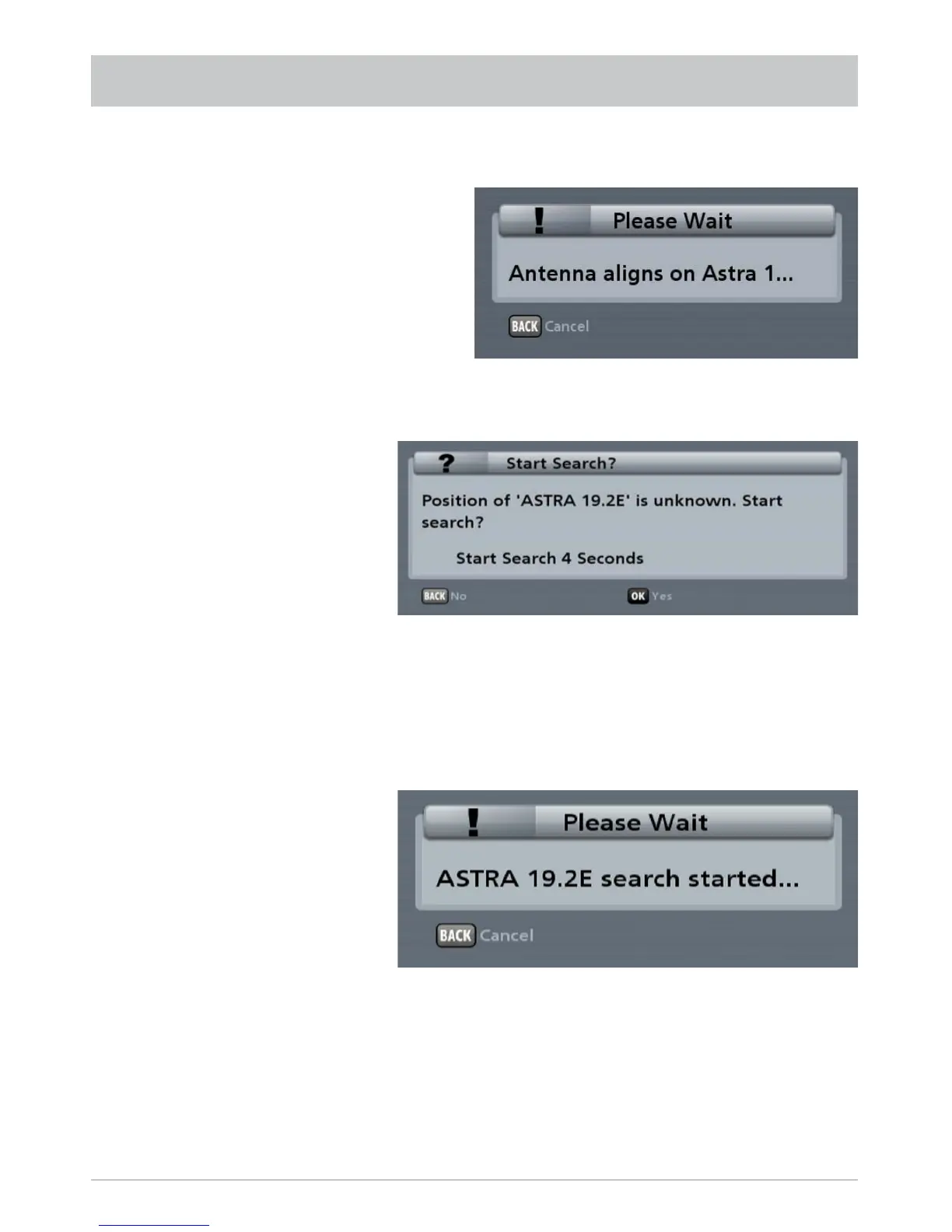
After a change of location, the antenna moves to the last position selected. After initialisation, you will
therefore see the following display (example, as it depends on the last selected position):
For slight changes of location, the
antenna can fi nd the satellite very
quickly.
If the search is unsuccessful, the following message appears:
CHANGE OF LOCATION
If the satellite is not found at the
known position, the search starts
automatically.
The search starts automatically after fi ve seconds or if the
button was pressed previously.
The search may take a few minutes (generally about two minutes). You will fi rst see the following message:
Note: If you know the GPS data for your new location, refer to the item “Inputting the CAP GPS
position” in the section “CAP menu (turntable antenna settings)”. Inputting the GPS data for
your current location allows the search times for your turntable antenna to be reduced.
As soon as the turntable has found the correct satellite, it saves this position. During this process you
receive no TV picture. The turntable will then perform an automatic fi ne adjustment (if the signal level is
suffi cient, the satellite position will be saved immediately by the turntable). During the fi ne adjustment
you will for the fi rst time receive a TV picture, this however can still “freeze” during the fi ne adjustment
process - whether it does or not is system-dependent.
The set position (of the satellite that was found) is saved and the desired channel appears on the
TV screen.



 To Next Page