Why is my KaVo Dental equipment making a melody sound?
- DDustin SchneiderAug 27, 2025
If your KaVo dental equipment is emitting a melody, it could mean that the amalgam separator CAS1 is almost full (95%). Exchange the amalgam container.

Why is my KaVo Dental equipment making a melody sound?
If your KaVo dental equipment is emitting a melody, it could mean that the amalgam separator CAS1 is almost full (95%). Exchange the amalgam container.
Why does my KaVo Dental equipment make a signal sound every 10 seconds and the LED flashes?
If your KaVo dental equipment is issuing a signal sound every 10 seconds and the LED on the 'Intensive germ reduction' key flashes green, the Oxygenal container is empty. Refill the Oxygenal container.
Why is the spray insufficient in my KaVo Dental equipment instruments?
If the spray at the instruments of your KaVo dental equipment is insufficient, the spray nozzles may be dirty or clogged. Clean the spray nozzles according to the instrument operating instructions.
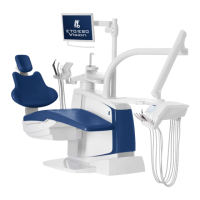
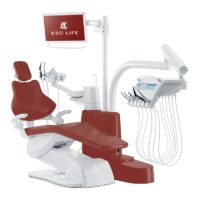
How to fix loud turbine noises in KaVo ESTETICA E50 Life Dental equipment?
If the turbine in your KaVo dental equipment is making loud running noises, the turbine wheel may be faulty. Replace the turbine wheels, following the operating instructions for the turbine.
What does ID 56 mean on my KaVo ESTETICA E50 Life Dental equipment?
If your KaVo dental equipment display shows 'ID 56', the wireless foot control battery is empty. Charge the battery.
What does ID 65 mean on KaVo ESTETICA E50 Life Dental equipment?
If your KaVo dental equipment display shows 'ID 65', the safety switch of the bowl suction has been reached. Turn on the external suction and check/clean the bowl valve if necessary.
Why is there no spray in the instruments of my KaVo Dental equipment?
If there's no spray in your KaVo dental equipment instruments, make sure that spray is preselected. Also, ensure the ring for controlling the spray on the instruments is closed.
What does ID 64 mean on my KaVo ESTETICA E50 Life Dental equipment display?
If your KaVo dental equipment display shows 'ID 64', it means the water supply is shut off. Turn the water on.
What to do if KaVo ESTETICA E50 Life Dental equipment suction hoses have no suction?
If the suction hoses on your KaVo dental equipment aren't working, there are several possible causes: * The slides on the conical sections may be closed. Open the slide valve. * The sieves in the suction connector could be blocked. Replace the sieves. * The foot switch for vacu-stop might be pressed. Release the foot switch. * The suction machine might not be running. Turn on the suction machine and check its fuse. * The amalgam separator may not be working correctly. Refer to the operating instructions for the amalgam separator.
How to fix KaVo ESTETICA E50 Life when nothing works?
If your KaVo dental equipment isn't working, first check if the main switch is turned on. If it is, the main service fuse might have interrupted the circuit. Unplug the unit, then check and replace the fuse located next to the master switch. Use a screwdriver to open the bayonet closure. Replace the fine-wire fuse with the correct type: T 6,3 H (Mat. no. 0.223.2783) for 220-240 V AC, or T 10 H (Mat. no. 1.007.2529) for 100-130 V AC. Re-close the bayonet closure.
| Type | Dental treatment unit |
|---|---|
| Model | ESTETICA E50 Life |
| Manufacturer | KaVo |
| Integrated endodontics functions | Yes |
| Integrated surgical functions | Yes |
| Cuspidor | Integrated |
| Control Panel | Touchscreen control panel |
| Air/Water Syringe | Integrated |
| Power Supply | 230 V, 50/60 Hz |
| Operating light | LED operating light |
| Multimedia integration | Optional |
| Hygiene system | Integrated |
| Chair Positions | Multiple programmable positions |
| Lighting | LED operating light |
| Spittoon | Integrated |
| Foot Control | Foot control available |
| Air Supply | 500 - 800 kPa (5 - 8 bar) |
| Water Supply | 200 - 500 kPa (2 - 5 bar) |
Provides essential information for safe and correct operation.
Explains the structure, symbols, and hazard levels of safety warnings.
Specifies the designated purpose and limitations of the dental unit.
Provides general and product-specific safety guidelines for operation.
Instructions for powering the dental unit on and off, with a note on switching off before leaving.
Guides on how to adjust the dental chair, including armrests and patient comfort.
Describes how to use automatic chair positions and save custom settings.
Explains the safety shut-off mechanisms that prevent collisions and injuries.
Provides general instructions and notes for performing safety checks on the device.
Provides detailed steps and precautions for conducting safety checks.