28
Main Operation
Internal Sections & Feature Parameters
1
PIANO section
The MP11SE’s PIANO section features 12 dierent piano sounds arranged into CONCERT, POP, JAZZ, and UPRIGHT/
MONO categories. All of the piano sounds have been sampled from Kawai instruments, using alternate voicing
congurations, microphone positions, and recording techniques, in order to provide a selection of distinctive
acoustic piano sounds that are suitable for various musical styles.
PIANO section sounds
Category No. Sound Name Description
CONCERT
1 SK Concert Grand A concert grand piano with a clear tonal color and rich powerful bass.
2 EX Concert Grand
A concert grand piano with an elegant detailed tone and exceptionally broad dynamic
range.
3 SK-5 Grand A medium-sized grand piano with a polished brilliant tone.
POP
1 Pop Piano A clear and vibrant pop grand piano.
2 EX Studio Grand A clear and powerful concert grand piano.
3 SK-5 Studio Grand A medium-sized grand piano with a strong gutsy tone that is ideally suited to pop music.
JAZZ
1 SK Jazz Grand A warm yet clear concert grand piano.
2 Jazz Grand A warm, powerful grand piano sound with a vintage jazz character.
3 Standard Grand The popular Concert Grand piano sound from the MP8
II
.
UPRIGHT /
MONO
1 Upright Piano A full-bodied traditional upright piano.
2 Mono SK Grand The SK-EX concert grand piano, optimised for mono audio output.
3 Mono EX Grand The EX concert grand piano, optimised for mono audio output.
Feature Parameters: Virtual Technician
An experienced piano technician is essential to fully realise the potential of a ne acoustic piano. In addition to
meticulously tuning each note, the technician also performs numerous regulation and voicing adjustments that
allow the instrument to truly sing.
The PIANO section’s Virtual Technician parameters simulate these renements digitally, allowing performers to
shape various aspects of the piano sound’s character to suit their personal preferences.
Entering the Virtual Technician EDIT menu
After selecting the PIANO section (F1 button):
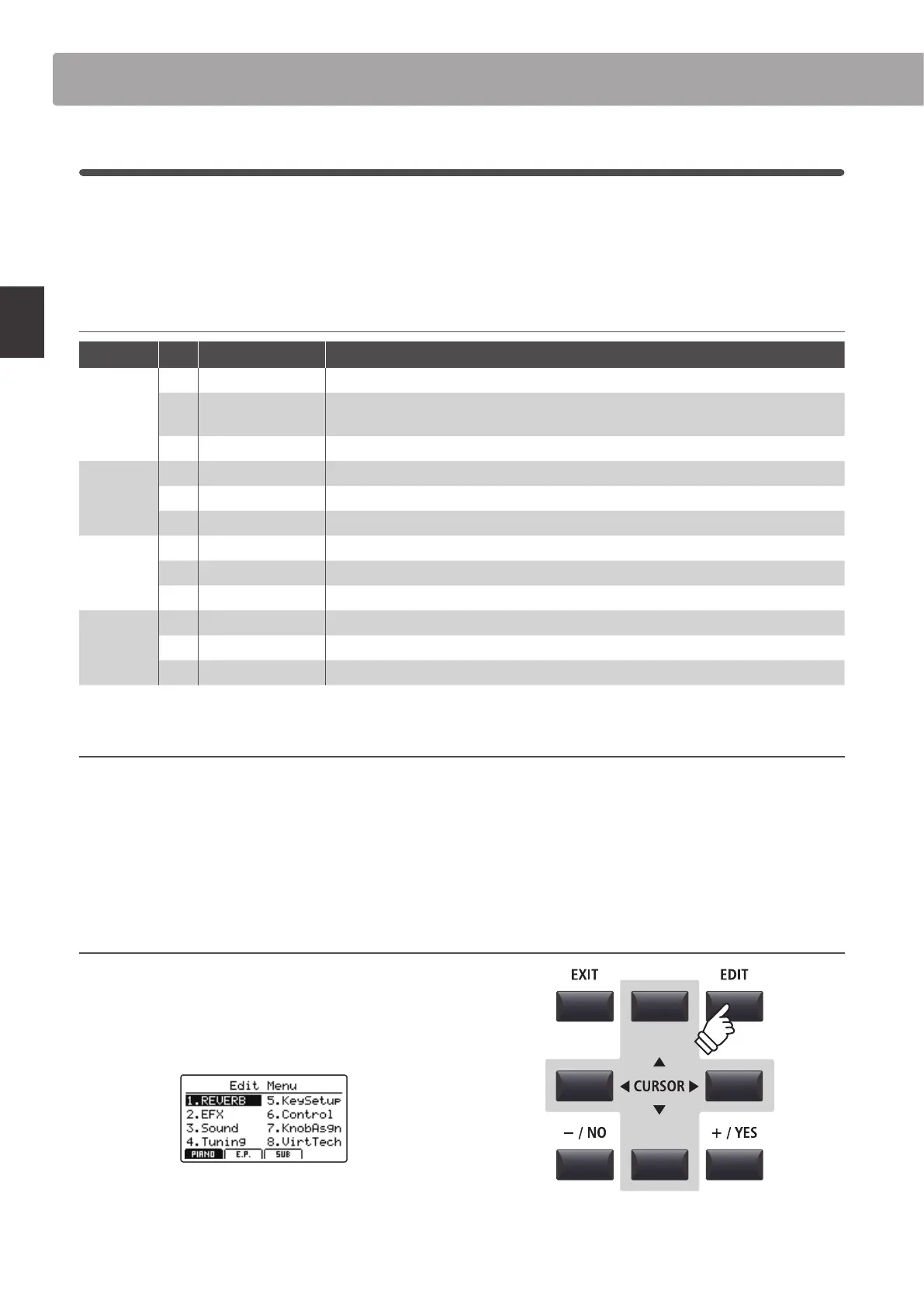
Press the EDIT button.
The PIANO section EDIT menu will be shown in the LCD display.
Press the CURSOR buttons to select 8.VirtTech, then press the
+/YES button to enter the Virtual Technician parameter pages.



 To Next Page