Operation and Service KBL 6800/6900
8. Service
8.1 General information and structures
Service levels There are two service levels which are both accessible by
passwords. To get into these levels and to release processes the
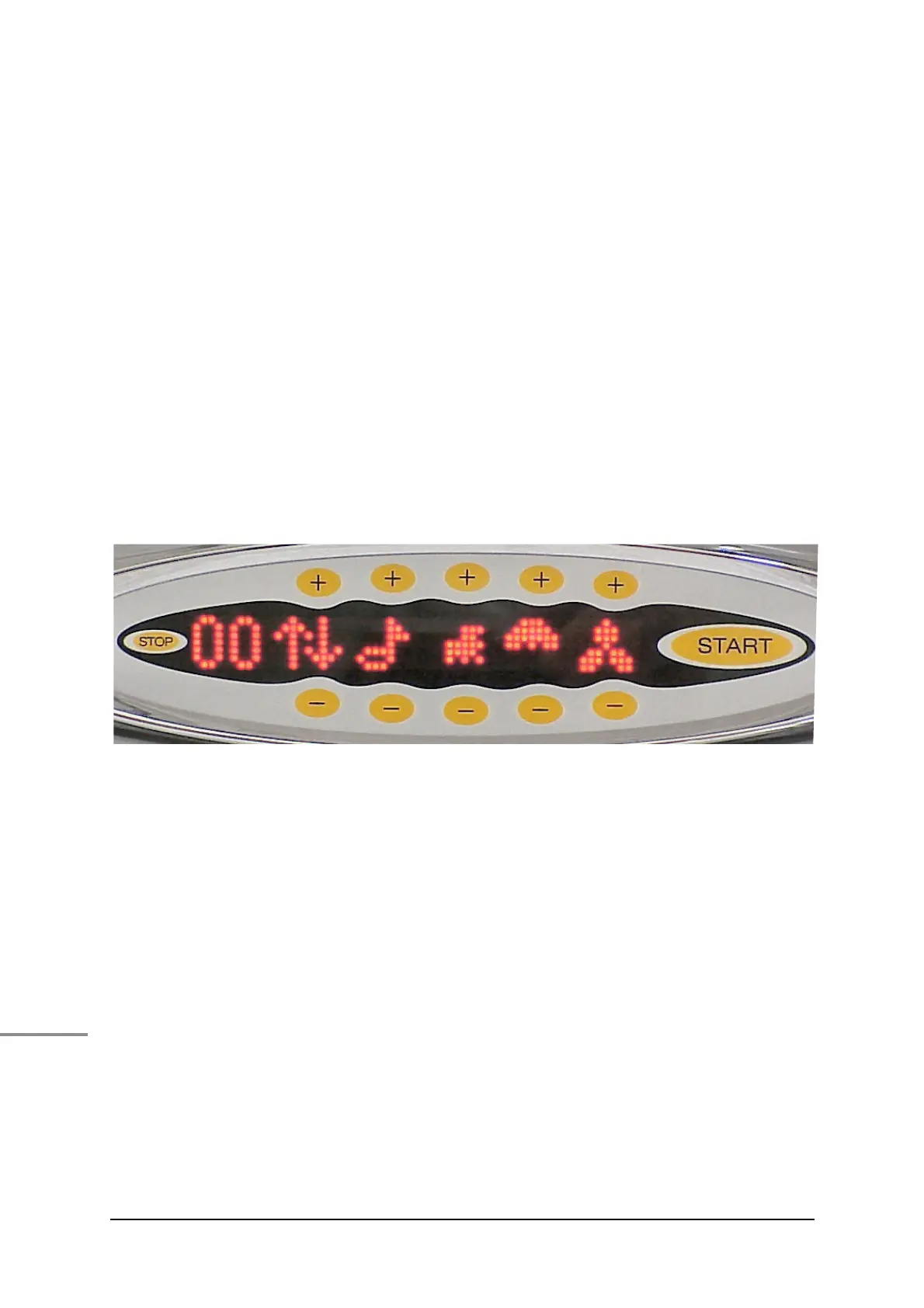
touch keys 1 ... 0 have to be pressed. For that purpose, the plus
and minus keys bear numbers which in the illustration below are
slightly bigger than in reality.
In order to get access to the service pages, two prerequisites
have to be ful!lled:
• there must not be any error message on the display
• there must not be any incoming signal from the coin/
token box system
In case there is an error message you need to reset this
message by touching the “Stop” sensor !eld.
Illustr. 8-1 Touch keys 1 ... 0 for service operations
Service level I In order to get access to level I, !rst enter the sequence 1 6 1
and then PIN 1 1 1 1.
Service level II This level comprises service pages that may be used by
Technical Service staff only.
Starting from level I, menu „PIN II“, you will get into level II by
entering the correct PIN (not 1 1 1 1")
General navigation When having called up service level I, the following keys can be
used as follows:
Key 5 to move forward in the menu
Key 0 to move backwards in the menu
Stop key to leave service level or menu
Start key to select a menu item or to save the value
displayed









 To Next Page