Smart Phone
MODIFY
STATUS
ABC Contracting
(888)555-3358
All Clear
Compressor
On
System Mode
Cool
Evaporator Fan
Off
Room Temp
-8.5 F
Coil Temp
15.4 F
Sat Temp
46.0 F
Superheat
0.0 F
Valve Position
Manual
Suct Pressure
96.2 F
Suct Temp
87.7 F
Dig Input 3
Dis
Defrost
Off
Aux Temp
Dis
Dig Input 1
Closed
Dig Input 2
Dis
PC/Mac iPad/Tablet
MODIFY
STATUS
ABC Contracting
(888)555-3358
All Clear
Compressor
On
System Mode
Cool
Evaporator Fan
Off
Room Temp
-8.5 F
Coil Temp
15.4 F
Sat Temp
46.0 F
Superheat
0.0 F
Valve Position
Manual
Suct Pressure
96.2 F
Suct Temp
87.7 F
Dig Input 3
Dis
Defrost
Off
Aux Temp
Dis
Dig Input 1
Closed
Dig Input 2
Dis
© Copyright 2015 KE2 Therm Solutions, Inc., Washington, Missouri 63090
Q.1.3 July 2015
Page 17
KE2 EvaporatorEfciency
Quick Start Guide
Step
3
Enter default information
Enter default information, and click Log In button.
Site: installer
Password: controllers Mac Address
(from sticker on back of controller)
Step
1
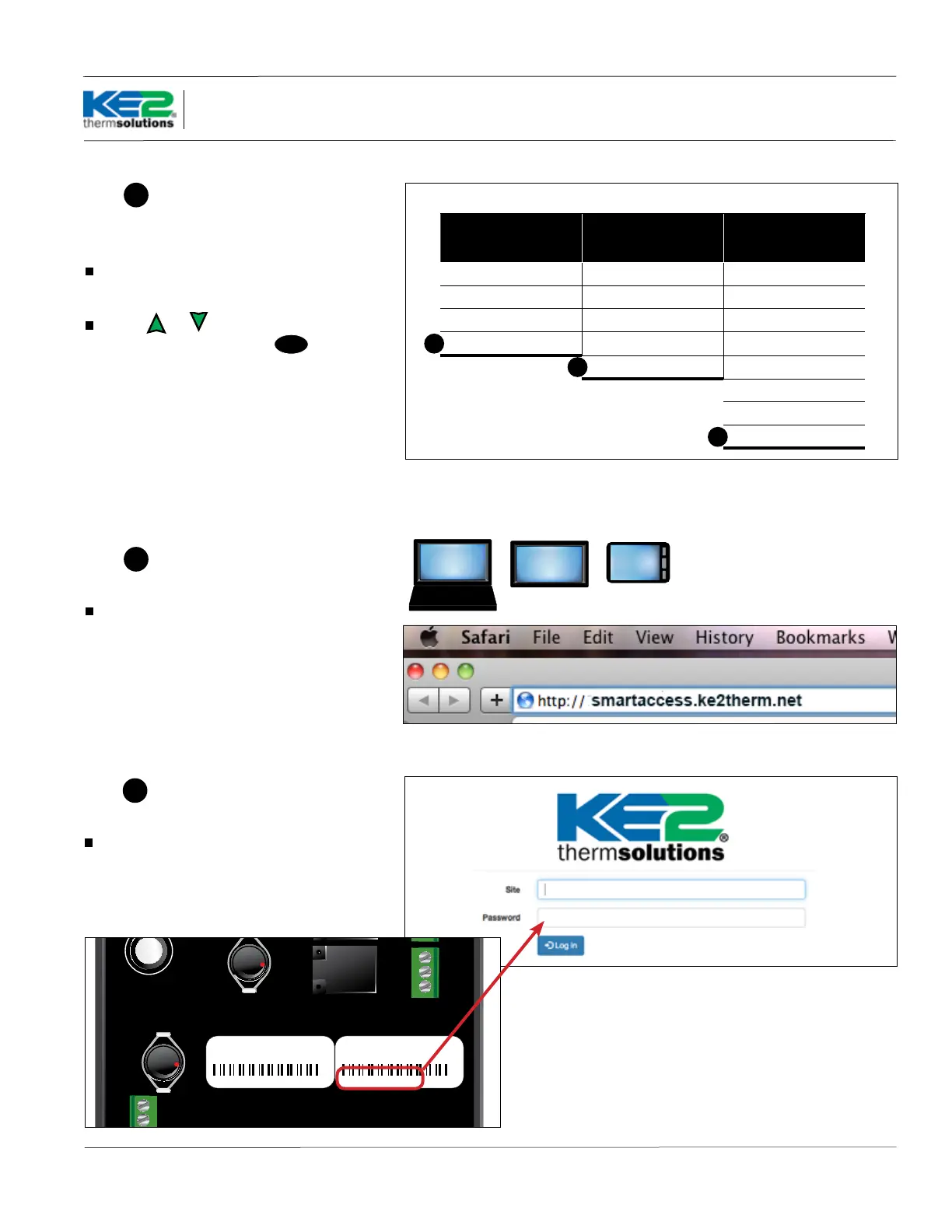
Enable Smart Access in the
Introduction Mode menu
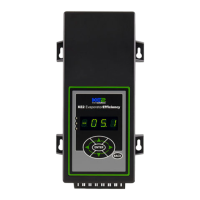
After setting the Room Temp, Defrost Type and
Valve Type, set Smart Access to Enabled.
Use the or arrow to change Smart Access
to Enabled. Press and hold the
ENTER
button for 3
seconds to save the change.
Note: if using a Dened EEV, Refrigerant must be
selected too.
Note: if using a Custom EEV Refrigerant, Motor
Type, Motor Step Rate, and Max Valve Steps must be
selected.
Introduction Mode
Mechanical Valve TEV
4 steps
Dened EEV
5 steps
Custom EEV
8 steps
Room Temp Room Temp Room Temp
Defrost Type Defrost Type Defrost Type
Valve Type Valve Type Valve Type
Smart Access Refrigerant Refrigerant
Smart Access Motor Type
(Unipolar/Bipolar)
Motor Step Rate
Max Valve Steps
Smart Access
1
1
1
Step
2
Go to smartaccess.ke2therm.net
Using your PC, tablet or smartphone, enter
http://smartaccess.ke2therm.net in the web
browser’s address bar.
Smart Access - Online Access In 3 Easy Steps
installer
IP-10.10.52.19
MAC
00:04:A3:14:E5:92
IP-10.10.52.19
MAC
00:04:A3:14:E5:92
For additional information on SmartAccess, visit
http://ke2therm.com/productliteratureevap4.
html, and see bulletins A.1.76 The KE2 Evap v4.0
with Smart Access and Q.1.34 Smart Access Setup
and Customizing.


 To Next Page