KEEBOX Wireless 11n Router
Hardware Overview
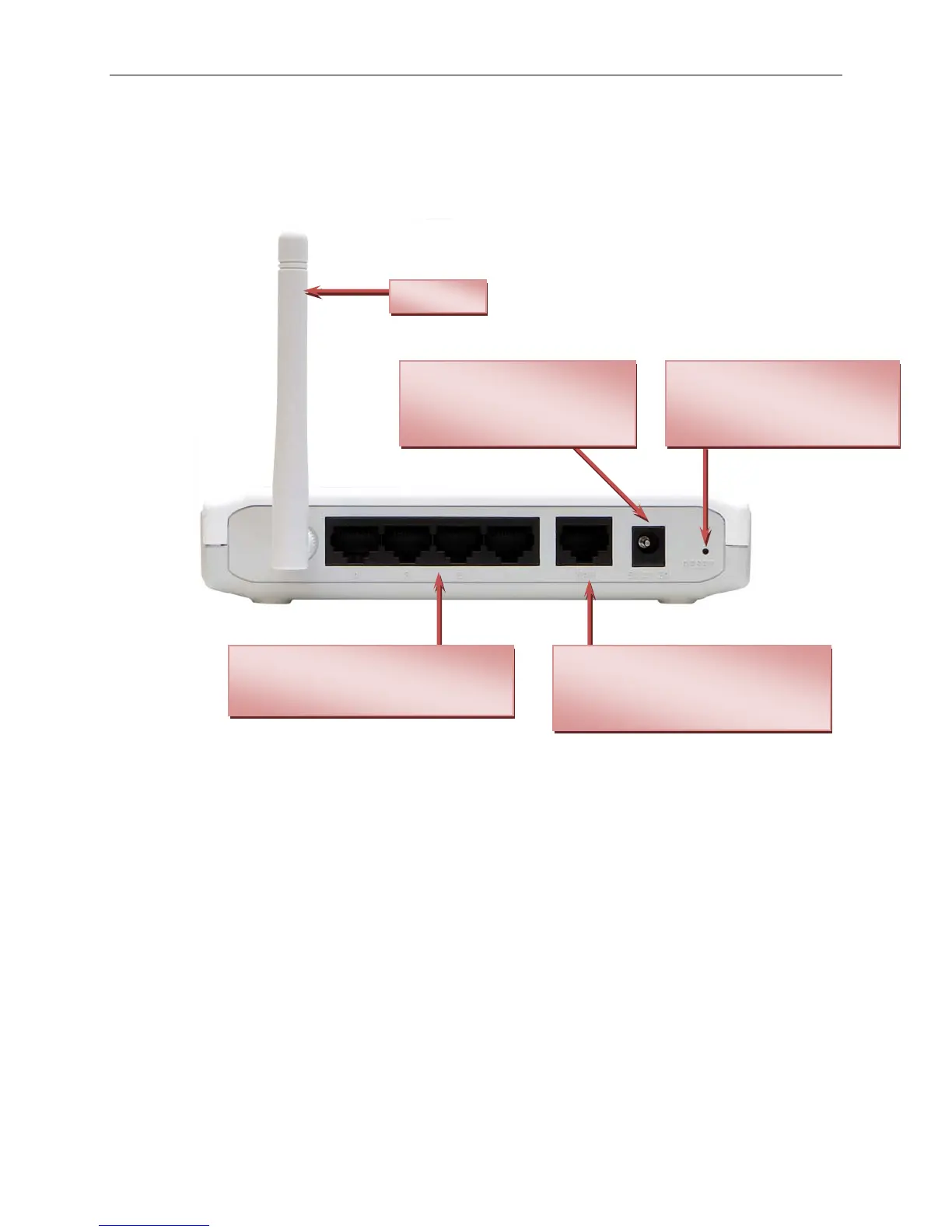
Connections
Reset Button
Press the button to restore
the Router to its original
factory default settings.
Power Insert
Use the adapter shipped with
the Router to connect to
power source.
Antenna
WAN Port
The Auto MDI/MDIX WAN port is the
connection for the Ethernet cable to
the Cable or DSL modem.
LAN Ports
Connect Ethernet devices such as
computers, switches and hubs.
7


 To Next Page
 Loading...
