KEEBOX Wireless 11n Router
Tx Power Use the drop-down list to select the percentage of Tx Power.
Short Guard Interval Check this box to reduce the guard interval time therefore increasing the data
capacity. However, it’s less reliable and may create higher data loss.
Click Apply to save the changes.
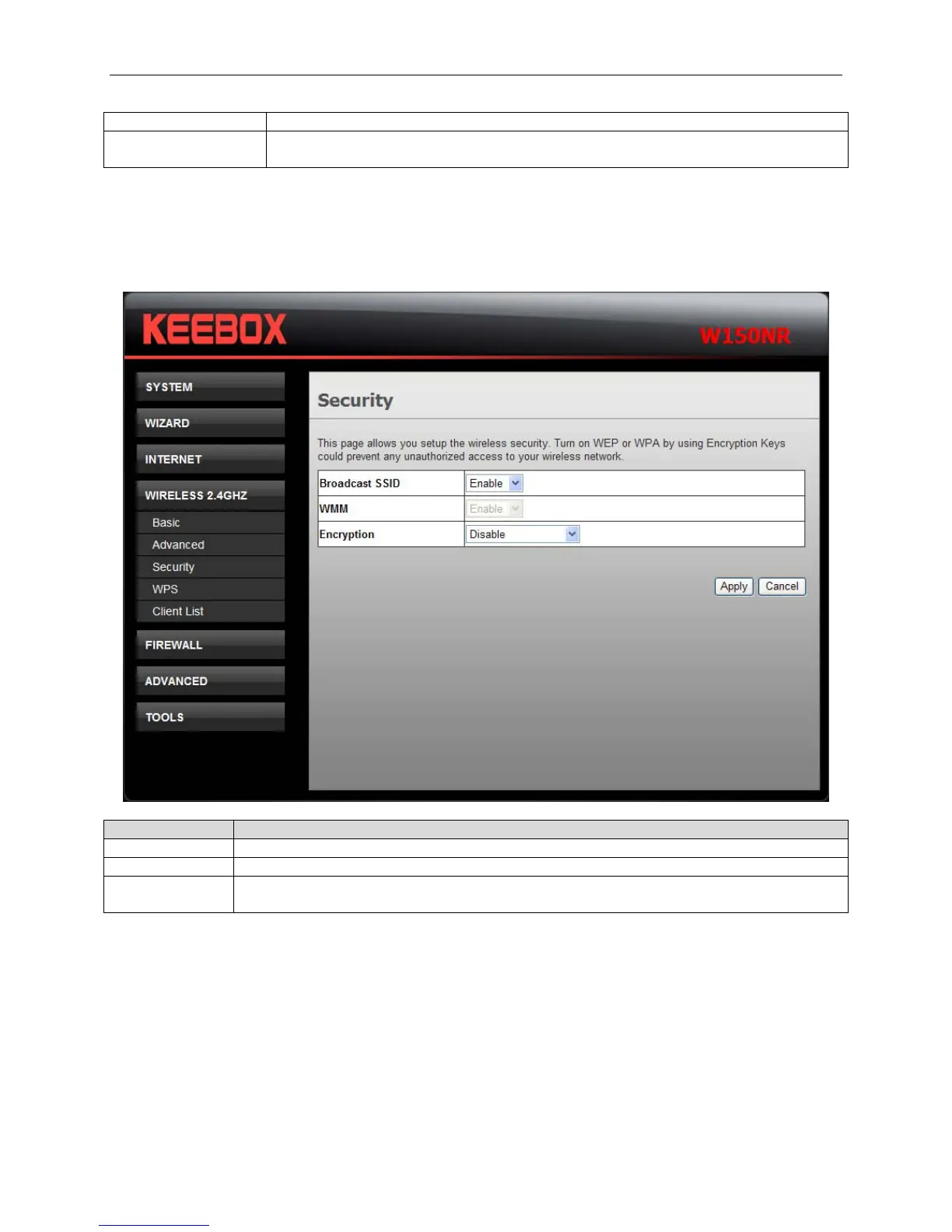
Security
This window allows you to configure the wireless security settings.
Fields Description
Broadcast SSID Use the drop-down list to broadcasting the SSID or not.
WMM Use the drop-down list to enable or disable Wi-Fi Multimedia.
Encryption Use the drop-down list to select the wireless security mode. The available choices are
WEP, WEA Only, WPA2 Only and WPA/WPA2 Mixed.
WEP
Select WEP from the Encryption drop-down list to see the following window.
28


 To Next Page
 Loading...

