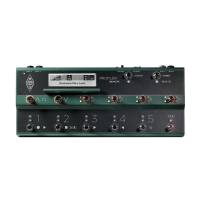
PROFILER Remote 253
calculates the tempo according to the rhythm and pattern of your playing. You can read more about this function in
the Tempo chapter.
TUNER Button (4)
Use this to activate Tuner Mode, instead of moving a volume pedal into heel position. If the option "Mute Signal" is
activated, your guitar will be muted while you tune it.
✓ If you don’t require Up/Down, TAP, TUNER or LOOPER buttons in their default function you are free to assign other
switching functions or completely deactivate these buttons, on the Remote Settings page in System Settings.
Effect Buttons I-IIII (5)
These four buttons can be flexibly assigned to switch effect modules on/off. They can also be used to toggle features
in certain effects. Their respective assignments are stored per Rig. Each button can be assigned to multiple effect
modules at the same time as Action & Freeze functions.


 To Next Page