Rig Settings 68
Use the “Rig Tags” soft button in Rig Settings, or “Amp Tags” and “Cabinet Tags” in amplifier and cabinet modules,
to access the list of associated tags. Use the “Scroll” soft knob to select a tag that you would like to fill or modify. The
“Edit” soft button opens the Tag Edit screen with the following controls:
Use the "ABC" soft knob to switch between upper- and lower-case characters.
The PAGE Buttons control the position of the cursor.
Use the “Character” soft knob to select a character.
Use the soft button “Insert” to insert a space before the current cursor position.
The soft button “Clear” deletes the character at the current cursor position, and closes the
gap. If you hold for about one second, the whole tag is cleared.
The COPY button stores up to ten tags in the clipboard.
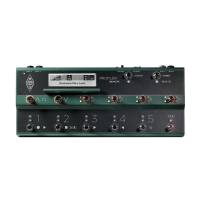
not available at PROFILER Stage
The PASTE button recovers tags from the clipboard, in last in first out order.
not available at PROFILER Stage
When you have finished editing, press the soft button “Done”, or the EXIT button, to
complete the task.
Alternatively, the PC- and Mac-based KEMPER Rig Manager™ application can be used to modify tags in a very
comfortable manner.


 To Next Page