MIG/MAG welding
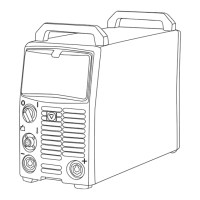
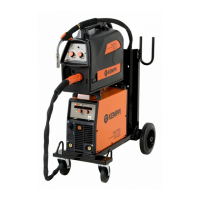
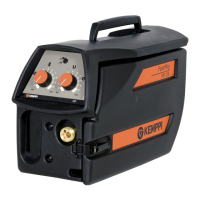
FastMig KMS AS is designed for MIG/MAG welding with either the Kemppi ArcFeed voltage
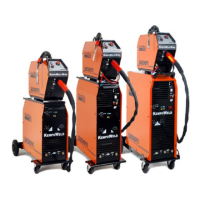
sensing wire feed unit, or FastMig series MSF and MXF wire feeding units. When using MSF or
MXF wire feed units, connect the unit as described in picture on page 7, and select the KMS
function from the control panel. For further information see MSF or MXF manuals.
When you use the ArcFeed voltage sensing wire feed unit, you must select either CC or CV
(Constant Current or Constant Voltage) mode from the KMS AS control panel. Ensure that
the ArcFeed control panel has been set to correspond with the power source control panel.
For example if power source is set to CC mode, the ArcFeed should also be set to CC mode.
FastMig KMS AS has two welding programs for ArcFeed welding: one for self shielding ller
wires and the other for standard cored and solid llers wires. The welding program can be
changed in SETUP function.
It is possible to connect MSF or MXF and ArcFeed feeders to FastMig KMS AS power source
simultaneously. For example, this can be an ecient combination when using Kemppi
WiseRoot process for root pass welding and then completing hot pass and ller runs with
ArcFeed system using self-shielded ller wire.
MMA welding
FastMig KMS AS is also suitable for MMA welding with basic or rutile electrodes. MMA welding
works with CC (Constant current) mode set from the KMS AS power source panel. NOTE: In
CC mode FastMig KMS AS has two welding programs: one for ArcFeed CC welding and the
other for MMA welding. The desired welding program can be chosen from the KMS AS ‘SETUP’
function.
SETUP FUNCTIONS3.8
With a long press of button you can move to the Setup menu
Start Power
StA -9 ... +9 0 Strenght of start pulse
Device address
Add 3 or 6 6 System bus address. Each device in same system
must have dierent address.
Welding program CC
Pro Stl, FEE StI is for MMA welding FEE is for ArcFeed
Welding program CV
Pro Std, InS InS is for innershield wires Std for other wires
Restore factory settings
FAC OFF, PAn, ALL OFF Restores factory settings, when PAn or ALL is
selected
OPERATION CONTROL SWITCHES AND POTENTIOMETERS4.
MAIN SWITCH I/O4.1
When you turn the switch into I-position, pilot lamp H11 on the front face is illuminated and
the machine is ready for use.
NOTE! Always turn the machine on and o with the mains switch, never use the mains plugs as a
switch.
PILOT LAMPS4.2
The pilot lamps of the machine report the electric operation:
The green pilot lamp H11 when lit indicates that the machine is on and ready for use and it is
connected to the mains supply with the main switch in the I-position.
H12 indicates when lit that the thermal protection of the machine has been activated due to
over heating. The cooling fan will continue to run and cool the machine down and when the
lamp is o the machine is ready to weld.
10
FastMig KMS 400 AS / © Kemppi Oy / 1021



 To Next Page
 Loading...