KEN DW 412 Section/page:5.1
Subject to alterations 18/9/2013
User instructions
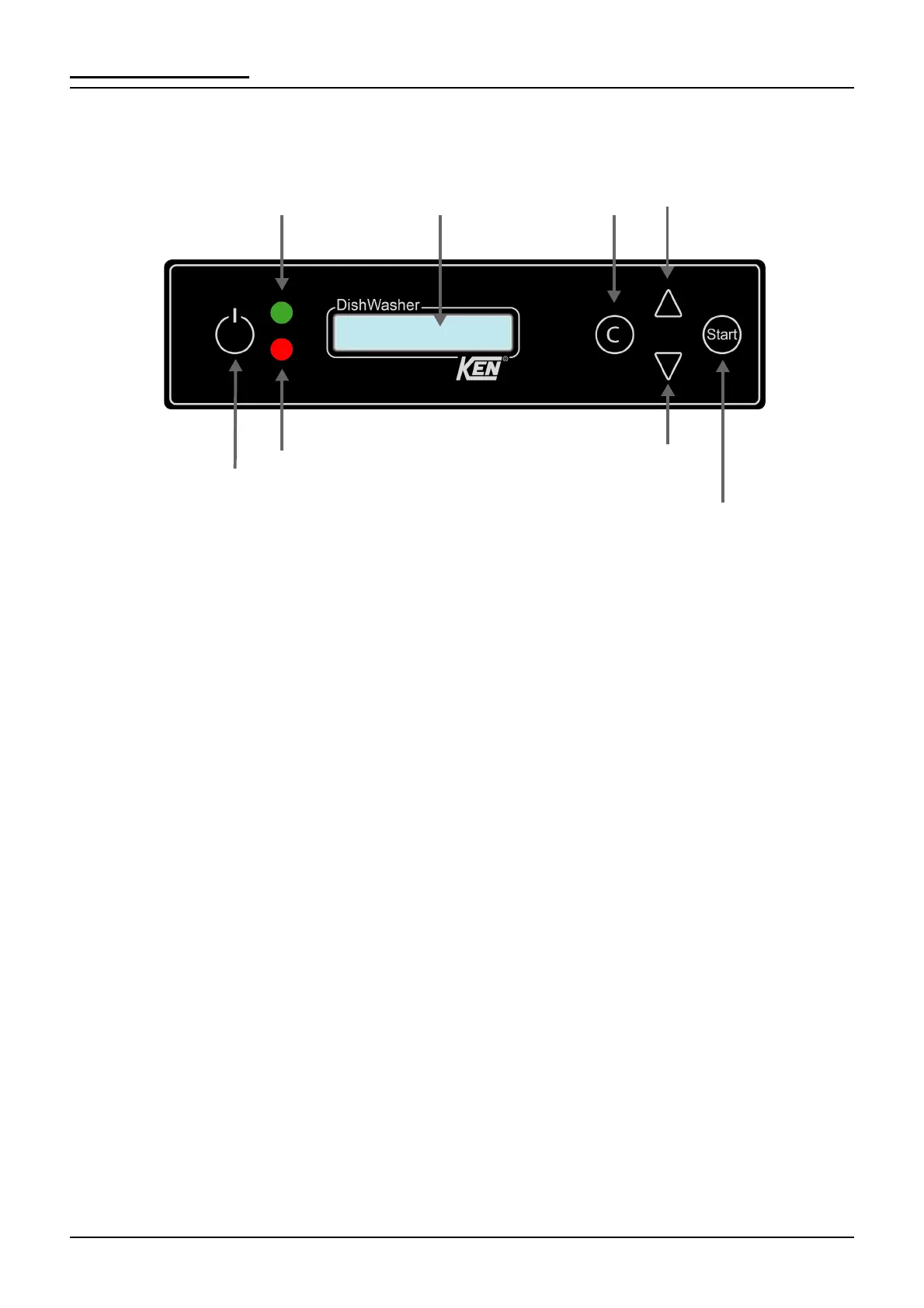
Operation panel
Start-up
1. Check that the filter has been cleaned, the standpipe is in place and
closes tightly.
2. Press the ON/OFF key. Follow the guidelines on the display.
3. When the machine is ready the hood is openening; a program can now be
selected.
Operation
1. Select a program. Settings can be changed with the assistance of a KEN
service technician.
2. Press start. The hood closes and green light indicates the machine is in
operation.
3. When the program is completed the hood opens and the green light turns
off.
Green light = runs
Red flash = alarm
Display
Standby
ON/OFF
Alarm sign off
Select program
UP
Select program
DOWN
Start
(open/close hood)


 To Next Page