Need help?
Do you have a question about the Kenmore KM5K and is the answer not in the manual?
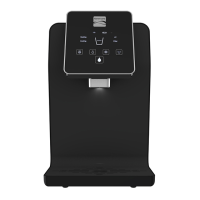
Lists and describes key components and functions of the water optimizer, detailing their purpose and operation.
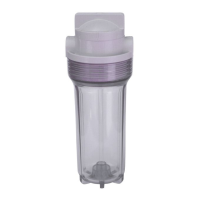
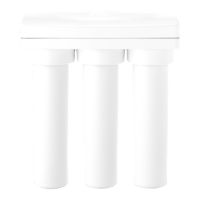
Details the types of filters used in the water optimizer, their order of installation, and specifications.
Provides detailed technical data including model, power, flow rates, dimensions, and filter specifications.
Instructions and warnings for connecting external appliances to the water optimizer's accessory port.
Step-by-step guide on how to power the water optimizer on and off, including system activation.
Instructions on how to dispense cold, ambient, and hot water using the designated buttons and safety features.
Detailed steps for flushing and replacing the water filters, including necessary tools and procedures.
Procedures for safely draining and preparing the water optimizer for storage or relocation to prevent damage.
Recommendations for preparing the water optimizer for extended periods of non-use to prevent issues like leaks or water spoilage.
Addresses slow water dispensing by checking water pressure, flow restrictions, and filter condition.
Explains why filter lifespan may seem short, focusing on filter order and water contaminant levels.
Provides solutions for the optimizer not powering on, including checking GFI outlets, circuit breakers, and electrical outlets.
Troubleshoots why hot water is not dispensing, covering safety switches, water flow, internal connections, and cold tank levels.
Addresses the hot mode not reaching the desired temperature, checking the power switch and noting that temperature is not adjustable.
Troubleshoots cold mode issues, checking power, water tank levels, and compressor functionality.
Explains that beeping/flashing lights indicate the leak detection sensor is active, and provides reset instructions.
Guides users on how to identify and fix water leaks by checking tubing connections, water lines, and fittings.
 General
| Brand | Kenmore |
|---|---|
| Model | KM5K |
| Category | Water Filtration Systems |
| Language | English |

 To Next Page