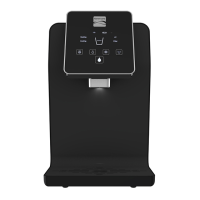
Using Your Water Optimizer
Using Your Water Optimizer 8
Be sure to complete all of the applicable instructions in the Installation Guide,
included with your Optimizer prior to using the appliance.
Powering On/O Your Optimizer
Be sure to never plug in your Optimizer, or power on either temperature mode
before you’ve connected a proper water source, and enabled water ow.
1. To power on your Water Optimizer, simply plug in
U
110v Power Cord into a 110 volt
electrical outlet. To power o, unplug the appliance.
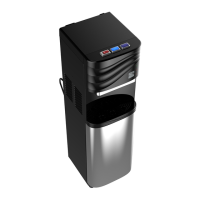
2. To power on the cooling system, ip the green
S
Cold Mode Power Switch (on the
left) up, into the on position. To power o, ip back down.
3. To power on the heating system, ip the red
T
Hot Mode Power Switch (right) up,
into the on position. To power o, ip back down.
Dispensing Water
1. To dispense cold water. simply press the dark blue
D
Cold Mode Button until your
cup or container has reached the desired ll.
2. To dispense cold water. simply press the Light blue
C
Ambient Mode Button until
your cup or container has reached the desired ll.
3. To dispense hot water, slide the red
A
Child Safety Switch to the left, then while
holding it in this position with your thumb or nger, press the
B
Hot Mode Button until
your cup or container has reached the desired ll.


 To Next Page