27
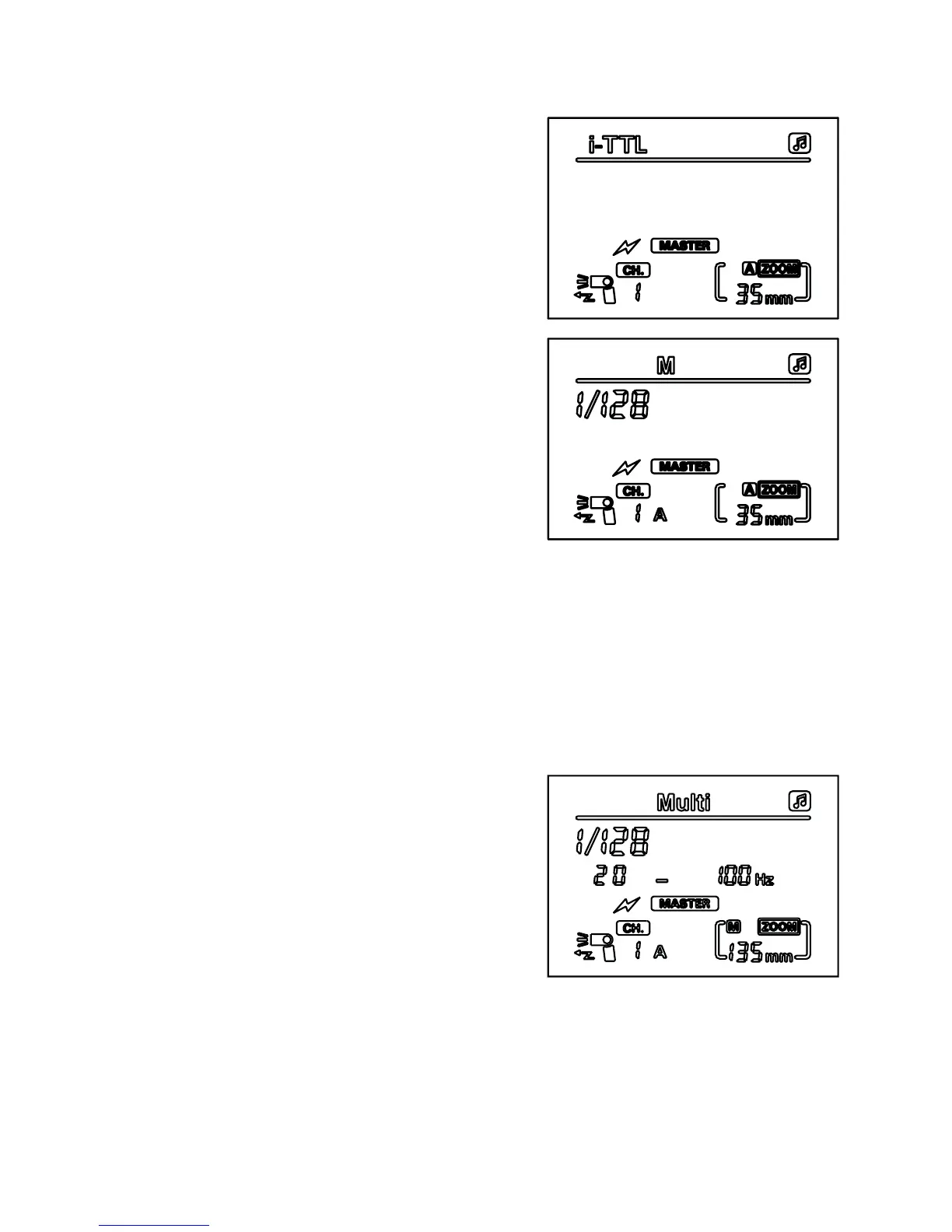
MASTER mode (i-TTL, Nikon)
1. Press the ‘left clear’ button to enter
i-TTL MASTER mode
2. Press the ‘zoom’ button until group
A ashes, then press the right
button to change group A between
‘wireless OFF’, i-TTL and manual
modes. When the symbol A stops
ashing, press the ‘set’ button
until it begins ashing again, then
change the mode settings for that
group. When you are happy with
your selection, press the ‘zoom’
button again until group B ashes
and you can specify settings for
that group as above, and repeat
for group C. For SLAVE groups in
manual mode, use the left and right
directional buttons to adjust the power of the units in that group.
For SLAVE groups in i-TTL mode, the power will be determined by
the camera.
When you have completed your power settings, the group symbols that
display on the LCD screen are on. Any that are not displaying are off.
Multi command MASTER mode (Nikon)
1. Press the ‘mode’ button to enter
Multi mode
2. Press the ‘left clear’ button twice to
enter MASTER mode
3. Press the ‘zoom’ button until the
group A symbol is ashing, then
press the left and right directional
buttons to switch group A mode
between ‘wireless off’ and Multi mode.
4. Once mode has been selected, either press ‘set’ button to conrm
settings, or ‘zoom’ button to move onto the next group. Repeat
steps 3 and 4 for all other groups.
If the group letter is shown on the LCD display, that group is on and
active. If a group letter is not displayed, that group is off.


 To Next Page