EasyManua.ls Logo

Kenwood KDC-U556BT - User Manual

Kenwood KDC-U556BT
18 pages
Print Icon
To Next Page IconTo Next Page
Loading...
GET0860-001A (M0)© 2012 JVC KENWOOD Corporation
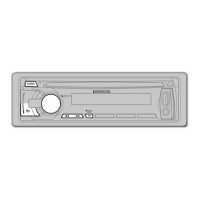
KDC-U556BT
CD-RECEIVER
INSTRUCTION MANUAL
EN_KDC-U556BT[M]_3.indd 1EN_KDC-U556BT[M]_3.indd 1 10/18/12 5:39:50 PM10/18/12 5:39:50 PM

Other manuals for Kenwood KDC-U556BT

Questions and Answers

  • A
    Amy WeberAug 19, 2025
    Why does 'PROTECT' appear on my Kenwood KDC-U556BT Car Receiver and what to do?
    • A
      Anthony OrtizAug 19, 2025
      The “PROTECT” message appears because the terminals of the speaker wires are not insulated properly. Ensure the speaker wire terminals are correctly insulated and then reset the unit. If the problem persists, further assistance may be needed.
  • A
    Amber ShawAug 21, 2025
    What does 'DEVICE FULL' mean on my Kenwood KDC-U556BT?
    • K
      keith98Aug 21, 2025
      The message “DEVICE FULL” indicates that the number of registered devices has reached its limit. Try deleting an unnecessary device and retry.
  • A
    Allison JohnstonAug 23, 2025
    What to do if sound cannot be heard from Kenwood Car Receiver?
    • E
      elijah78Aug 23, 2025
      If you cannot hear any sound, try the following: adjust the volume to the optimal level, check the cords and connections to ensure they are properly connected, and clean the connectors.
  • E
    Erica JimenezAug 26, 2025
    Why is radio reception poor on my Kenwood KDC-U556BT Car Receiver?
    • J
      jnobleAug 26, 2025
      Poor radio reception can often be resolved by ensuring the antenna is firmly connected.
  • S
    Shane LewisAug 28, 2025
    Why is the connected Bluetooth audio player cannot be controlled on my Kenwood KDC-U556BT?
    • S
      Steven BradleyAug 28, 2025
      If the connected Bluetooth audio player cannot be controlled, check whether it supports audio/video remote control profile (AVRCP). If not, disconnect and reconnect the Bluetooth player.
  • H
    Heather LeeAug 30, 2025
    How to eject a disc that is stuck in my Kenwood Car Receiver?
    • W
      William ChambersAug 30, 2025
      If a disc cannot be ejected, press and hold 0 to forcibly eject it. If this does not work, reset the unit.
  • L
    Laura MillerSep 1, 2025
    Why is phone sound quality poor on my Kenwood KDC-U556BT Car Receiver?
    • M
      Monique SpencerSep 2, 2025
      Poor phone sound quality may be improved by reducing the distance between the unit and the Bluetooth device, or by moving the car to a location with better signal reception.
  • K
    Kristina GardnerSep 4, 2025
    Why is voice calling method not successful on my Kenwood Car Receiver?
    • H
      hopkinsellenSep 4, 2025
      To improve voice calling success, use the voice calling method in a quieter environment, reduce the distance from the microphone when speaking, and ensure you use the same voice as the registered voice tag.
  • S
    Shane DavisSep 6, 2025
    Why is sound being interrupted during Bluetooth playback on Kenwood Car Receiver?
    • E
      Edward LewisSep 6, 2025
      Sound interruptions during Bluetooth playback can be minimized by reducing the distance between the unit and the Bluetooth audio device. Additionally, try turning the unit off and on, then reconnecting. Other Bluetooth devices might also be interfering.
  • G
    Gary BennettSep 8, 2025
    What does 'COPY PRO' mean on my Kenwood KDC-U556BT?
    • H
      hernandezdavidSep 9, 2025
      The message “COPY PRO” indicates that a copy-protected file is being played.

Summary

Before Use

Safety Warnings

Do not operate while driving. Volume setting, general usage, remote control, and battery safety precautions.

Basics of Operation

Faceplate Overview

Identification of controls and display elements on the unit's front panel.

Getting Started

Radio Functionality

Station Search and Tuning

Methods for searching and tuning to radio stations.

CD, USB, and iPod Playback

Playback Operations

Starting playback, pausing, resuming, and fast-forwarding/rewinding media.

Track and Folder Selection

Selecting individual tracks, files, or folders from connected media.

Bluetooth Connectivity

Pairing a Bluetooth Device

Steps to connect a Bluetooth-enabled phone or audio device for the first time.

Bluetooth Mobile Phone Functions

Call Handling

Receiving, rejecting, ending calls, and switching between call modes.

Bluetooth Settings and Options

Detailed Bluetooth Settings

Configuring PIN codes, auto answer, reconnect, and audio output.

Voice Recognition and Audio Player

Bluetooth Audio Player Control

Operating playback, selecting groups/folders, and managing repeat/random modes.

Audio Settings and Customization

Troubleshooting Common Issues

Audio and Unit Malfunctions

Resolving issues like no sound, error messages, and unit not turning on.

Media Playback Errors

Troubleshooting problems with files, discs, USB devices, and iPod connections.

Bluetooth Connectivity Issues

Addressing problems with Bluetooth pairing, sound quality, and device detection.

Installation and Connection Guide

Important Warnings and Cautions

Safety guidelines for power supply, wiring, and mounting the unit.

Basic Installation Procedure

Steps for removing the key, disconnecting the battery, wiring, and installing the unit.

Wiring Connection Details

Speaker and Power Wiring

Diagrams and connections for speakers, battery, ignition, and ground wires.

Kenwood KDC-U556BT Specifications

General IconGeneral
BrandKenwood
ModelKDC-U556BT
CategoryCar Receiver
LanguageEnglish

Related product manuals