
 Need help?
Do you have a question about the Kenwood KDC-U546BT and is the answer not in the manual?
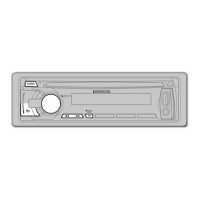
Detaches faceplate for theft deterrence.
Powers the unit ON/OFF and selects the signal source.
Ejects the disc or initiates USB/iPod removal.
Port for connecting USB devices or iPods.
Used for voice dialing and text scrolling.
Built-in microphone for hands-free calls.
Adjusts volume or enters setting modes.
Enters music search or dialing mode.
How to turn the unit ON/OFF and switch between sources.
How to adjust the sound volume using the VOL knob.
Steps to insert a disc and start playback.
How to connect and play music from USB devices or iPods.
How to pause and resume playback of tracks or files.
How to select songs, tracks, or files, including fast forward/reverse.
Procedure to safely remove USB devices or iPods.
How to switch between different media sources.
How to search for songs by alphabet in the iPod library.
How to search for specific songs on an iPod.
Allows registering up to 10 favorite songs into a playlist.
Steps to add songs to the iPod playlist.
How to play songs from the created playlist.
Steps to remove songs from the iPod playlist.
Searches for music by entering the track number.
Tunes to a station by entering its frequency directly.
Basic operations for tuner source, band, station, and presets.
Options to configure tuner behavior, including seek modes and auto memory.
Steps for pairing a Bluetooth device with the unit.
How to call numbers from call logs (outgoing, incoming, missed).
Recalls and makes calls using preset numbers.
Options for initiating a phone call (phone book, call log, direct dial).
Procedure to dial a phone number directly.
How to answer or reject an incoming phone call.
How to end a call.
How to make calls using voice commands.
Steps to select and call a contact from the phone book.
How to save phone numbers for quick dialing.
Selects which connected Bluetooth device to use.
Registers voice tags for voice dialing and category commands.
Registers a Bluetooth device for pairing.
Cancels the registration of a Bluetooth device.
How to initiate pairing from the car unit.
Enters mode to edit phone book names for voice tags.
Steps to register a voice tag for a name.
Links voice tags to phone number categories for voice commands.
Remote control operations for making and receiving calls.
How to handle incoming calls while on another call.
Operations during an active call (end call, adjust volume).
List of compatible iPod and iPhone models.
Step-by-step guide for installing the unit in a vehicle.
Critical safety warnings during installation, especially concerning wiring.
Common issues and solutions not related to specific sources.
Troubleshooting hands-free call issues like volume and voice recognition.
How to turn the unit ON/OFF and switch between sources.
General procedure for using function settings.
How to search for music within the current device/media.
Procedure to store favorite radio stations into memory.
Steps to establish a Bluetooth connection.
Options for initiating a phone call (phone book, call log, direct dial).
How to answer an incoming call.
How to make calls using voice commands.
Steps to select and call a contact from the phone book.
Adjusts audio settings like subwoofer, bass, treble, and balance.
Turns subwoofer output on/off.
Selects bass boost mode (OFF, LV1, LV2).
Switches between preset equalizer curves.
 General
| Brand | Kenwood |
|---|---|
| Model | KDC-U546BT |
| Power Output | 50W x 4 |
| RMS Power Output | 22W x 4 |
| Bluetooth | Yes |
| USB Port | Yes |
| AUX Input | Yes |
| CD Player | Yes |
| AM/FM Tuner | Yes |
| Display Type | LCD |
| Remote Control | Yes |
| Audio Formats Supported | MP3, WMA, AAC |
| Compatibility | iPod/iPhone, Android |


 To Next Page