
 Need help?
Do you have a question about the Kenwood TKR-750-850 and is the answer not in the manual?
Guidance on navigating the manual's structure and understanding its sections.
Explanation of conventions and symbols used throughout the manual.
Listing of trademarks and registered trademarks mentioned in the document.
Highlights key capabilities and functionalities of the TKR-50 series radio units.
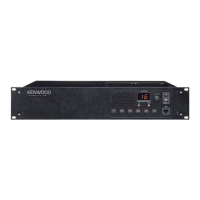
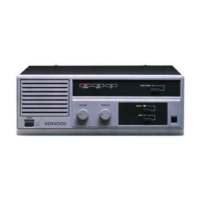
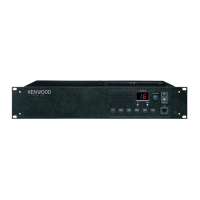
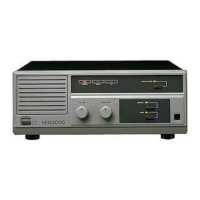
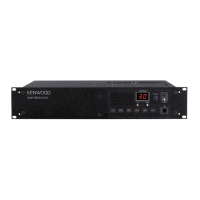
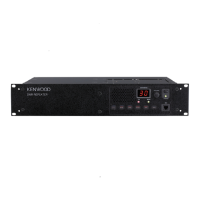
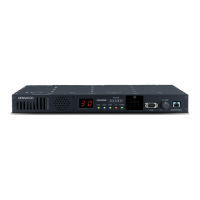
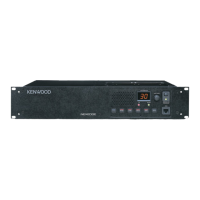
Details front and rear panel components, connectors, and indicators for TKR-750/850/751/851.
Explains the frequency pairing for transmission and reception across different models.
Describes how to set transmission power levels (low/high) for each channel.
Explains frequency bandwidth options (wide/narrow) for transmission based on area/license.
Outlines the different operating modes (User, PC) and transitions for the unit.
Details the front panel display functions, including LEDs and 7-segment displays.
Explains the alphanumeric characters displayed by the 7-segment LEDs on the unit.
Covers turning the unit ON/OFF, adjusting volume, and using PF keys for basic functions.
Explains the squelch function to reduce noise and its configurable levels.
Describes setting a password to protect configuration data from unauthorized access.
Allows storing alphanumeric messages up to 64 characters on the unit.
Enables storing messages with password protection for enhanced security.
Specifies the desired receiving frequency within the allowed range.
Specifies the desired transmitting frequency within the allowed range.
Waits for specific calls using sub-audible tones or digital codes to filter communications.
Limits communication to specific groups by encoding tones or digital codes.
Configures the channel operation mode (Repeat, Simplex, Duplex) for communication.
Eliminates receiver interference by slightly shifting the microprocessor oscillator frequency.
Allows selection of transmission output power (high or low) for each channel.
Eliminates squelch tail noise by transmitting a code at the end of communication.
Checks signals on each channel and pauses scanning when a signal is found.
Improves received audio quality by reducing noise during transmission.
Provides private communication within a group using a special signal.
Restores Voice Scrambler configuration upon power cycle or reset.
Transmits a fixed message, like call sign, in Morse code automatically.
Supports QT/DQT signaling to ignore unwanted calls and communicate with specific groups.
Eliminates squelch tail noise by transmitting a DQT Turn-off Code.
Eliminates squelch tail noise by transmitting a QT Reverse Burst code.
Provides a delay time to start detecting QT/DQT signaling.
Opens squelch regardless of microphone position when QT/DQT signaling is received.
Limits continuous transmission time to prevent channel monopolization.
Notifies the user with a tone when TOT is about to expire.
Sets the duration before re-transmitting after TOT expires.
Resets the TOT countdown timer after transmission pauses.
Sets the duration before stopping transmission after a repeat signal ends.
Prevents transmitting on a busy channel to avoid interference.
Configures priority among Repeater PTT, External PTT, and Local Mic PTT.
Configures TOT functions for repeater and external PTT.
Configures TOT functions specifically for the local microphone PTT.
Prevents transmitting on a busy channel, avoiding interference with ongoing communications.
Configures various beep tones for power on, key presses, and errors.
Configures tones for end of transmission and backup battery status.
Notifies the end of transmission and indicates repeater availability.
Warns the user about backup battery operation and low voltage.
Configures timing for backup battery warning and operation tones.
Activates auxiliary ports when power voltage drops below a configured level.
Activates auxiliary ports when RSSI voltage drops below a configured level.
Reduces current consumption by configuring save mode and related operations.
Sets delay for LED switching off or AF amp muting in Save Mode.
Sets delay for entering Save Mode or switching to Save On status.
Automatically exits Save Mode after a configured time elapses.
Activates functions when entering Save Mode in a specified order.
Activates functions when exiting Save Mode in a specified order.
Assigns functions to operate when the unit is turned ON.
Assigns functions to operate when switching to backup power.
Assigns functions to operate when switching to main power.
Opens squelch when the External Monitor terminal receives a signal.
Controls the fan operation based on internal temperature or always ON.
Allows standby at a transmission frequency when in reception mode.
Configures unit operation when entering Firmware Programming Mode.
Lists functions that can be assigned to PF keys for user-defined operations.
Monitors for signals on a priority channel while scanning normal channels.
Defines a specific channel to be scanned periodically during scan operation.
Sets the time to resume priority scan after no signal is received on the priority channel.
Sets time to resume priority scan when QT/DQT code doesn't match on priority channel.
Configures a channel for transmission when PTT is pressed during scanning.
Sets time to resume scanning after a signal drops or QT/DQT code mismatch.
Sets duration before resuming scan after a transmission ends.
Allows scan operation regardless of microphone hook status.
Sets the transmission speed (digits/sec) for DTMF codes.
Delay between starting transmission and sending the first DTMF digit.
Extension time to transmit the first digit of a DTMF code.
Extension time to transmit '*' and '#' tones in DTMF codes.
Transmits DTMF codes for commands or auxiliary port activation.
Receives DTMF codes to remotely control the unit or disable functions.
Sets a single tone frequency for Transpond code transmission.
Sets a period for single tone transmission as Transpond code.
Feeds back audio tone to the receiving speaker for confirmation.
Controls assigned PF key functions remotely via Air Remote code.
Activates an assigned PF key function remotely when a code matches.
Deactivates an assigned PF key function remotely when a code matches.
Notifies the transmitting party that a PF key function was activated/deactivated.
Selects DTMF or Single Tone as Transpond code for PF key operations.
Controls assigned auxiliary port functions remotely via Air Remote.
Activates auxiliary input port function remotely when received code matches.
Deactivates auxiliary input port function remotely when received code matches.
Transmits Air Remote code when auxiliary input port function is activated.
Transmits Air Remote code when auxiliary input port function is disabled.
Notifies transmitting party of Air Remote code acceptance for Auxiliary I/O.
Transmits Transpond code when auxiliary port function activates via Air Remote.
Transmits Transpond code when auxiliary port function disables via Air Remote.
Selects DTMF or Single Tone as Transpond code for auxiliary functions.
Permits receiving Air-Remote code based on QT/DQT match/unmatch status.
Waits to transmit Transpond code until the channel becomes available.
Notifies transmitting party of remote code acceptance for PF keys or auxiliary ports.
Assigns functions like Channel Select or Multi-table Select to AUX I/O ports.
Assigns various functions to control the unit via auxiliary input ports.
Assigns various functions to control external devices via auxiliary output ports.
Selects channels 1-16 when signal applied to AUX input port.
Moves to the next lower channel when signal applied to AUX input port.
Moves to the next higher channel when signal applied to AUX input port.
Transmits CW ID when signal is applied to PF key or AUX input port.
Transmits CW messages when signal is applied to PF key or AUX input port.
Switches Save Mode Off when signal is applied to DC Power Save Off input.
Switches Save Mode On when signal is applied to DC Power Save On input.
Switches Save Mode On/Off when signal applied to DC Power Save On/Off input.
Unlights front panel LEDs when signal applied to Display Off input.
Lights front panel LEDs when signal applied to Display On input.
Switches front panel LEDs On/Off when signal applied to Display On/Off input.
Disables Repeat Hold Time when signal applied to Hold Time Disable input.
Enables Repeat Hold Time when signal applied to Hold Time Enable input.
Switches Repeat Hold Time disable/enable when signal applied to input.
Disables Local Mic PTT transmissions when signal applied to Local TX Disable input.
Enables Local Mic PTT transmissions when signal applied to Local TX Enable input.
Switches Local Mic PTT transmissions disable/enable when signal applied to input.
Changes transmission power from Low to High when signal applied to Low Power Off input.
Changes transmission power from High to Low when signal applied to Low Power On input.
Switches transmission power High/Low when signal applied to Low Power On/Off input.
Disables Signalling Decode function when signal applied to Monitor Off input.
Enables Signalling Decode function when signal applied to Monitor On input.
Switches Signalling Decode function enable/disable when signal applied to input.
Switches signalling to Sub-table when signal applied to Multi-table Sub input.
Switches signalling to Main-table when signal applied to Multi-table Main input.
Switches Main/Sub for signalling when signal applied to Multi-table Main/Sub input.
Disables QT/DQT Decode function when signal applied to QT/DQT Decode Disable input.
Enables QT/DQT Decode function when signal applied to QT/DQT Decode Enable input.
Switches QT/DQT Decode function disable/enable when signal applied to input.
Disables QT/DQT Encode function when signal applied to QT/DQT Encode Disable input.
Enables QT/DQT Encode function when signal applied to QT/DQT Encode Enable input.
Switches QT/DQT Encode function disable/enable when signal applied to input.
Disables Repeat operation when signal applied to Repeat Disable input.
Enables Repeat operation when signal applied to Repeat Enable input.
Switches Repeat operation enable/disable when signal applied to input.
Resets operations and returns to default values when signal applied to Reset input.
Disables Scan function when signal applied to Scan Off input.
Enables Scan function when signal applied to Scan On input.
Switches Scan function enable/disable when signal applied to input.
Disables Scrambler function when signal applied to Scrambler Off input.
Enables Scrambler function when signal applied to Scrambler On input.
Switches Scrambler function On/Off when signal applied to input.
Disables Squelch function when signal applied to Squelch Off input.
Enables Squelch function when signal applied to Squelch On input.
Switches Squelch function On/Off when signal applied to input.
Switches TA terminal input signal pre-emphasis enable/disable.
Turns Test Tone Off when signal applied to Test Tone Off input.
Turns Test Tone On when signal applied to Test Tone On input.
Switches Test Tone On/Off when signal applied to input.
Turns Time Out Timer Off when signal applied to TOT Disable input.
Turns Time Out Timer On when signal applied to TOT Enable input.
Switches Time Out Timer disable/enable when signal applied to input.
Restricts all transmissions when signal applied to TX Disable input.
Permits all transmissions when signal applied to TX Enable input.
Switches transmissions disable/enable when signal applied to input.
Detects signals applied to Auxiliary Input ports using Down Edge or Level Detection.
Assigns functions to auxiliary output ports or AUX input/output ports.
Selects output logic type (High/Low) for auxiliary output ports.
Allows waiting for calls using up to 15 QT/DQT codes, configurable per channel.
Sends Morse code configured messages for identification.
Sets the interval duration for sending CW IDs repeatedly.
Duration between transmission end and sending CW ID.
Sets the speed (WPM) for transmitting CW IDs.
Duration between starting transmission and sending CW ID.
Configures the CW tone frequency for sending CW IDs.
Sends CW ID with configured interval during TX Interval Time.
Sends CW ID with audio signal when TX Interval Time expires.
Monitors CW ID sounds via RA line and front speaker.
Sends CW ID when channel is selected or changed.
Encodes QT/DQT code with CW ID transmission.
Transmits configured Morse code messages via PF keys or AUX I/O port.
Configures up to 8 messages with max 32 characters/symbols.
Sets the speed (WPM) for transmitting CW Messages.
Duration between starting transmission and sending CW Message.
Configures frequency for sending CW Messages.
Monitors CW Message sound via RA line and front speaker.
Encodes QT/DQT code with CW Message transmission.
Transmits a single tone for adjusting output level or confirming settings.
Writes/reads configuration data to/from flash memory via PC.
Checks unit performance and makes adjustments via PC.
Presets decode/encode tones for signaling in PC Test Mode.
Configures up to 16 channels as test frequencies for performance checks.
Adjusts parameters like frequency and squelch levels via PC.
Writes firmware software to the flash memory using specific software.
Restores operation state, scan, channel, scrambler, and power settings upon power-on.




 To Next Page
 General