EasyManua.ls Logo

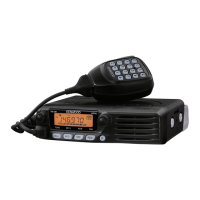
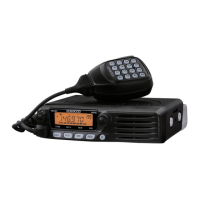
Kenwood TM-G707 - User Manual

Kenwood TM-G707
84 pages
Print Icon
To Next Page IconTo Next Page
Loading...
© B62-1509-00 (K,E,M)
09 08 07 06 05 04 03 02 01 00
KENWOOD CORPORATION
INSTRUCTION MANUAL
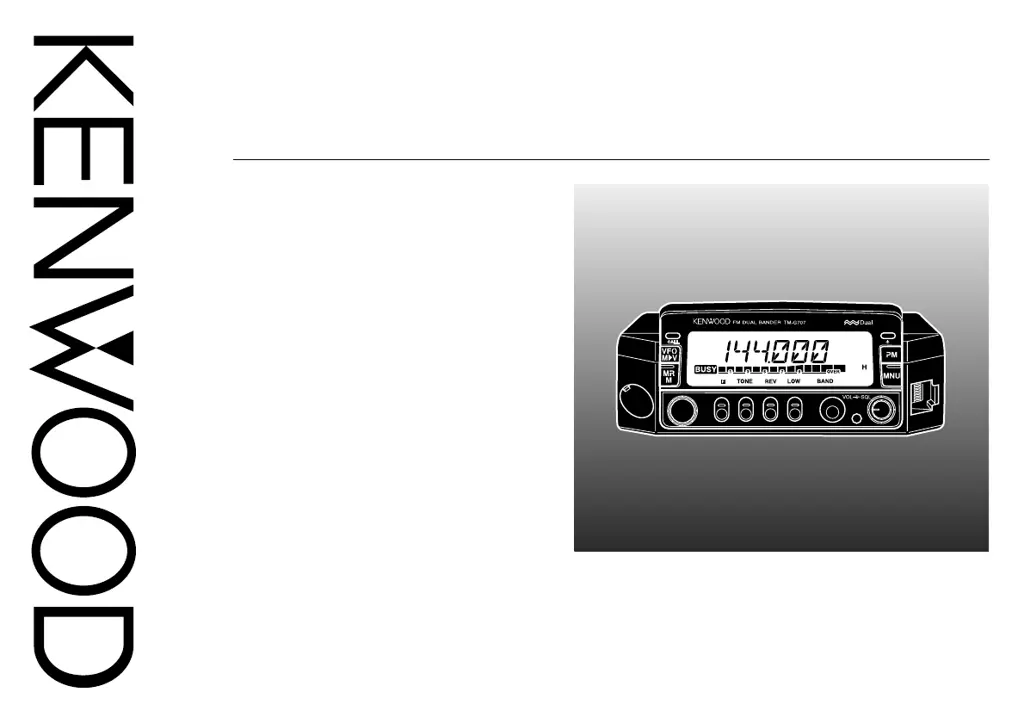
144/440 MHz FM DUAL BANDER
144/430 MHz FM DUAL BANDER
TM-G707A
TM-G707A
144/430 MHz FM DUAL BANDER
TM-G707E

Table of Contents

Questions and Answers

  • K
    Kristen ChavezJul 30, 2025
    Why most buttons do not function on Kenwood Transceiver?
    • T
      Teresa KempJul 30, 2025
      If most buttons/keys and the Tuning control on your Kenwood Transceiver aren't working, it could be due to a couple of reasons: 1. One of the Lock functions is activated. To solve this, unlock all of the Lock functions. 2. The front panel isn't securely connected to the main unit. To fix this, detach the front panel from the main unit using the release switch on the rear of the front panel, and then securely reattach it using the same switch.
  • L
    leonardmichaelAug 3, 2025
    What to do if Kenwood Transceiver won't transmit?
    • M
      Mario AlvarezAug 3, 2025
      If you can't transmit even when pressing the Mic [PTT] on your Kenwood Transceiver, there are a couple of things to check: * Ensure the microphone plug is fully inserted into the front panel connector. Switch off the power, then insert the microphone plug until the locking tab clicks in place. * You might have selected a transmit offset that puts the transmit frequency outside the allowable range. Press [F], [SHIFT] repeatedly until neither “+” nor “–” is visible.
  • C
    Connor FreemanAug 7, 2025
    What to do if memory channels cannot be selected on Kenwood Transceiver?
    • R
      robertmejiaAug 7, 2025
      If memory channels cannot be selected by turning the Tuning control or by pressing Mic[UP]/ [DWN] when using Memory Recall on your Kenwood Transceiver, it may be because no data has been stored in any memory channels, or stored data was erased by Full Reset. To resolve this, store data in some memory channels.
  • J
    John GriffithAug 11, 2025
    Why Kenwood Transceiver fails to connect in packet operation?
    • K
      Kathy ButlerAug 11, 2025
      If packet operation with your Kenwood Transceiver results in no connections with other stations, consider the following: * Your frequency might differ from the target station’s frequency. Adjust your frequency using the Tuning control. * The modulation level from the TNC might be incorrect. Adjust the TNC modulation level according to the TNC instruction manual. * There could be multi-path distortion. Try reorienting or relocating the antenna; the strongest signal doesn't always provide the best packet operation. * The TX delay of your TNC may not be long enough. It's recommended to set the TX delay parameter on the TNC to 300ms using your computer.
  • J
    Jennifer MeltonAug 15, 2025
    Why is Kenwood Transceiver display too dim?
    • E
      Elizabeth PerezAug 16, 2025
      If the display on your Kenwood Transceiver is too dim, even at a high dimmer level, the supply voltage might be too low. The required supply voltage is 13.8 V DC ±15% (11.7 V to 15.8 V DC). If the input voltage is outside of this range, recharge your battery, adjust your regulated power supply, and/or check all power cable connections.
  • J
    Joshua FreyAug 20, 2025
    Why Kenwood Transceiver functions or displays information strangely?
    • M
      Matthew MoonAug 20, 2025
      If the way your Kenwood Transceiver functions or displays information seems strange, it might be due to soiled electrical contacts on the front panel and main unit. Clean the electrical contacts on both the front panel and the main unit using a clean, damp cloth.
  • V
    Valerie MoranOct 24, 2025
    How to fix Kenwood Transceiver when it will not power up?
    • B
      butlercassandraOct 24, 2025
      If your Kenwood Transceiver won't power up, even after connecting a 13.8 V DC power supply and pressing the power switch, and nothing appears on the display, there are several potential causes: * The power cable might be connected backwards. To resolve this, ensure the DC power cable is connected correctly: Red to (+), Black to (–). * One or more of the power cable fuses could be open. Inspect for the cause of the blown fuse(s). After correcting any issues, install a new fuse(s) with the same ratings. * The front panel might not be securely connected to the main unit. Separate the front panel from the main unit using the release switch on the rear of the front panel, then lock it securely back in place using the same switch. * The connectorized cable may not be connected correctly...

Summary

Preparation for Mobile and Fixed Station Operation

Mobile Installation Guide

Instructions for safely mounting the transceiver in a vehicle for mobile use.

DC Power Cable Connection

Steps for connecting the DC power cable for mobile and fixed station operation.

Antenna Connection

Guidance on connecting an external antenna for optimal performance.

Getting Acquainted with the Transceiver

Front Panel Layout and Controls

Detailed description of the front panel buttons and their functions.

Rear Panel Connectors

Identification and function of rear panel ports.

Microphone Controls and Functions

Explanation of microphone buttons and features.

Operating Basics

Selecting Frequencies

Transmitting Operations

Menu Set-Up Procedures

Menu Configuration Options

Operating Through Repeaters

Memory Channels

Storing Simplex and Standard Repeater Frequencies

Procedure for saving simplex or standard repeater frequencies.

Memory Channel Management

Recalling Stored Memory Channels

How to access previously saved memory channels.

Clearing Memory Channels

Procedure to erase stored memory channel data.

Call Channel Management

Initializing Memory Settings

Programmable Memory (PM) Features

Scan Operations

Scan Operation Modes

Priority Scan

Continuous Tone Coded Squelch System (CTCSS)

Dual Tone Multi-Frequency (DTMF) Functions

Programmable Function (PF) Keys

Auxiliary Functions Overview

Programmable VFO Function

Keypad Direct Entry (U.S.A.;Canada Only)

Lock Functions

Microphone Control Features

Packet Operation

Installing Optional Accessories

Maintenance and Service

Troubleshooting Common Issues

Diagnosing and resolving operational malfunctions and problems.

Technical Specifications

Power On Functions Summary

Kenwood TM-G707 Specifications

General IconGeneral
BrandKenwood
ModelTM-G707
CategoryTransceiver
LanguageEnglish

Related product manuals