EasyManua.ls Logo

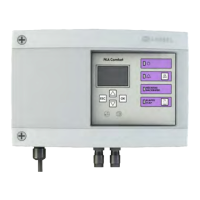
Kessel Comfort - User Manual

Kessel Comfort
168 pages
Go to English
Print Icon
To Next Page IconTo Next Page
Loading...
ANLEITUNG FÜR EINBAU, BETRIEB UND WARTUNG
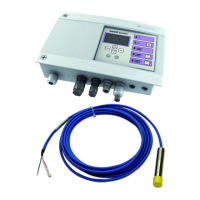
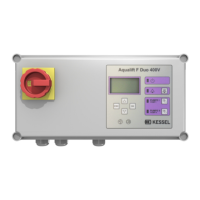
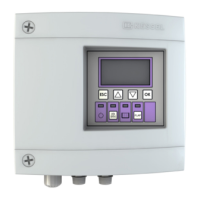
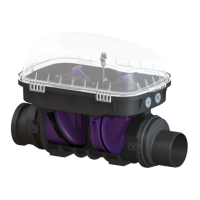
KESSEL-Schaltgerät Pumpx / Ecolift
Stand 2019/04 Sach-Nr. 016-004
Installation Inbetriebnahme Einweisung
der Anlage wurde durchgeführt von Ihrem Fachbetrieb:
Name/Unterschrift Datum Ort
Steckerfertige Anschlüsse
Mehrzeilige
Displayanzeige, intuitive
Menüführung
Selbstdiagnosesystem
Wartungsintervall mit
Erinnerung
USB-Schnittstelle
Optional: GSM-
Schnittstelle
Produktvorteile
Stempel Fachbetrieb
Technische Änderungen vorbehalten
D Seite 1
GB Page 29
F Page 57
I Pagina 84
NL Pagina 112
PL Strona 140

Table of Contents

Questions and Answers

  • Q
    qgardnerAug 21, 2025
    What to do if Kessel Control Unit has a power outage?
    • A
      Amy KingAug 21, 2025
      If the Kessel Control Unit displays 'Power outage', it could be due to a general power failure, a blown device fuse, or an interrupted mains supply cable. Check the fuse and the mains supply cable. Remember to switch off the unit intentionally before checking the mains supply cable.
  • S
    shaffercoreyAug 23, 2025
    Why does Kessel Control Unit show maximum current?
    • J
      John PhillipsAug 25, 2025
      If your Kessel Control Unit displays 'Maximum current', it means the pump's current consumption is too high, possibly due to a blockage in the impeller. To resolve this, clean the pump and check the impeller to ensure it runs smoothly. If necessary, replace the pump.
  • E
    Elizabeth DorseyAug 26, 2025
    What to do if Kessel Control Unit shows minimum current?
    • L
      lnielsenAug 26, 2025
      If the Kessel Control Unit displays 'Minimum current', it indicates that the pump's current consumption is below the minimum value. This could be due to a break in the cable between the control unit and the pump, or a faulty pump. Check the cable and replace it if necessary. Also, check the pump and replace it if needed.
  • S
    savannah15Aug 28, 2025
    How to troubleshoot probe fault in Kessel Control Unit?
    • J
      Jason WoodAug 28, 2025
      If the Kessel Control Unit displays 'Probe fault', it could be due to the 'Probe' control cable not being connected, connected with inverse polarity, or broken during initialization, or the cable is faulty during operation. Remove the mains plug and deactivate the battery. Check the control cable for correct connection or any breaks. Replace the probe if necessary.
  • M
    Mr. Robert GutierrezAug 30, 2025
    How to fix battery fault on Kessel Comfort Control Unit?
    • A
      Adam BoydAug 30, 2025
      If the Kessel Control Unit displays 'Battery fault', it means the battery is either missing or faulty. Remove the mains plug, connect the batteries, and replace them with new ones if necessary. A running light will appear on the display again when the unit is ready.
  • L
    Lauren ShawSep 1, 2025
    What causes flap fault in Kessel Comfort?
    • H
      Heather PattersonSep 1, 2025
      If the Kessel Control Unit displays 'Flap fault', it means the flap cannot be closed completely during start-up or by using the 'test' key, likely because the flap is blocked by an object. To resolve this: 1. Remove the mains plug. 2. Deactivate the battery. 3. Open the Staufix cover. 4. Remove the blockage and return to operation. It is recommended to inform a specialist company.
  • M
    Megan KelleySep 3, 2025
    What to do if Kessel Comfort shows flap fault with backwater?
    • C
      Christine CollierSep 3, 2025
      If the Kessel Control Unit displays 'Flap fault' and backwater is detected, it means the flap cannot be closed completely because it is blocked by an object. Close the emergency valve. After the backwater ends, remove the blockage.
  • S
    Steven StewartSep 5, 2025
    How to resolve relay error on Kessel Control Unit?
    • M
      Michelle RodgersSep 5, 2025
      If the Kessel Control Unit displays 'Relay error', it indicates that the power contactor is not switching off. Disconnect the control unit from the mains and replace the control unit.
  • J
    Jonathan VaughnSep 7, 2025
    What does maintenance due flashing mean on Kessel Comfort Control Unit?
    • N
      nicholas36Sep 7, 2025
      If the Kessel Control Unit displays 'Maintenance due (flashing)', it means the maintenance date has either been reached or no maintenance date was entered. Carry out the maintenance or enter the maintenance date.
  • D
    Donna ThompsonSep 9, 2025
    What to do if Kessel Control Unit shows max run time?
    • S
      Samantha GomezSep 9, 2025
      If the Kessel Control Unit displays 'Max run time', it means the pump is running for too long during each pumping process. Check the system design and, if necessary, contact Customer Services.

Summary

EU Declaration of Conformity

General Information

1.1 Introduction and Greeting

Standard welcome message and feedback request.

1.2 Product Description, General

Overview of the control unit's function and basic components.

1.2.1 Type Plate

1.2.2 Scope of Delivery

1.3 General Instructions for Manual Use

1.4 Assemblies, Functional Elements, and Connections

1.4.1 Display and Control Panel

Safety

2.1 Correct Use

Specifies permissible and impermissible applications for the control unit.

2.2 Staff Selection and Qualification

Defines requirements for personnel operating or installing the unit.

2.3 Organisational Safety Measures

Outlines necessary organizational safety procedures and site management.

2.4 Risks Caused by the Product

Identifies potential hazards like electric shock and material damage.

Installation

3.1 Fastening the Control Unit

Step-by-step guide on securely mounting the control unit housing.

3.2 Routing the USB Connection Out

3.3 Connecting Plug-Type Connections

3.3.1 Connect Potential-Free Contact

3.4 Connecting the Control Unit

Initial Operation

4.1 Carrying Out Initialisation

Step-by-step guide for initial setup and configuration.

4.2 Changing Self-Diagnosis Interval

4.3 Check Potential-Free Contact

4.4 Activate SMS Alerting

4.5 Carrying Out a Functional Check

Operation

5.1 Switching On

How to power up the control unit and the initial self-test.

5.2 Switching Off

Procedure for safely shutting down the control unit.

5.3 Acknowledging the Alarm

Steps to clear active alarms and indicators.

5.4 Alarm Message in Event of Power Outage

5.5 Manual Mode, General

5.5.1 Wastewater Pump Manual Mode

5.5.2 Backwater Flap Manual Mode

5.6 Operating Menu

Menu Structure

Current Measured Values

Displays real-time sensor readings like voltage, temperature, level.

Parameters

Configuration settings for various operational parameters.

Maintenance

Options for manual and automatic maintenance scheduling and tracking.

Settings

Communication Settings

Configuration of communication parameters like station name and modem type.

Language Settings

Selection of the display language for the unit.

Reset Function

Procedures for resetting the control unit to factory defaults.

USB Data Transmission

Options for data exchange via USB, like reading data or software updates.

Adapting Cable Lengths and Software Update

6.1 Shortening or Lengthening Pump;Sensor Cable

Instructions for modifying cable lengths, including ordering extensions.

6.2 Update and Reading Out Data

Procedures for updating software and retrieving data from the unit.

6.2.1 Read Out Data

6.2.2 Carry Out Software Update

6.2.3 Read In Parameters

6.3 Routing the USB Connection Out

Troubleshooting

Error List and Remedial Measures

A comprehensive list of errors, their causes, and solutions.

Technical Data

8.1 Additional Functions

Details on extra features like the "Sleep-Modus".

Kessel Comfort Specifications

General IconGeneral
BrandKessel
ModelComfort
CategoryControl Unit
LanguageEnglish

Related product manuals