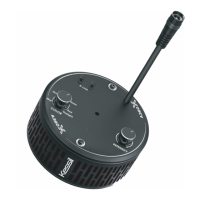
The AP9X requires up to 40 seconds to boot.
The Wi-Fi Indicator (B) will first show solid
purple light, and then disappear. The Mode
Indicator (A) will then show solid green light.
* The light will be turned on automatically. DO
NOT place the AP9X on any object.
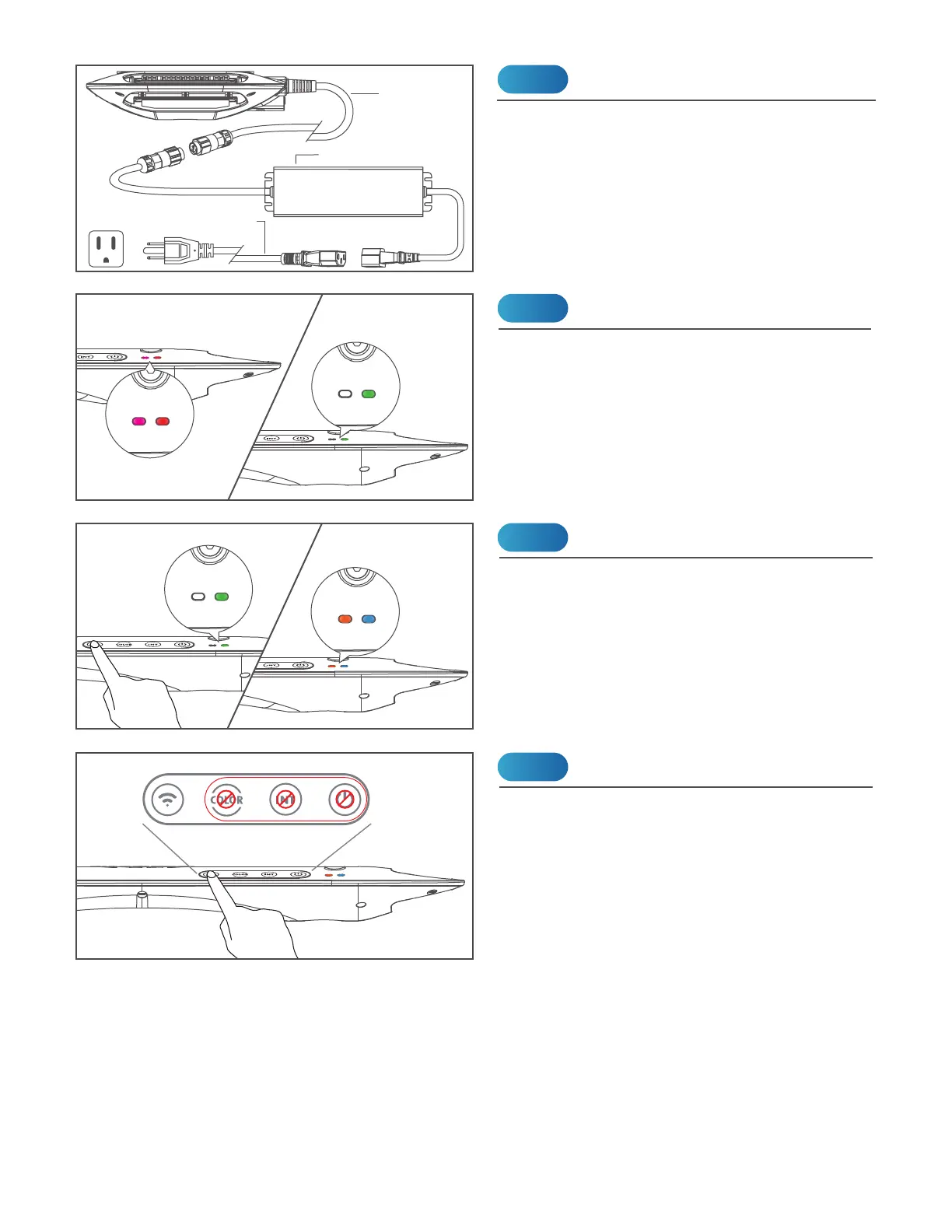
Connect the AP9X to the Power Adapter and
plug it into a wall outlet. The Wi-Fi Indicator
(B) will be solid purple to indicate booting
mode (it may take up to 40 seconds).
INSTALLATION
Power
Booting
Step 1
Power Cord
(9.2ft / 2.8m)
Power Adapter
Step 2
Adapter Cable (5.9ft / 1.8m)
(Plug type varies from country to country)
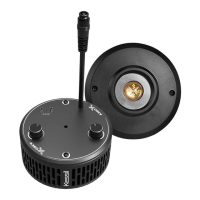
Touch and hold the Wi-Fi (G) button for 3
seconds to turn on Wi-Fi signal. Do the same
to turn off Wi-Fi signal.
Turn On Wi-Fi for App Connection
Step 3
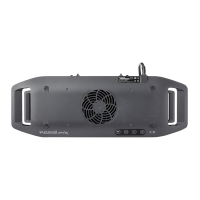
When the Wi-Fi of AP9X is turned on (Wi-Fi
indicator is ON), control buttons are disabled.
Turn off Wi-Fi (press "Wi-Fi" (G) button for 3
seconds) for manual control on touch panel.
Control Buttons Disabled
NOTE
Wi-Fi Mode
Booting After booting
Wi-Fi OFF Wi-Fi ON
Wi-Fi Mode


 To Next Page