Solid Blue
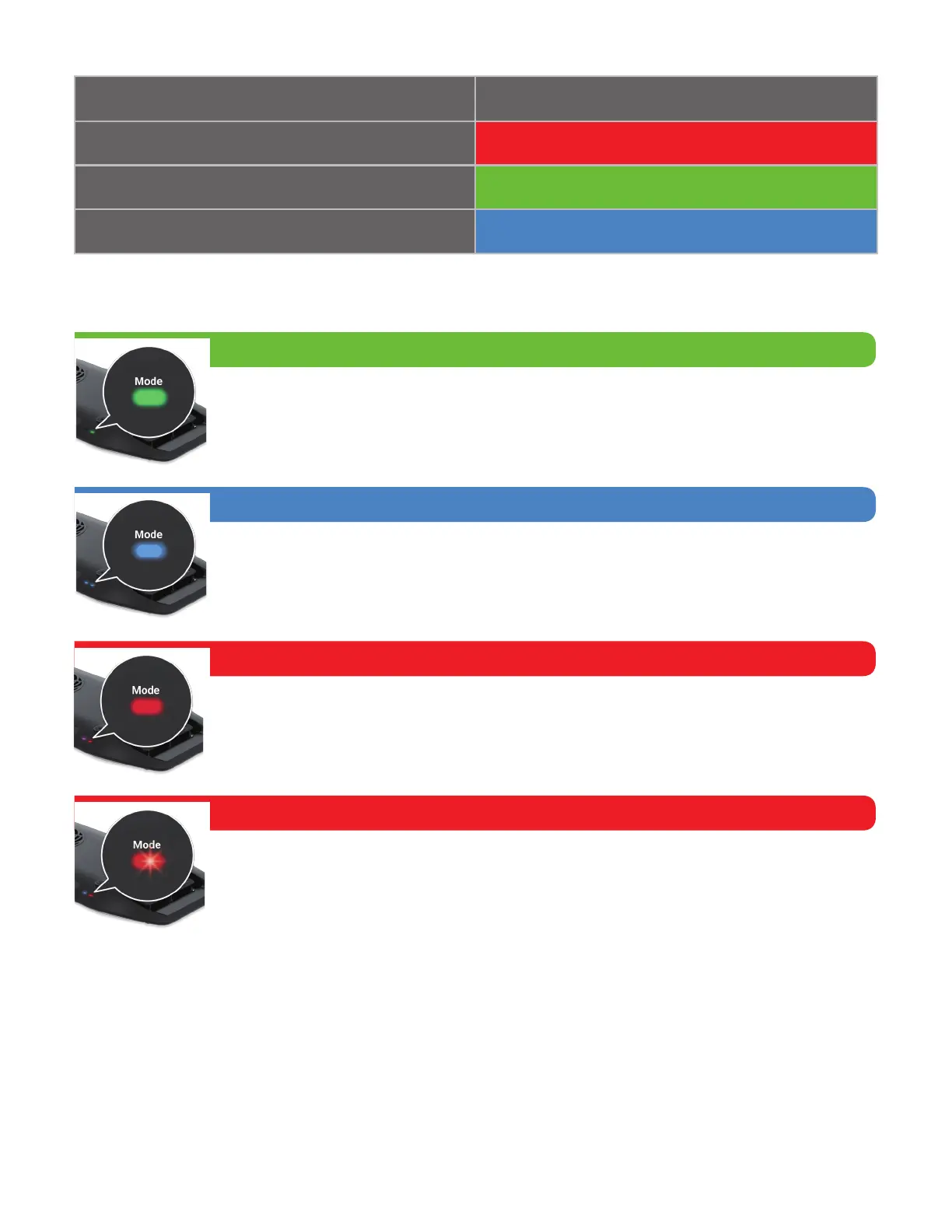
Solid Blue
Control buttons disabled when the Wi-Fi of AP9X is turned on or when there
is a K-Link signal input (e.g. Spectral Controller X).
Solid Red
The AP9X requires up to 40 seconds to boot. The AP9X Mode Indicator (A)
will show solid red light.
Blinking Red
Error mode. One of the main causes is signal collision, touch and hold the
Wi-Fi (G) button for 3 seconds to turn off Wi-Fi signal.
Solid Green
Control buttons enabled. Able to control other K-Link daisy-chained fixtures.
MODE INDICATOR STATES
Booting
Control buttons enabled
Control buttons disabled
Mode
Solid Red
Solid Green


 To Next Page