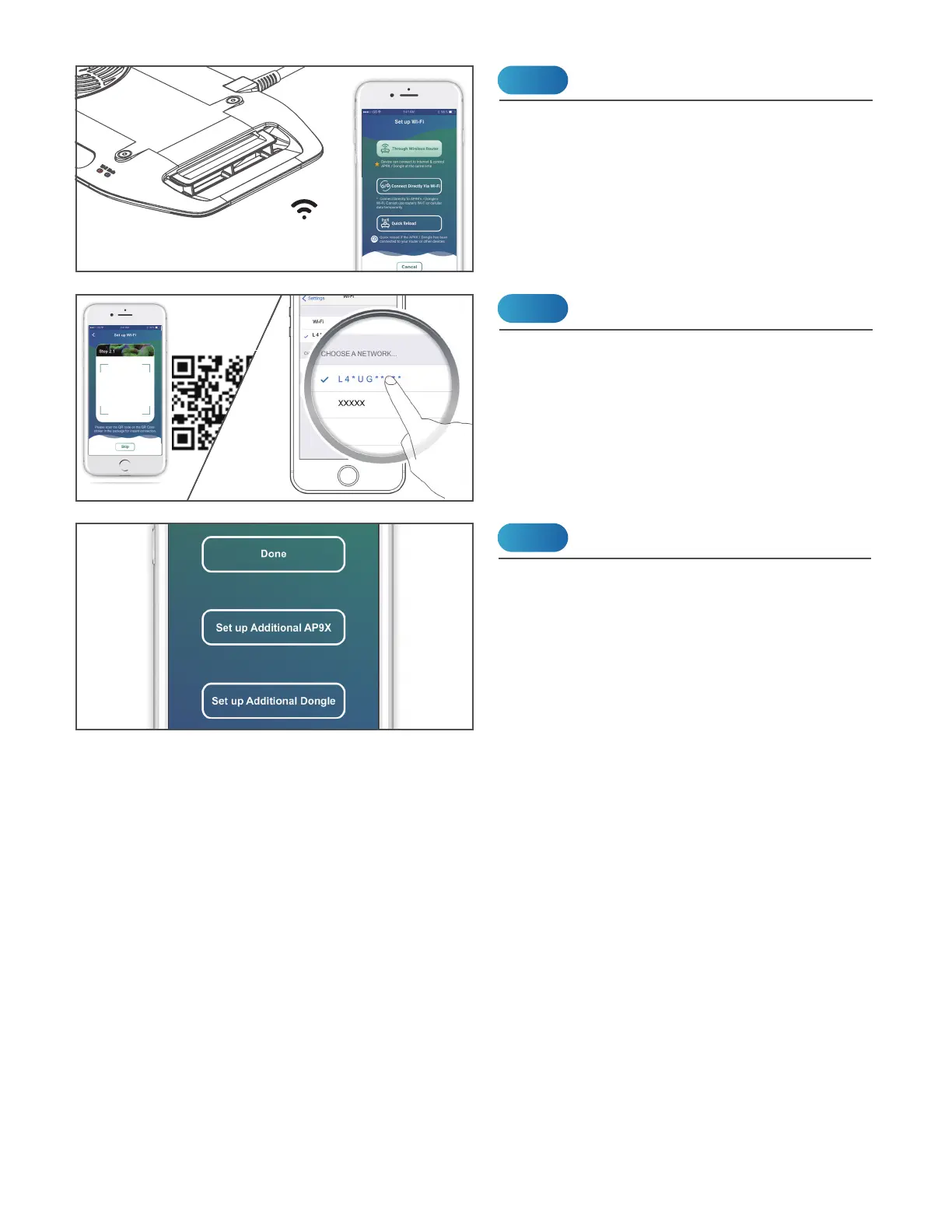
If you have more AP9Xs, choose "Set up
Additional AP9X". Choose "Done" if you
complete the setup.
Set up More AP9X
Step 3
Download the “Kessil WiFi” app* in App Store
or Google Play Store.
* Only supports iOS 10.0 or above and Android 5.0
or above
Download “Kessil WiFi” App
Step 1
Open the “Kessil WiFi” app and follow the
instructions in the app to connect to AP9X.
You will need the QR Code Sticker provided
in the package. If you wish to enter the
password manually, the password is
reverse of the S/N of the AP9X (capital
letter matters).
Connection
Step 2
This is for wireless
connection process,
please SAVE these stickers.
***
CONNECTION


 To Next Page