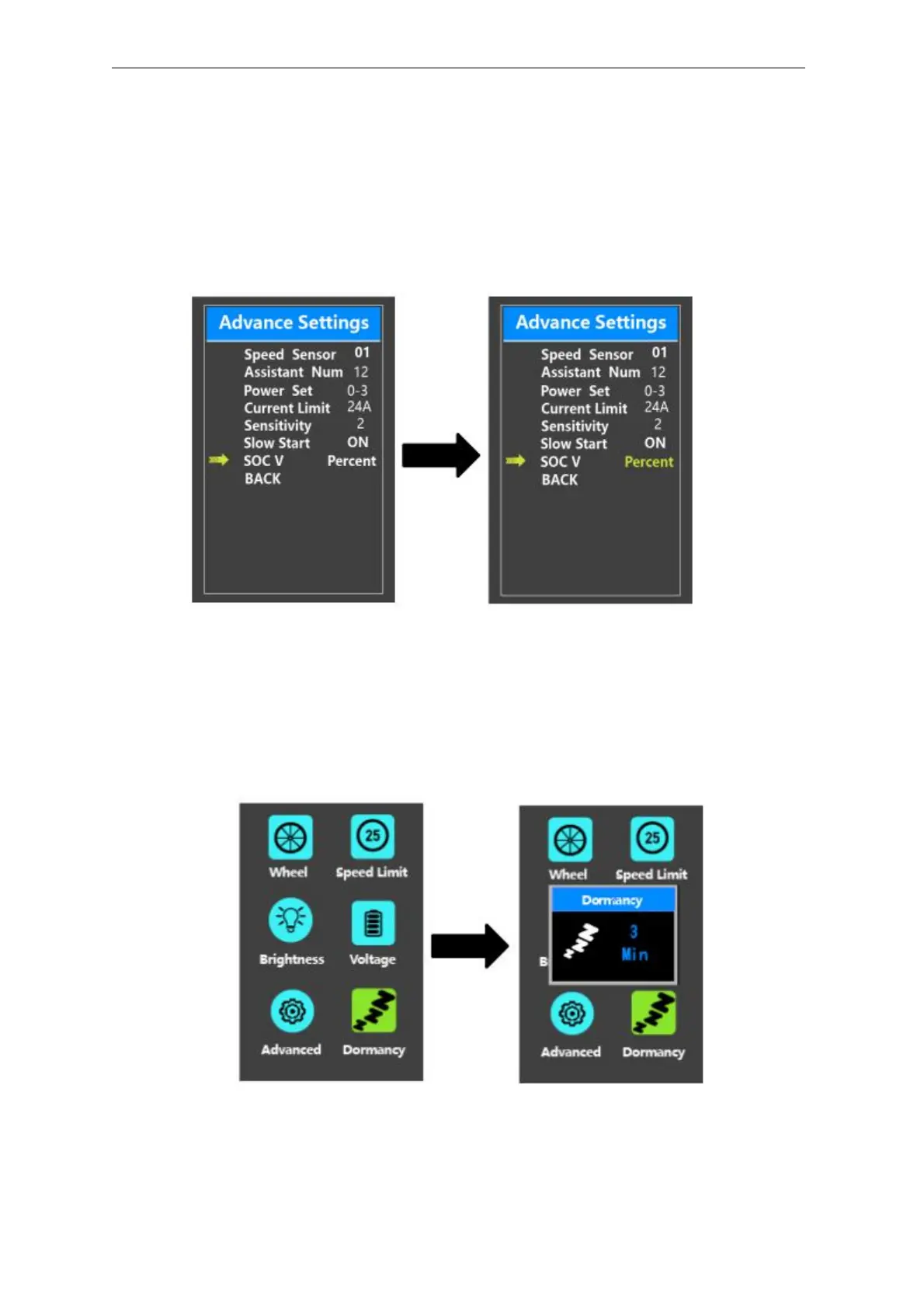
◆SOC View Settings
SOC V represents 2 display modes of battery SOC. One is by the percent value and the
other is by the Voltage value. Press the “+” button or the “-” button to choose the desired display
method. The default view method is by the percent.
To store a changed setting, briefly press the “i” button to confirm.
SOC view setting interface
◆Auto-off Time Settings
Dormancy represents display auto-off time settings.
To change display automatic shutdown time, press Dormancy and press the “+”
button or the “-” button to choose the desired duration. The default auto-off time is 5
minutes.
To store a changed setting, briefly press the “i” button.
Auto-off time settings



 To Next Page