(SINGLE LEAF
CONFIGURATION continued)
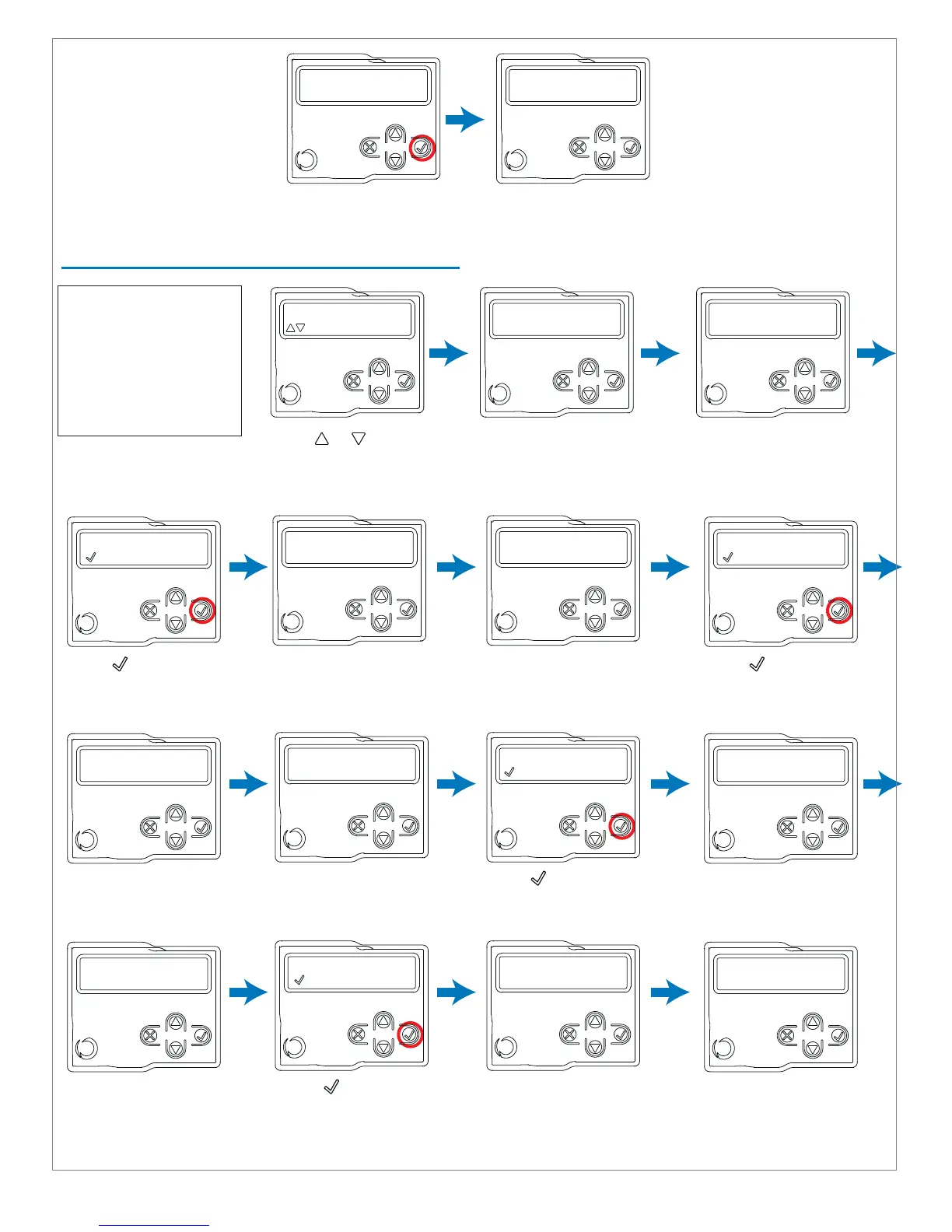
Press or to reverse
direction of M2 if gate is
not traveling in the OPEN
direction
Press to set the M2
deceleration point on
the closing direction
Press to set the M1
deceleration point on the
opening direction
closing M2...
= Slow down start
Press to set the M1
deceleration point on
the closing direction
closing M1...
= Slow down start
Opening limit of M1 will be
automatically learned
Press any button to exit
programming mode
LEarning...
opening m
1...
DOUBLE LEAF CONFIGURATION
learning...
opening...
learning...
Closing m2...
Indicates learning
opening direction of M2
Closing limit of M2 will
be learned automatically
learning...
Closing completed
learning...
Closing M1...
opening M1...
= Slow down start
Opening limit of M1 will
be automatically learned
learning...
opening M1...
Closing limit of M1 will
be learned automatically
learning...
Closing completed
Opening limit of M2 will
be automatically learned
Press to set the M2
deceleration point on
the opening direction
learning...
opening completed
learning...
opening m2...
opening m2...
= Slow down start
Programming successfully
completed. Press button
learning...
opening completed
opening m2
to reverse direction
NOTE: It is important to
check that the deceler-
ations points allow
enough time for the
leaves of the gate to
slow down before they
reach the limit position.
NOTE: Gates will automatically close after programming is successfully complete.
Press any button to exit
programming mode
Programming successfully
completed. Press button
21



 To Next Page