

EasyManua.ls Logo

Keyscan NETCOM2P - User Manual

Keyscan NETCOM2P
24 pages
Print Icon
To Next Page IconTo Next Page
Loading...
NETCOM2P Installation Guide
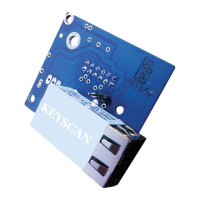
This guide outlines how to install and program the NETCOM2Pserial to Ethernet
converterfor network communication. As the NETCOM2P can be configured to operate
with a CIM or directly from a PC109x or later ACU control board, this guide is divided into
the following two separate installation sections:
NETCOM2P/CIM Installationpage 2
NETCOM2P/ACU Control Board Installation (PC109x or later)page 11
Please refer to the appropriate installation instructions and diagrams. Installation
procedures are different for each type of configuration.
Important
Installing the NETCOM2P involves two connection procedures, temporary serial
programming connections and permanent operation connections. This applies to both types
of installations. Please be sure to review the relevant diagrams for programming and
operating connections.
Before You Start
Verify that you have all the parts as outlined below.
Obtain a static IP address, Subnet Mask, and, if applicable, a Gateway from the
network administrator for each NETCOM2P. Space for recording addresses is provided
at the back.
Ensure that you install the latest Keyscan NETCOM Program Tool utility, which is on
the enclosed CD, on a laptop or PC that can be serially connected to program the
NETCOM2P.
If using Keyscan Aurora software, the control board requires firmware version 9.20 or
higher.
About the Reset Function
During the NETCOM2P programming procedures, you are prompted to reset the device,
which is a soft re-boot. This is equivalent to a power cycle.
Contents
NETCOM2P/CIM Installation
2
NETCOM2P/ACU Installation
11
Specifications
24
Parts List
NETCOM2P
1
Serial Data Cable
1
Utilities & Drivers CD
1
Question and Answer IconNeed help?

Do you have a question about the Keyscan NETCOM2P and is the answer not in the manual?

Summary

NETCOM2 P;CIM Installation

Install Keyscan NETCOM Program Tool Utility

Install the necessary software utility for programming the NETCOM2P device.

Connection Diagrams

Visual representations of temporary serial programming and permanent network connections.

Steps to Program and Install a NETCOM2 P with a CIM

Detailed instructions for programming and installing the NETCOM2P on a CIM.

NETCOM2 P;CIM Operational Connections

Figure 5 - NETCOM2 P;CIM Operational Connections

Illustrates operational connections for NETCOM2P with multiple CIM circuit boards.

Bit Rate; Distance

Defines the relationship between bit rate and maximum communication distance.

Bit Rate; Jumper Settings

Specifies jumper settings for different bit rates on the control board.

NETCOM2 P;ACU Control Board Installation

Install Keyscan NETCOM Program Tool Utility

Install the required software utility for programming the NETCOM2P on an ACU.

Connection Diagrams

Visual guides for serial programming connections to the ACU/NETCOM2P.

Steps to Program and Install a NETCOM2 P on a Control Board

Detailed instructions for programming and installing the NETCOM2P on an ACU.

NETCOM2 P;Control Board Operational Connections

Figure 8 - NETCOM2 P;PC109 x (or higher) Control Board Connections

Illustrates operational connections for NETCOM2P on a PC109x control board.

Manually Configure the NETCOM2 P via a Serial Connection

Important

Notes for advanced users performing manual configuration procedures.

0 Server (User Defined Values)

Configuration settings for IP address, subnet mask, and gateway for the server.

1 Channel 1 (Keyscan Values)

Specifies Keyscan values for channel setup parameters like baud rate and port.

Specifications

Input Power Requirements

Details the power consumption for the NETCOM2P and associated boards.

Network Interface

Information on the RJ45 Ethernet interface and protocols used.

RJ45 Ethernet (Xport) LED States

Explains the meaning of the bi-colour LEDs on the RJ45 Ethernet port.

Address Settings

Fields for configuring IP Address, Subnet Mask, and Gateway.
Summary

NETCOM2 P;CIM Installation

Install Keyscan NETCOM Program Tool Utility

Install the necessary software utility for programming the NETCOM2P device.

Connection Diagrams

Visual representations of temporary serial programming and permanent network connections.

Steps to Program and Install a NETCOM2 P with a CIM

Detailed instructions for programming and installing the NETCOM2P on a CIM.

NETCOM2 P;CIM Operational Connections

Figure 5 - NETCOM2 P;CIM Operational Connections

Illustrates operational connections for NETCOM2P with multiple CIM circuit boards.

Bit Rate; Distance

Defines the relationship between bit rate and maximum communication distance.

Bit Rate; Jumper Settings

Specifies jumper settings for different bit rates on the control board.

NETCOM2 P;ACU Control Board Installation

Install Keyscan NETCOM Program Tool Utility

Install the required software utility for programming the NETCOM2P on an ACU.

Connection Diagrams

Visual guides for serial programming connections to the ACU/NETCOM2P.

Steps to Program and Install a NETCOM2 P on a Control Board

Detailed instructions for programming and installing the NETCOM2P on an ACU.

NETCOM2 P;Control Board Operational Connections

Figure 8 - NETCOM2 P;PC109 x (or higher) Control Board Connections

Illustrates operational connections for NETCOM2P on a PC109x control board.

Manually Configure the NETCOM2 P via a Serial Connection

Important

Notes for advanced users performing manual configuration procedures.

0 Server (User Defined Values)

Configuration settings for IP address, subnet mask, and gateway for the server.

1 Channel 1 (Keyscan Values)

Specifies Keyscan values for channel setup parameters like baud rate and port.

Specifications

Input Power Requirements

Details the power consumption for the NETCOM2P and associated boards.

Network Interface

Information on the RJ45 Ethernet interface and protocols used.

RJ45 Ethernet (Xport) LED States

Explains the meaning of the bi-colour LEDs on the RJ45 Ethernet port.

Address Settings

Fields for configuring IP Address, Subnet Mask, and Gateway.

Keyscan NETCOM2P Specifications

General IconGeneral
BrandKeyscan
ModelNETCOM2P
CategoryAdapter
LanguageEnglish