EasyManua.ls Logo

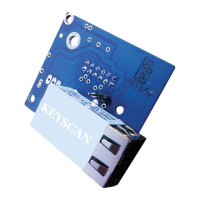
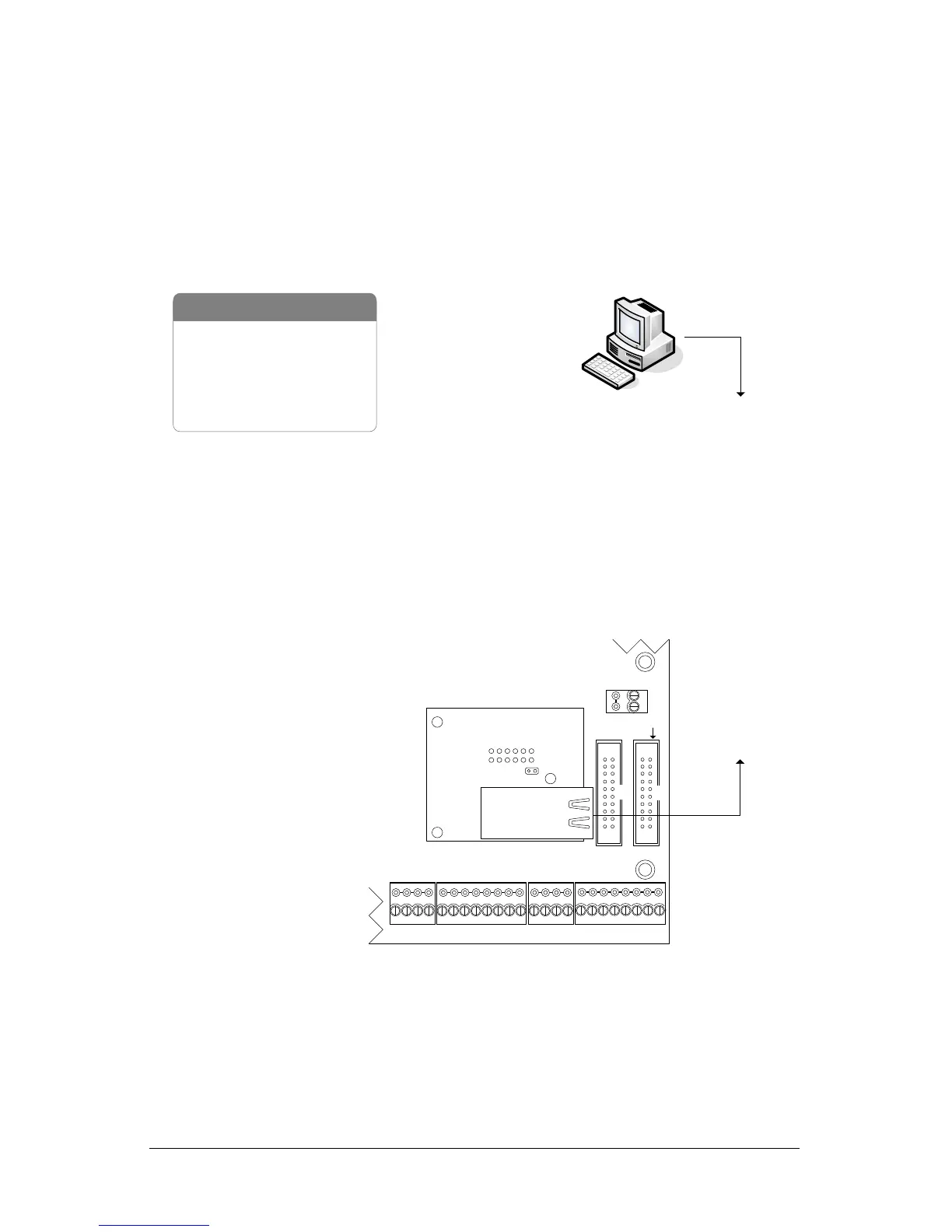
Keyscan NETCOM2P - NETCOM2 P;Control Board Operational Connections; Figure 8 - NETCOM2 P;PC109 x (or higher) Control Board Connections

Keyscan NETCOM2P
24 pages
Print Icon
To Next Page IconTo Next Page
To Previous Page IconTo Previous Page
Loading...
NETCOM2P Installation Guide
17
NETCOM2P/Control Board Operational Connections
Figure 8 illustrates NETCOM2P operating connections and jumper settings when mounted
on a PC109x or higher control board. This configuration only supports a single control
board communication loop.
Multiple Building Communication on a WAN
Keyscan requires a point-to-point private network where NETCOMs are used on a LAN/WAN
(TCP/IP) that integrates building to building communication.
Figure 8 - NETCOM2P/PC109x (or higher) Control Board Connections

- PC
- 10/100 Base-T Cable
- Control Board
- NETCOM2P or NETCOM6P
to network
Host PC with
Communication Manager
Parts List
to network
10 or 100
Base-T
Current Draw
ACU + NETCOMP = 270 mA
RJ45
Terminal
Jack
NETCOMP
RESET
Control Board
(PC 109x)
Cut view with
ACU protective
cover removed.
Common AUX Inputs - E
CPB/CB MODULE
(COM4)
AUX Inputs - D
Common
IOCB (COM1)
NETCOMP plugs into M1 on
control board.
RX
TX
KI-00161E-04-13
J16
Pin F = ON
Pin G = OFF
Or
S2
DIP switch 7 = ON
DIP switch 8 = OFF