Features of your vehicle
1664
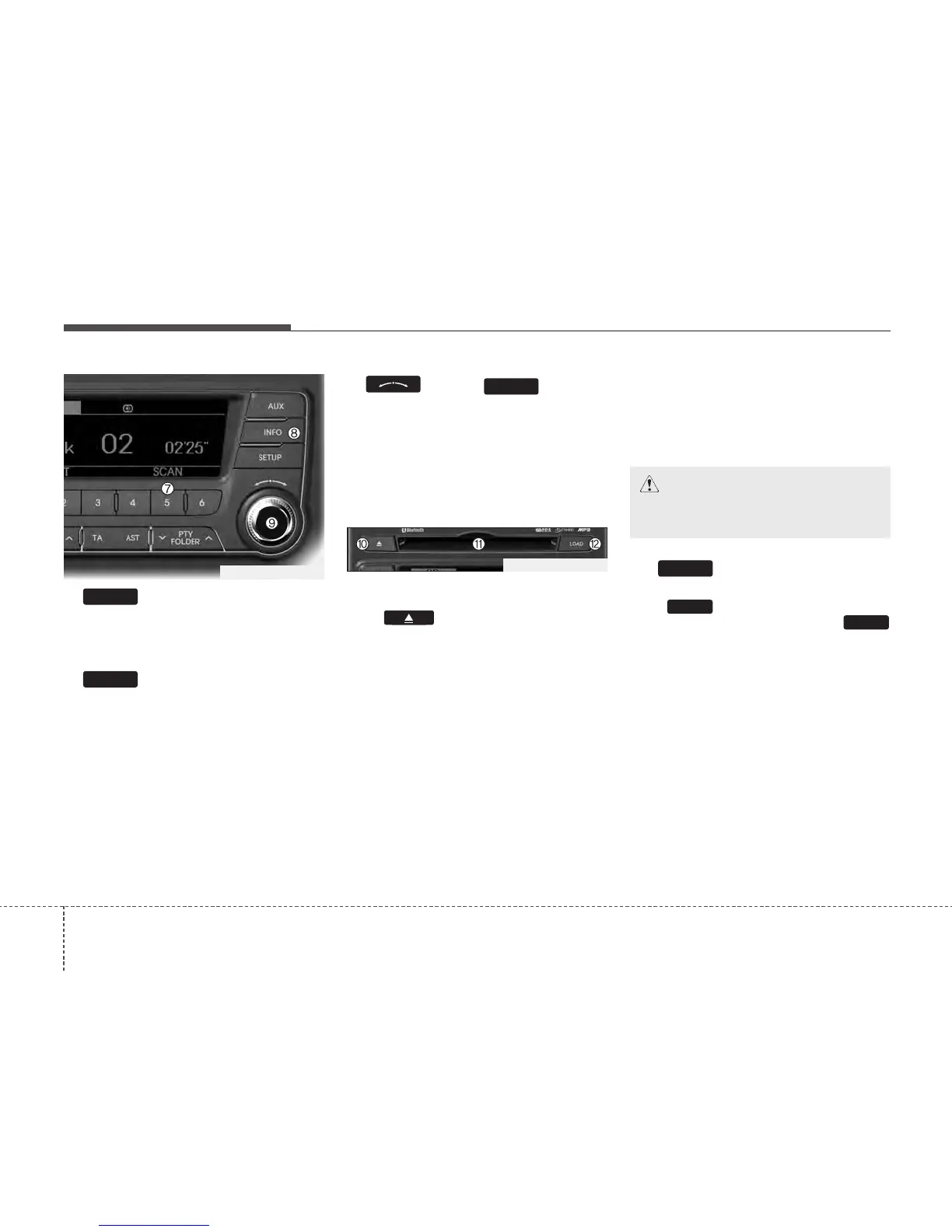
7. Button (SCAN)
Play each song in the CD for 10 seconds.
To cancel SCAN Play, press this button
again.
8. Button
Displays the information of the current
song.
• Audio CD : Disc Title/Artist, Track Title
/Artist, Total Track.
• MP3 CD : File Name, Title, Artist,
Album, Folder, Total Files (Not dis-
played if the information is unavailable
on the CD or file.)
9.
Knob & Button
• Turn this knob clockwise to browse
songs after current song, or counter-
clockwise to browse songs before cur-
rent song. To play the displayed song,
press the knob.
• Pressing this knob without turning
enters to AUDIO CONTROL mode.
10. CD Eject Button
Push button for less than 0.8 sec-
onds to eject the CD during CD playback.
This button is enabled when ignition switch
is off.
• ALL EJECT(CD Changer : PA760)
Press this button for more than 0.8 sec-
onds to eject all discs inside the deck in
respective order.
11. CD Slot
Insert a CD label side up and gently push
in whilst ignition switch is on ACC or ON.
The audio automatically switches to CD
mode and begins to play the CD.
If the audio was turned off, audio power
will automatically turned on as the CD is
inserted.
• This audio only recognizes 12cm-size, CD-
DA (Audio CD) or ISO data-CD (MP3 CD).
• If UDF data-CD or non-CD (e.g. DVD) is
inserted, "Reading Error" message will
be displayed and the disc will be ejected.
12. Button
(CD Changer : PA760)
Push button to load CDs to avail-
able CDC deck (from 1~6). Push
button for more than 2 seconds to load
into all available decks. The last CD will
play. 10 seconds idle status will disable
loading process.
LOAD
LOAD
LOAD
ENTER
INFO
5
TF_PA710TFE_CDP
TF_PA760TFE_CDC
CAUTION
Do not insert a CD if CD indicator is
lit.






 To Next Page