4165
Features of your vehicle
Using CD Player
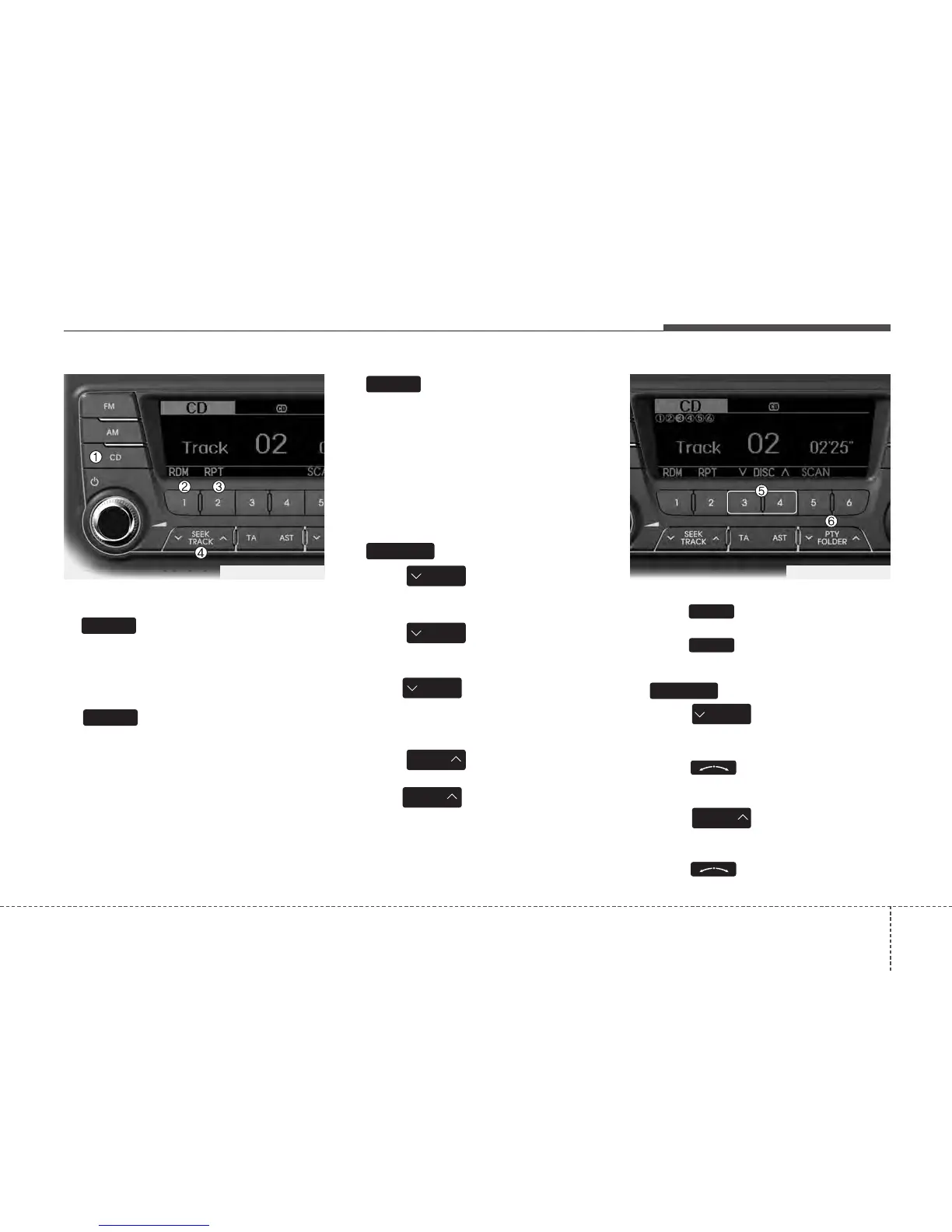
1. Button
If the CD is loaded, turns to CD mode.
If no CD, it displays “No Media” for 3 sec-
onds and returns to the previous mode.
2. Button (RANDOM)
Press this button for less than 0.8 sec-
onds to activate ‘RDM’ mode and more
than 0.8 seconds to activate ‘ALL RDM’
mode.
• RDM : Only files/tracks in a folder/disc
are played back in a random sequence.
• ALL RDM (MP3/WMA Only) : All files in
a disc are played back in the random
sequence.
3. Button (REPEAT)
Press this button for less than 0.8 sec-
onds to activate 'RPT' mode and more
than 0.8 seconds to activate 'FLD RPT'
mode.
• RPT : Only a track (file) is repeatedly
played back.
• FLD RPT (MP3/WMA Only) : Only files
in a folder are repeatedly played back.
4. Button
• Press button for less than
0.8 seconds to play from the beginning
of current song.
• Press button for less than
0.8 seconds and press again within
1 second to play the previous song.
• Press button for 0.8 seconds
or longer to initiate reverse direction
high speed sound search of current
song.
• Press button for less than
0.8 seconds to play the next song.
• Press button for 0.8 seconds
or longer to initiate forward direction
high speed sound search of current
song.
5. DISC Button (CD changer : PA760)
• Preset Change Button Changes
disc to the previous disc.
• Preset Change Button Changes
disc to the next disc.
6. Button
• Press button to move to
child folder of the current folder and
display the first song in the folder.
Press knob to move to the
folder displayed. It will play the first
song in the folder.
• Press button to move to
parent folder of the current folder and
display the first song in the folder.
Press knob to move to the
folder displayed.
PTY
FOLDER
PTY
FOLDER
FOLDER
4
3
SEEK
TRACK
SEEK
TRACK
SEEK
TRACK
SEEK
TRACK
SEEK
TRACK
TRACK
2
1
CD
TF_PA710TFE_CDP
TF_PA760TFE_CDC






 To Next Page