Driving your vehicle
1126
Smart Cruise Control (SCC)
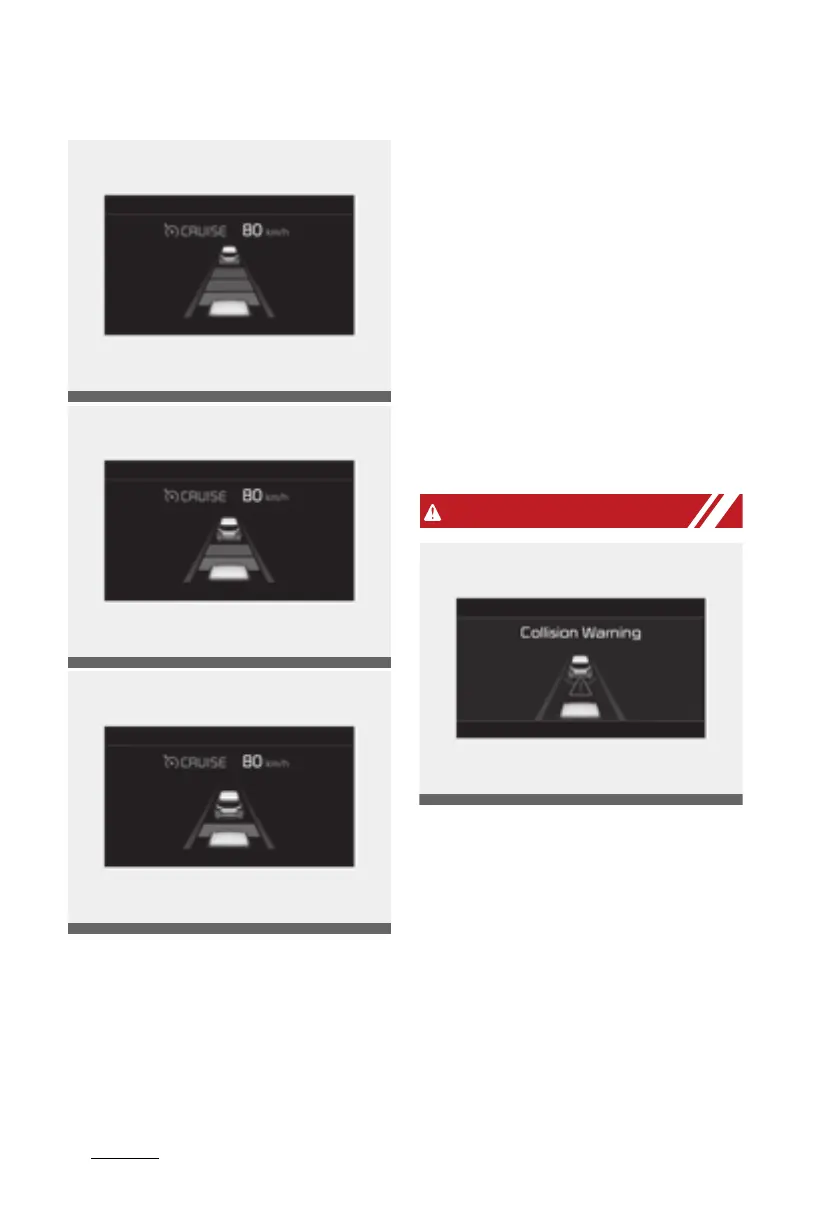
䳜 The vehicle will maintain the set
speed, when the lane ahead is
clear.
䳜 The vehicle will slow down or
speed up to maintain the selected
distance, when there is a vehicle
ahead of you in the lane. (A vehi
-
cle will appear in front of your
vehicle in the LCD display only
when there is an actual vehicle in
front of you)
䳜 If the vehicle ahead speeds up,
your vehicle will travel at a steady
cruising speed after accelerating
to the selected speed.
䳜 If distance from the front vehicle
has been changed due to acceler
-
ating or decelerating of front
vehicle, the distance on the LCD
may be changed.
When using Smart Cruise Control
system:
䳜 The warning message appears
and warning chime sounds if the
vehicle is unable to maintain the
selected distance from the vehicle
ahead.
䳜 If the warning message appears
and warning chime sounds,
depress the brake pedal to
actively adjust the vehicle speed,
Driving_your_vehicle.fm Page 112 Thursday, November 14, 2019 10:42 PM












 To Next Page