Driving your vehicle
1166
Smart Cruise Control (SCC)
The last selected mode remains In
the system.
To convert to cruise control mode:
The driver may choose to only use
the cruise control mode (speed con
-
trol function) by doing as follows:
1. Turn the smart cruise control sys
-
tem on (the cruise indicator light
will be on but the system will not
be activated).
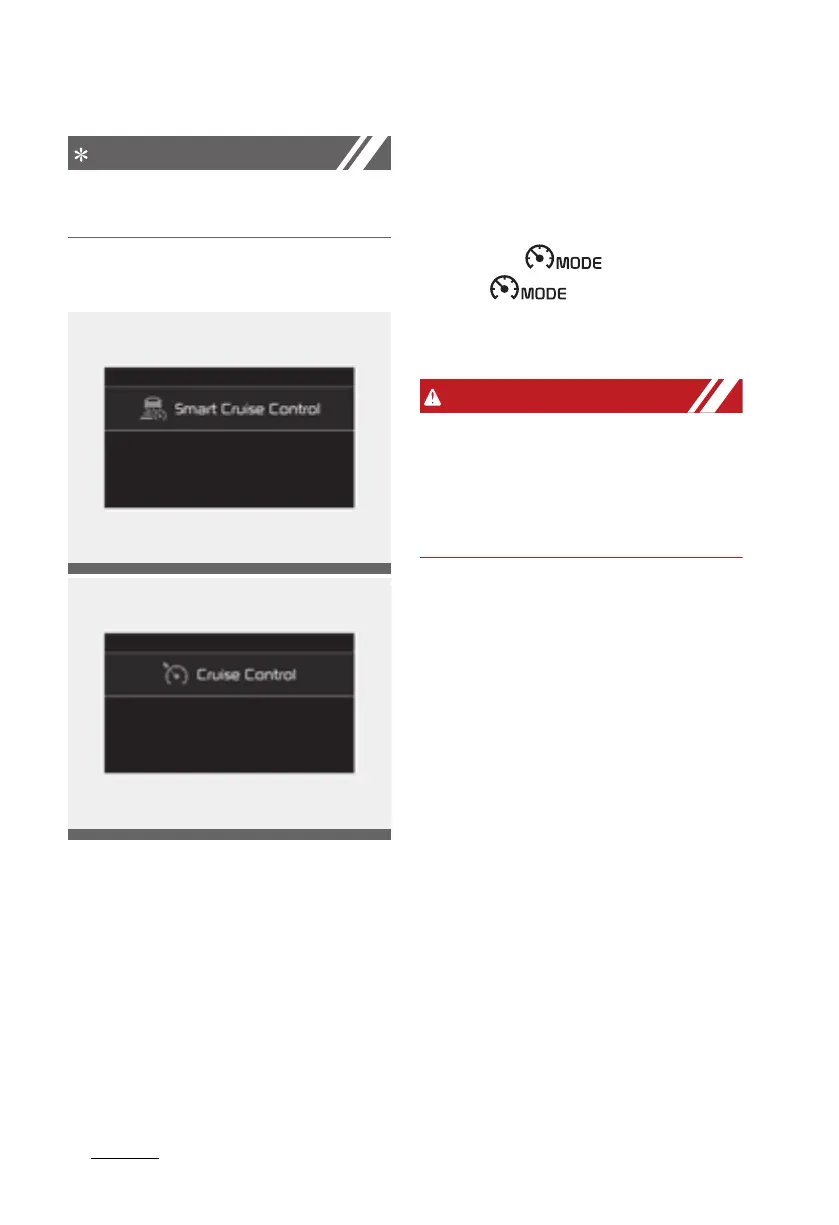
2. Push the distance to distance
switch for more than 2 seconds.
3. Choose between "Smart Cruise
Control mode" and "Cruise Control
mode".
When the system is canceled using
the CRUISE/ button or the
CRUISE/ button is used
after the engine is turned on, Smart
Cruise Control mode will turn on.
When using the cruise control mode,
you must manually adjust the dis
-
tance to other vehicles as the sys
-
tem will not automatically brake to
slow down for other vehicles.
Leading Vehicle Departure Alert
Leading Vehicle Departure Alert
alerts the driver of the departure of
the vehicle in front when the vehicle
is stopped and Smart Cruise Control
system is in activation.
System setting and operating con
-
ditions
System setting
With the engine ON, the Leading
Vehicle Departure Alert system
turns on and gets ready to be acti
-
vated when the 'User Settings →
Driver Assistance → Driving Assist
→ Leading Vehicle Departure Alert'
is selected on the cluster. The sys
-
tem stops operation when the set
-
Driving_your_vehicle.fm Page 116 Thursday, November 14, 2019 10:42 PM












 To Next Page