60" FERRON
TM
| 15
CONTROL SYSTEM SET-UP (continued)
System Programing: Read all of these steps BEFORE proceeding. Each step
must be followed exactly to properly program the control system.
1. You can leave the frequency switches at the factory setting or move them to
any combination of up or down. Use a small flat bladed screwdriver to move the
switches.
2. Insert both batteries and make sure they are seated correctly in each recess
with the Positive + sign facing up. Replace the battery cover. (Figure 17)
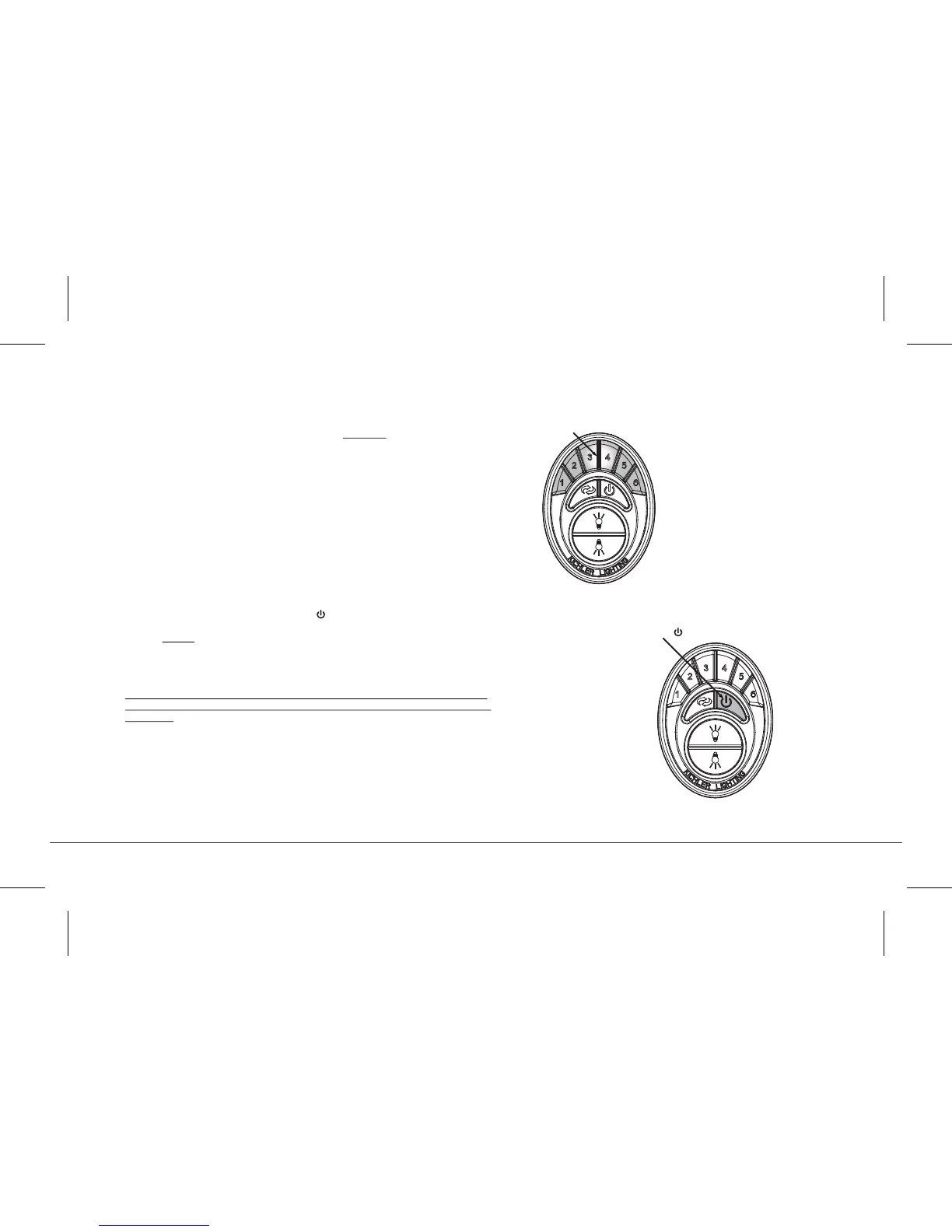
3. Test the transmitter by pushing and releasing ANY button briefly. A Blue
Light should illuminate under the 3-4 buttons. (Fig. 19) If not, check to make sure
the batteries are inserted and seated correctly.
Power Up and Programming:
4. Turn the power on, press and hold the button. (Figure 20)
NOTE: Do not press any other button during this procedure.
5. The transmitter just communicated with the ceiling fan, selected the
appropriate frequency, did a self check and signaled “complete”.
NOTE: This operation must be started WITHIN the first 120 seconds (2
minutes) of turning the power on. No other buttons can be push during
this time.
6. Let the ceiling fan run for a minimum of 90 seconds (1 ½ minutes). The control
system will do another self check, initialize all operational functions and
complete the programming process (Figure 20).
7. Your CoolTouch™ Control System is now programmed and ready for use.
Please see the following Operational Instructions.
#1 Press/hold Button
Blue Light
Fig. 19
Fig. 20




 To Next Page