16 | KICHLER.COM
OPERATING INSTRUCTIONS
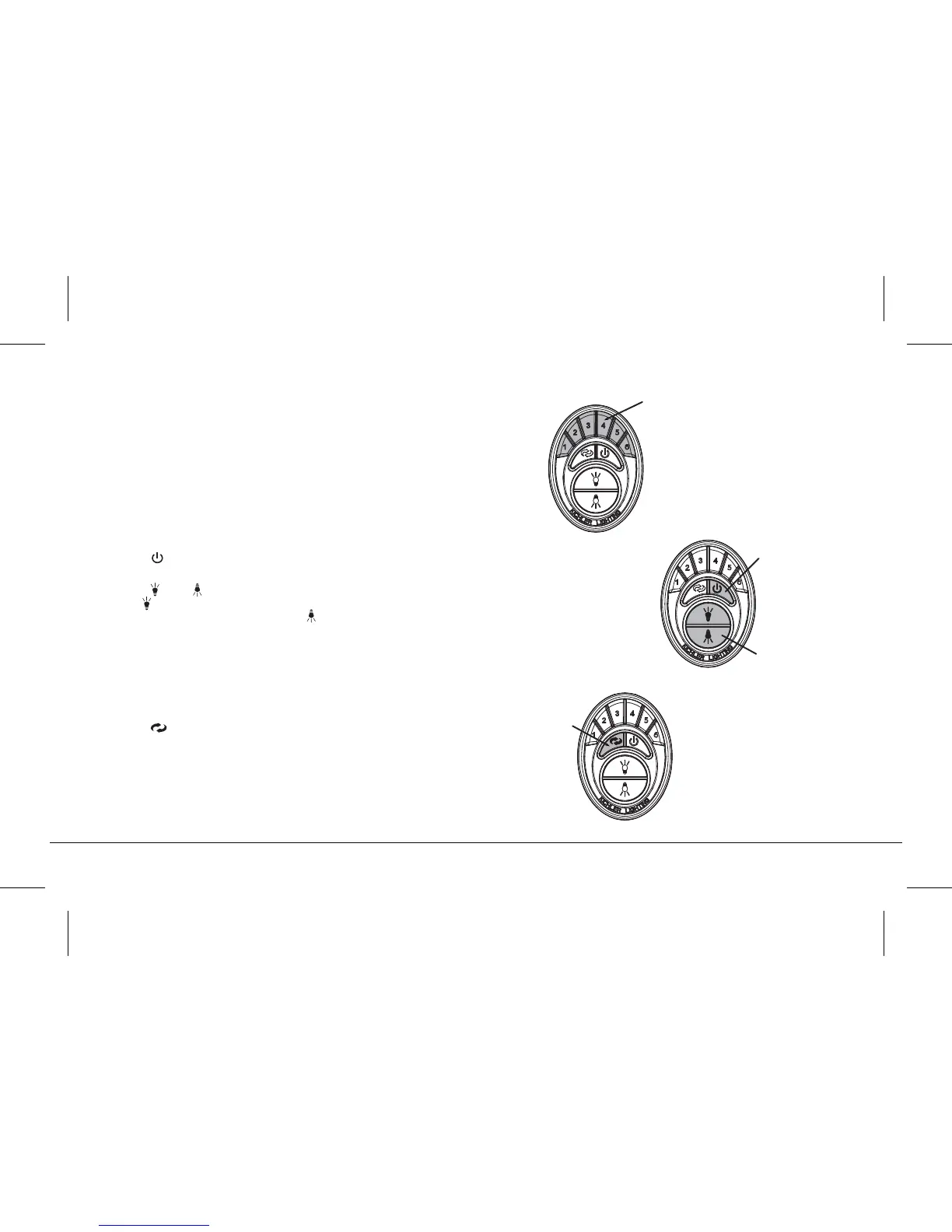
Figure 21
1. Buttons 1, 2, 3, 4, 5 and 6 are used to set the blade speed as follows:
1 = Low Speed
2 = Medium Low Speed
3 = Medium Speed
4 = Medium High Speed
5 = High Speed
6 = Extra High Speed
Figure 22
2. The " " button:
This button turns the fan motor o and is also used in the program procedure.
3. The " " and " " button:
The " " button turns the upper light ON or OFF and also controls the
brightness setting on some models. The " " button turns the bottom light
ON or OFF and also controls the brightness setting.
Press and hold either button to set the desired brightness level. The next time
you turn the light on, the system will remember this setting.
Press and release either button to turn the light ON or OFF.
Figure 23
4. The " " button is used to set the fan in forward or reverse operation.
Each time you press this button the fan blades will reverse direction. This
button functions ONLY when the fan blades are in motion.
OPERATIONAL NOTE: Each time you start the blades rotating, at any
speed or reverse the direction of the blades the Control System
will do a “Self Check” to insure operational integrity. The blades will rotate
slowly a short distance (¼ turn), pause, change directions, rotate ¼ turn, then
build up RPM'S to the selected speed. This is a perfectly normal procedure
and insures normal operating performance.
Motor Off Button
Light Control Buttons
Forward/Reverse
Button
Speed Buttons
Fig. 21
Fig. 22
Fig. 23




 To Next Page