9
User Guide for the Electronic SURETOUCH* Foam Soap System
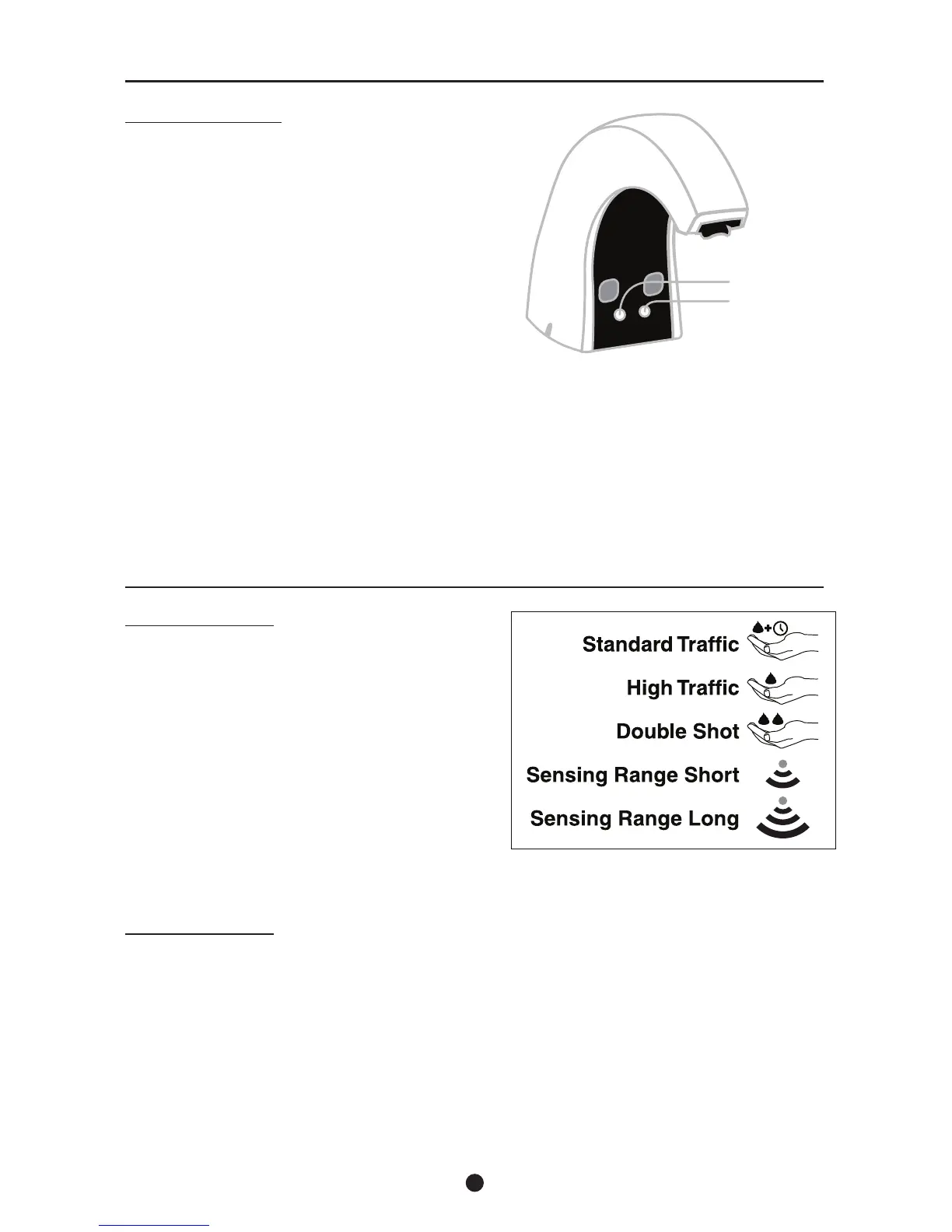
LED INDICATORS:
There are several indicator LED’s on the soap
discharge head which are used as follows:
Yellow LED (Low Product) – The yellow LED will
begin to ash slowly (1 time every second) when
the soap rell has between 50 and 90 shots of
soap remaining.
Red LED (Low Battery) slow flash – The red
LED will begin to ash slowly (1 time every
second) when battery power remaining is
sufcient for approximately 500 additional shots
of soap.
Red LED (Low Battery) rapid flash – The red LED will begin to ash rapidly (4 times every
second) when battery power is not sufcient to activate the dispenser. Replace batteries.
Red LED (Motor Short) – The red LED will begin to ash 2 times every second. Reboot the
dispenser by disconnecting and reconnecting the power.
Red LED
Yellow LED
SOAP DELIVERY:
The motor module contains a 3 position switch
which allows for soap delivery adjustment as
follows:
Standard Traffic Mode – Delivers a single shot
of foam after each activation and automatically
refreshes foam after 30 minutes or more of
inactivity. Top switch setting (factory preset)
High Traffic Mode – Delivers a single shot of
foam after each activation without auto refresh.
Middle switch setting.
Double Shot Mode – Delivers 2 shots of foam
after each activation without auto refresh.
Bottom switch setting.
SENSOR RANGE:
The motor module contains a 2 position switch
which allows for sensing range adjustment as
follows:
Short Range – Delivers optimum performance
in situations where inadvertent soap dispensing
occurs on the long range setting. An example
being when soap dispenser and the faucet are in
close proximity. Top switch setting.
Long Range – Delivers optimum performance
and fast response time. Bottom switch setting
(factory preset).
Note:
• When power is supplied to the system prior to installing a soap rell, the red and yellow LED will ash,
indicating a good power connection has been established. It will continue to ash until a soap rell is installed.
• When a soap rell is properly loaded into the dispenser the red and yellow LED will stop ashing indicating the
rell is properly installed.


 To Next Page
 Loading...