EasyManua.ls Logo

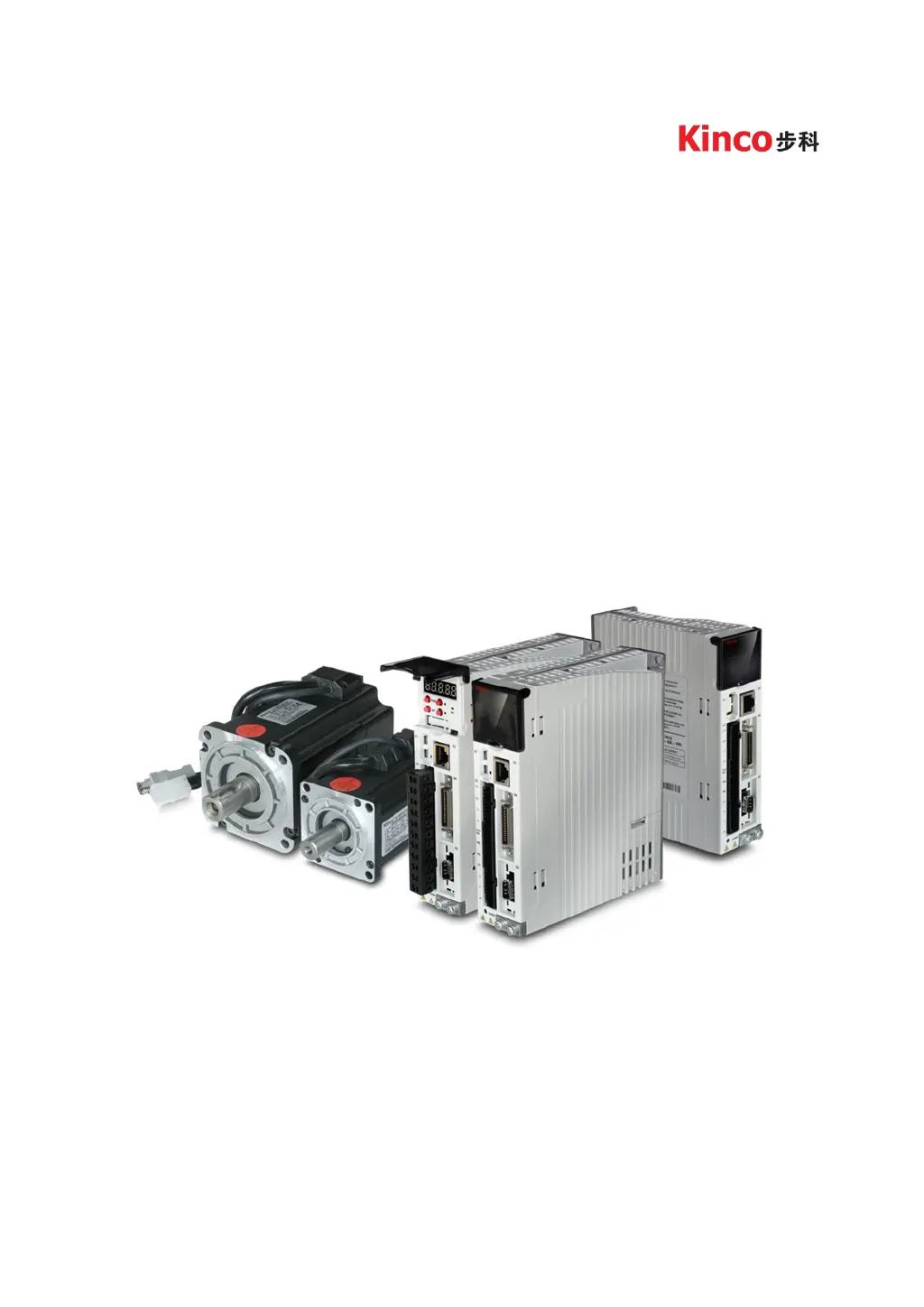
Kinco FD423-LA-000 - User Manual

Kinco FD423-LA-000
165 pages
Print Icon
To Next Page IconTo Next Page
Loading...
1
User Manual
Kinco CD3/FD3 servo system
Shenzhen kinco AutomationCo.Ltd
www.kinco.cn

Table of Contents

Questions and Answers

  • S
    Seth BellAug 19, 2025
    What to do if I see an overcurrent error on my Kinco FD423-LA-000 Servo Drives?
    • C
      cassandra11Aug 19, 2025
      If your Kinco Servo Drive shows an overcurrent error, it means the instantaneous current has exceeded the protection value. First, check the motor cable for any short circuits. If the issue persists, you may need to replace the controller.
  • J
    Jamie BowmanAug 21, 2025
    Why is my Kinco FD423-LA-000 showing an overvoltage error?
    • H
      Hannah WolfeAug 21, 2025
      If your Kinco Servo Drive displays an overvoltage error, it indicates that the supply power voltage exceeds the allowable input range, or, in the case of an emergency stop, there is no external braking resistor or braking. Check if the supply power voltage is unstable and ensure a suitable braking resistor is connected.
  • L
    Lori WintersAug 23, 2025
    How to fix a 'Motor temperature' error on Kinco FD423-LA-000?
    • J
      John NguyenAug 25, 2025
      If you're seeing a 'Motor temperature' error with your Kinco Servo Drives, it means the motor temperature has exceeded the specified value. You should reduce the ambient temperature around the motor, improve cooling conditions, reduce acceleration and deceleration, or reduce the load.
  • T
    Tanya WhiteheadAug 26, 2025
    What causes undervoltage error in Kinco Servo Drives?
    • K
      kylegeorgeAug 26, 2025
      If your Kinco Servo Drives shows an undervoltage error, it means the power voltage input is lower than the low voltage protection alarm value. Check to see if the supply power voltage is unstable.
  • J
    Jennifer ParkerAug 27, 2025
    How to resolve 'Controller Temperature' error in Kinco FD423-LA-000 Servo Drives?
    • J
      Jack GarciaAug 28, 2025
      If your Kinco Servo Drives displays a 'Controller Temperature' error, it means the temperature of the controller’s power module has reached the alarm value. You should improve the cooling environment of the controller.
  • M
    morganstevenAug 29, 2025
    How to fix 'Wrong motor model' error on Kinco FD423-LA-000?
    • W
      williamkentAug 30, 2025
      If your Kinco Servo Drives reports a 'Wrong motor model' error, it means that the current motor type is different from the motor type saved in the controller. You can either access EA01 via the KEY to confirm the motor type and then access EA00 and set it to 2, or access EASY_MT_TYPE (0x304101) via PC software, confirm the value, and then save the parameter.
  • T
    Toni CooperAug 31, 2025
    What does 'Encoder CRC' error mean on Kinco Servo Drives and how to fix it?
    • T
      Todd GriffinSep 1, 2025
      If your Kinco Servo Drives shows a 'Encoder CRC' error, make sure the equipment is well grounded.
  • D
    David BeckerSep 3, 2025
    How do I resolve an 'Over frequency' error on my Kinco FD423-LA-000 Servo Drives?
    • H
      Hunter RamirezSep 3, 2025
      If your Kinco Servo Drives is showing an 'Over frequency' error, it means the external input pulse frequency is too high. Reduce the pulse frequency and increase the value of Frequency_Check (d3.38).
  • A
    Amy MaxwellSep 5, 2025
    What causes a 'Chop Resistor' error on Kinco FD423-LA-000 Servo Drives, and how can I fix it?
    • C
      Crystal BushSep 5, 2025
      If your Kinco Servo Drives is showing a 'Chop Resistor' error, it means the braking resistor is overloaded or its parameters are not set correctly. Set the resistance and power of the external braking resistor through d5.04 and d5.05.
  • J
    Jean JonesSep 7, 2025
    What to do if Kinco Servo Drives shows 'Encoder internal' error?
    • N
      Nicholas ContrerasSep 7, 2025
      If your Kinco Servo Drives reports an 'Encoder internal' error, it means there is an internal encoder error or the encoder is damaged. First, access panel address d3.51 Encoder_OP by KEY and set it to 1. Then, try to reset the controller error. If the error persists, replace the motor.

Summary

Chapter 1 Servo system model and configuration description

1.1 Description of product model

Details on how to interpret the driver model codes for Kinco CD3/FD3 servo systems.

Chapter 2 Servo system installation requirements and notes

2.1 Installation of driver

Specifies the necessary conditions and procedures for correctly installing the servo driver.

2.2 Driver usage requirements

Outlines prerequisites for product use, including documentation and legal compliance.

2.3 Servo motor installation

Specifies installation guidelines for servo motors to ensure proper function and longevity.

Chapter 3 Installation and wiring

3.1 Driver description

Provides a detailed overview of the Kinco CD/FD servo driver and its interface ports.

3.2 External system connection

Illustrates the wiring diagrams for connecting the servo system to external power and components.

Chapter 4 Controller setup with LED panel

4.2 Panel menu structure and navigation

Illustrates the menu hierarchy and navigation flow for controller parameter settings.

4.3 Easy Use function

Guides users through the step-by-step setup process using the Easy Use function.

4.3.1 Setup process with Easy Use function

Guides users through the step-by-step setup process using the Easy Use function.

4.3.2 Flowchart and description of the EASY menu

Explains the flowchart and parameters within the EASY menu for quick configuration.

4.3.4 Jog mode (F006)

Details how to use the Jog mode for manual control and testing of the servo system.

4.3.3 Flowchart and description of the tunE menu

Provides a flowchart and parameter descriptions for the tunE menu used for auto-tuning.

Chapter 5 KincoServo+, user guide

5.4 Read;write controller configuration

Explains how to read and save configuration parameters from the servo controller.

5.5 Digital IO functions

Explains how to configure and manage digital input and output functions of the servo controller.

Chapter 6 Operation modes and control modes

6.1 General steps for starting a control mode

Outlines the fundamental steps required to initiate and configure a servo control mode.

6.2 Velocity mode (-3, 3)

Explains how to configure and operate the servo system in velocity control mode.

6.2.1 Analog speed mode

Details the use of analog input for setting speed in velocity control mode.

6.2.2 DIN speed mode

Describes how to use digital inputs for speed control in velocity mode.

6.3 Torque mode (4)

Explains how to configure and operate the servo system in torque control mode.

6.3.1 Analog torque mode

Details the use of analog input for setting torque in torque control mode.

6.4 Position mode (1)

Explains how to configure and operate the servo system in position control mode.

6.4.1 DIN introduction to Location Position

Introduces digital input configuration for position table mode.

6.4.2 Position Table mode

Describes the position table mode for executing sequential positioning tasks.

6.5 Pulse Train mode (-4)

Explains how to configure and operate the servo system using pulse train signals.

6.6 Full closed loop mode

Explains the setup and operation of the servo system in full closed-loop control mode.

6.7 Homing mode (6)

Guides on configuring the servo system's homing sequence for establishing a reference position.

Chapter 7 Tuning of the servo system control

7.1 Auto-tuning

Explains the auto-tuning function for automatically optimizing servo system performance.

7.2 Auto-tuning test operation method

Guides users through the process of performing and interpreting auto-tuning tests.

7.2.1 Parameters for auto-tuning

Lists and explains the parameters relevant to the auto-tuning process.

7.2.2 Start of auto-tuning

Provides instructions on how to initiate the auto-tuning procedure.

7.3 Manual tuning

Details manual methods for tuning servo control loops for optimal performance.

7.3.1 Tuning of the velocity loop

Guides on tuning the velocity loop parameters for smooth and accurate speed control.

Chapter 10 RS232 communication

Chapter11 CANopen Communication

Chapter12 RS485 Communication

Kinco FD423-LA-000 Specifications

General IconGeneral
SeriesFD
ModelFD423-LA-000
Input Voltage220V AC
Control ModePosition, Speed, Torque
Communication InterfaceRS-485
Encoder FeedbackIncremental Encoder
Protection FeaturesOvercurrent, Overvoltage, Undervoltage, Overtemperature, Overload
Power SupplyAC 1-phase or 3-phase 220V

Related product manuals