HIGH-SPEED INTERNET
Service Agreement
Information about your High-Speed Internet Service Agreement can be found at
http://www.windstream.com/broadbandagreement. If you have questions about
your agreement, please call 1.800.347.1991 (residential customers).
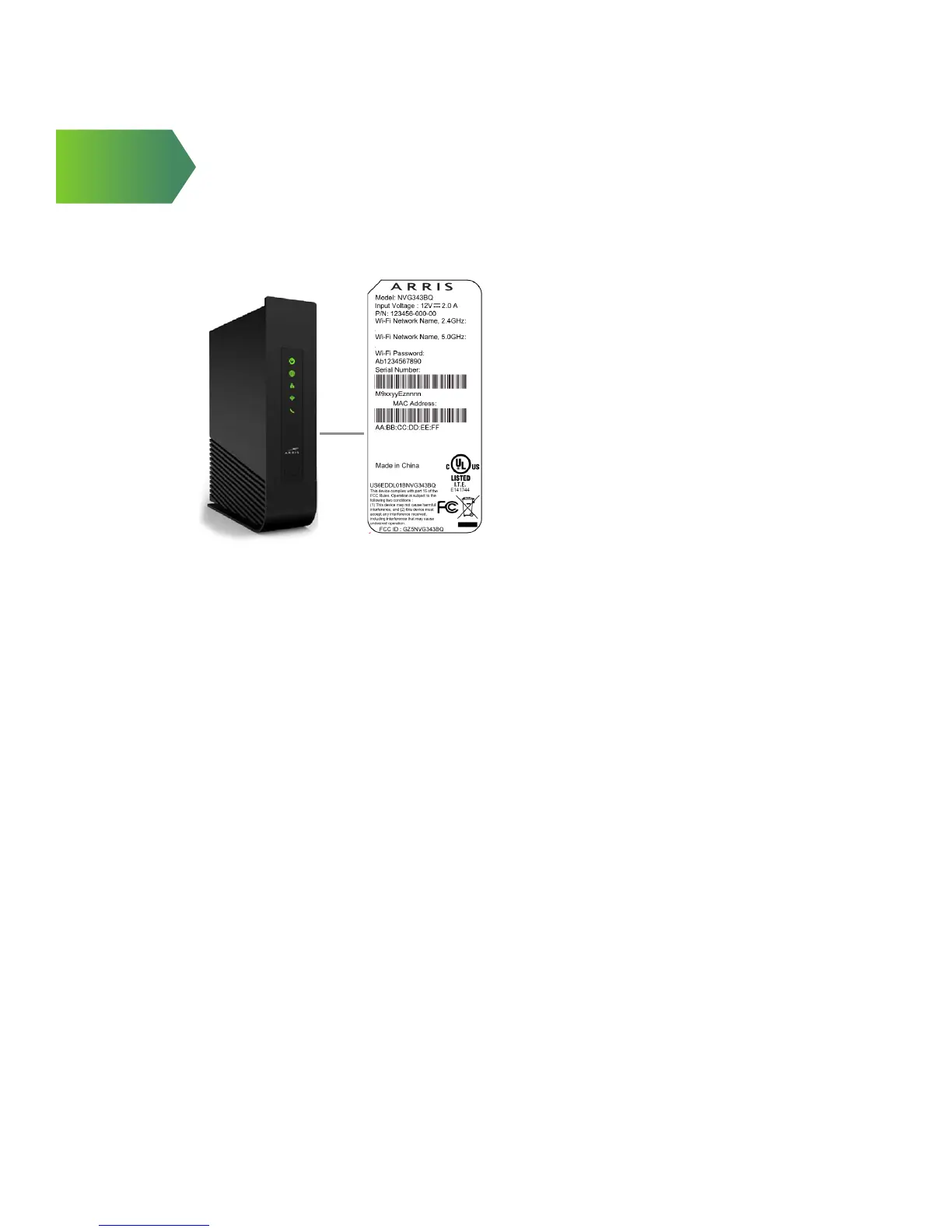
Find your Wi-Fi network name
and password
The Wi-Fi Network Name (SSID)
and Wi-Fi password (Wireless
Network Key) needed to
connect your devices to your
home network are located on
the side of the gateway. The
Wi-Fi Network Name begins
with “WIN” followed by several
characters. See illustration.
Copyright2015–ARRISEnterprises,Inc.Allrightsreserved.
NVG343BQ–ProductLabel
WIN_nnnn
BASE
WIN5_nnnn
Note:_nnnnintheSSIDnameisbasedonthe
last4digitsoftheCPEserialnumber
Mac OS X users: You may need to enter the “$” character on the Wireless
Network Key (for example, $0690735510). For directions on connecting Mac
computers via USB cable, visit windstream.com/support.
Connect more computers to your Wi-Fi home network
You can connect more computers wirelessly or via Ethernet
• Connect an Ethernet cable from any available Ethernet port on the
Kinetic Gateway to your computer’s Ethernet port
• Connect wirelessly with a wireless enabled notebook or a computer with
an 802.11b/g wireless network adapter installed
1. Go to your computer’s Wireless Network Settings and refresh
the network list.
2. Select your Wi-Fi Network Name (SSID) from the list. You may
need to scroll through the list to nd your SSID.
3. Enter the Wi-Fi password in the Password eld to connect to
your network.
If your PC doesn’t have built-in wireless capability:
Install and congure your wireless adapter according to the
manufacturer’s instructions. Enter the Wi-Fi Network Name (SSID) and Wi-Fi
Password (Wireless Network Key).
9


 To Next Page