Page 17
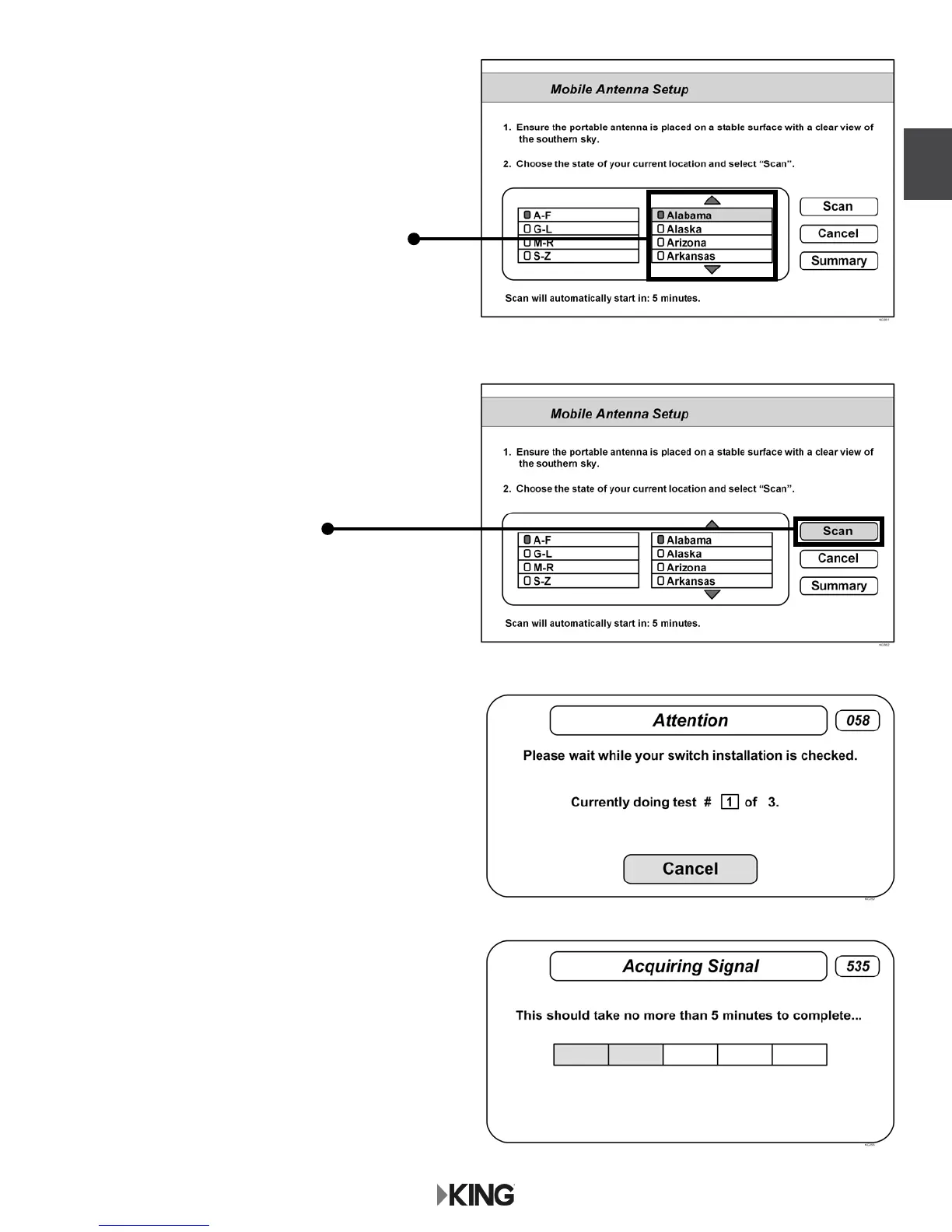
2. Highlight the state you are currently in
from the state menu.
Press SELECT.
3. Verify “Scan” is highlighted.
Press SELECT.
The scan will begin and may take up to
several minutes to complete.
This screen will display during the scan.
4. When the scan is complete, the
Acquiring Signal message will display.
Acquiring the signal may take up to
5 minutes to complete.
DISH




 To Next Page