Page 20
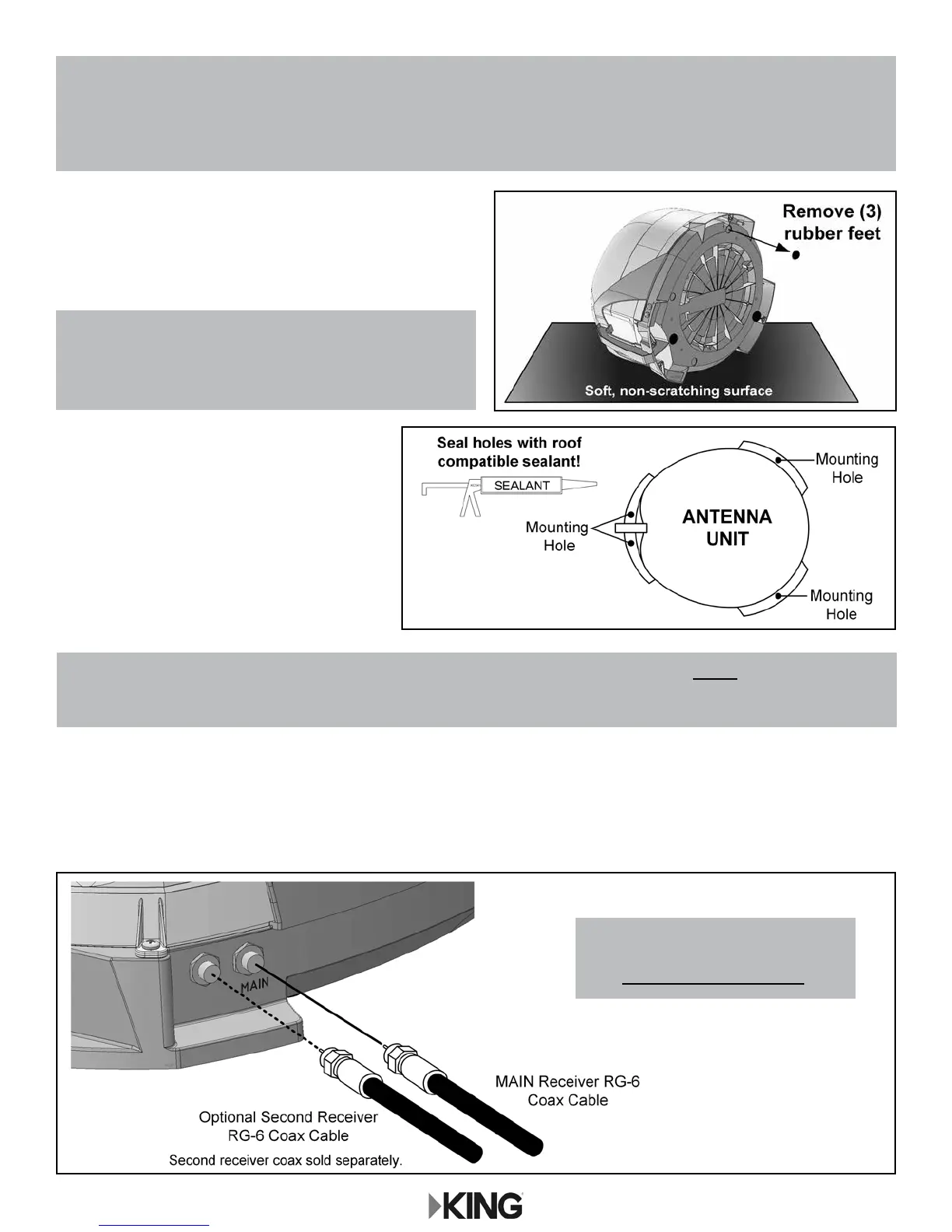
3. If the rubber feet have been installed,
lay the unit on a soft, non-scratching surface
and remove them from the bottom of the unit.
DO NOT INSTALL UNIT WITH
RUBBER FEET IN PLACE.
4. Mount the antenna unit using the
(4) mounting holes. Make sure to
seal mounting holes with roof
compatible sealant.
5. Connect one end of 50 foot coax cable to the MAIN port and tighten connection (see below).
DO NOT OVER TIGHTEN.
If using a second receiver, connect end of second coax (sold separately) to the AUX port.
Tighten connection. DO NOT OVER TIGHTEN.
NOTE: The installer is responsible for determining the most appropriate fasteners to secure the antenna unit to the
roof. Depending on the roof material, fasteners such as lag screws, well nuts, sheet metal screws, toggle bolts
and T anchors may be used, and should always be used in combination with a roof compatible sealant.
IMPORTANT! The installer is responsible for weatherproong all holes with sealant.
IMPORTANT!
For roof mounting, do not apply the rubber feet.
If present, remove rubber feet.
MOUNTING WITH RUBBER FEET VOIDS WARRANTY.
IMPORTANT!
Coax connections should be snug.
DO NOT OVER TIGHTEN!
NOTE: There are two coax ports on the back of the antenna unit. The one labeled “MAIN” MUST be connected to the
main receiver in vehicle. This is the receiver that will control automatic satellite switching. The one labeled
“AUX” can be used for an additional receiver if desired.


 To Next Page