00:00:00
4K
01/01/2022 00:00:00 AM
00:00:01
4K
01/01/2022 00:00:00 AM
Note:
While recording, long press the Setup button to lock the video. The camera will load
the current video. The emergency recording video will be locked in the front emergency
recording or rear emergency recording folder, and will not be overwritten by new video
files. To delete emergency videos, you need to press the Setup button to enter the
menu to format the memory card.
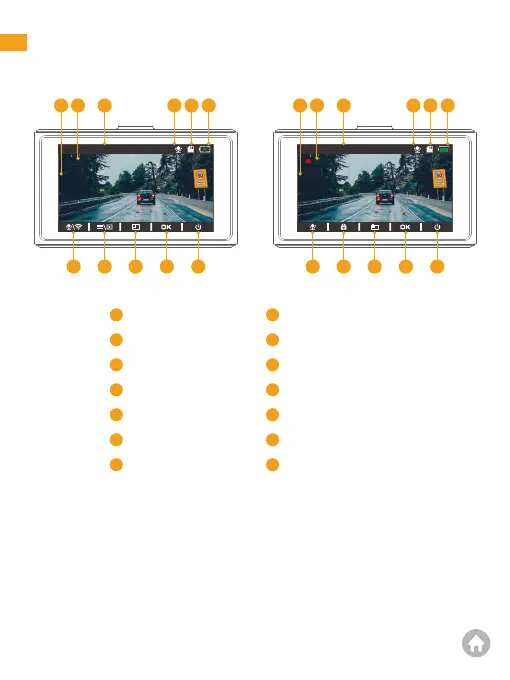
1.Main interface
321 4 5 6 321 4 5 12
11
10987
11
101413
4
1
2
Current resolution
Video time
Date/Time
Audio recording
Memory card indicator
Charging indicator
Microphone/Wifi
Start recording
3
4
5
6
7
8
9
Settings/Playback
Switch display modes
Confirm
Power icon
Power status
Emergency recording
Snapshot
10
11
12
13
14
01 02 03 04 05 06
07 08 09 10 11 12 13
14 15 16 17
18 19 20
21 22 23 24 25 26 27
28 29 30 31 32 33



 To Next Page