EasyManua.ls Logo

KingSlim D2 PRO - Button operation instructions

KingSlim D2 PRO
34 pages
Print Icon
To Next Page IconTo Next Page
To Previous Page IconTo Previous Page
Loading...
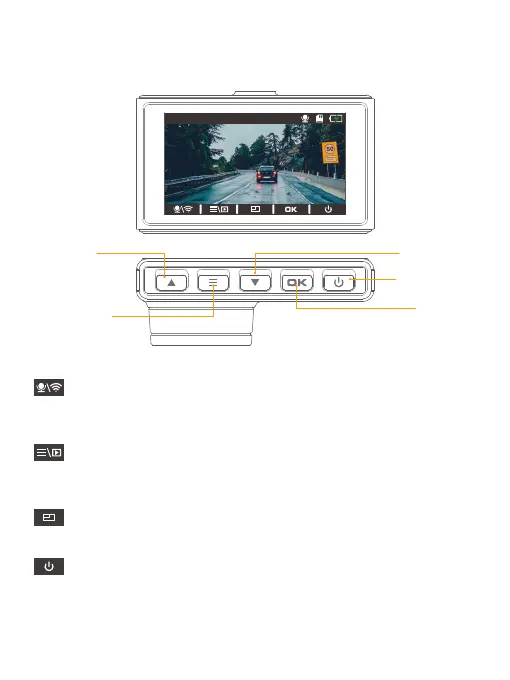
Microphone/Wifi indicator
Short-press the Down button to turn on or off Microphone. Long press to enter
the Wifi mode.
Settings/Album
Short-press the Setup button to enter the settings menu. Long press to enter the
playback page.
Mode Switching
Short-press the Up button to switch to the front or rear display mode.
Power icon
Long press the Power button to turn off the dash cam.
9. Button operation instructions
9.1 Preview interface
00:00:00
4K
01/01/2022 00:00:00 AM
Power Button
Setup Button
OK Button
Up Button
Down Button
01 02 03 04 05 06
07
08 09 10 11 12 13
14 15 16 17 18 19 20
21 22 23 24 25 26 27
28 29 30 31 32 33

Related product manuals