Operating Elements
Issue: 04/2011
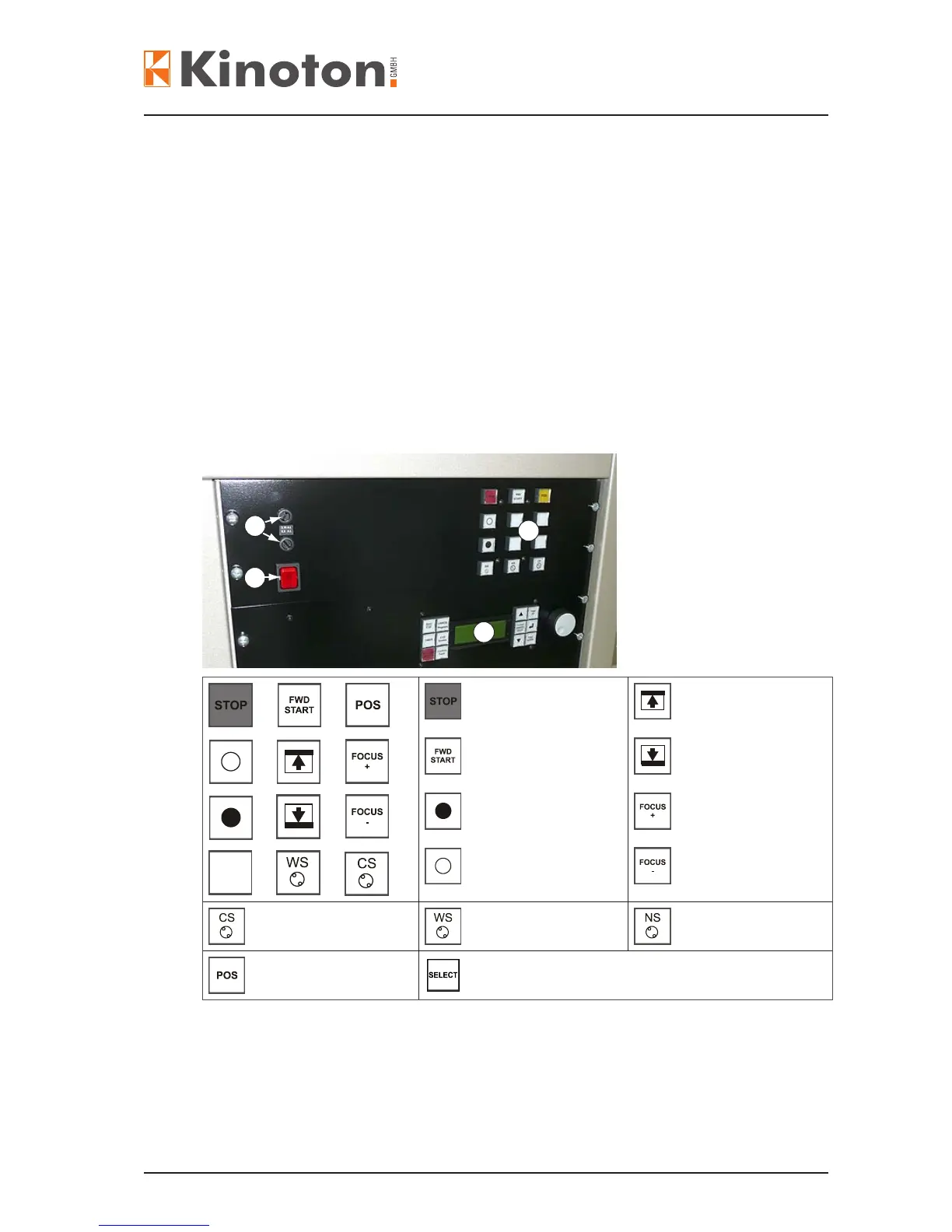
Current transfer is switched on => the switch lights up red.
Current transfer is switched off => the switch is off.
Projector operating
panel
Main switch
Fuses
(upper fuse = 3.15 AT
lower fuse = 6.3 AT)
DMP 1 (option)
Projector STOP
Projector START
Dowser CLOSE
Dowser OPEN
Framing UP
Framing DOWN
Focusing +
Focusing -
Format CS (option) Format WS (option) Format NS (option)
Position the frame
Format SELECT (option for 2 lens turret)
X
Z The operating panel can differ corresponding to the used automation system.
Z If the fuse is removed the lamphouse will be disconnected and cannot be switched
on by the main switch.
2
1
4
3



 To Next Page