Issue: 04/2011
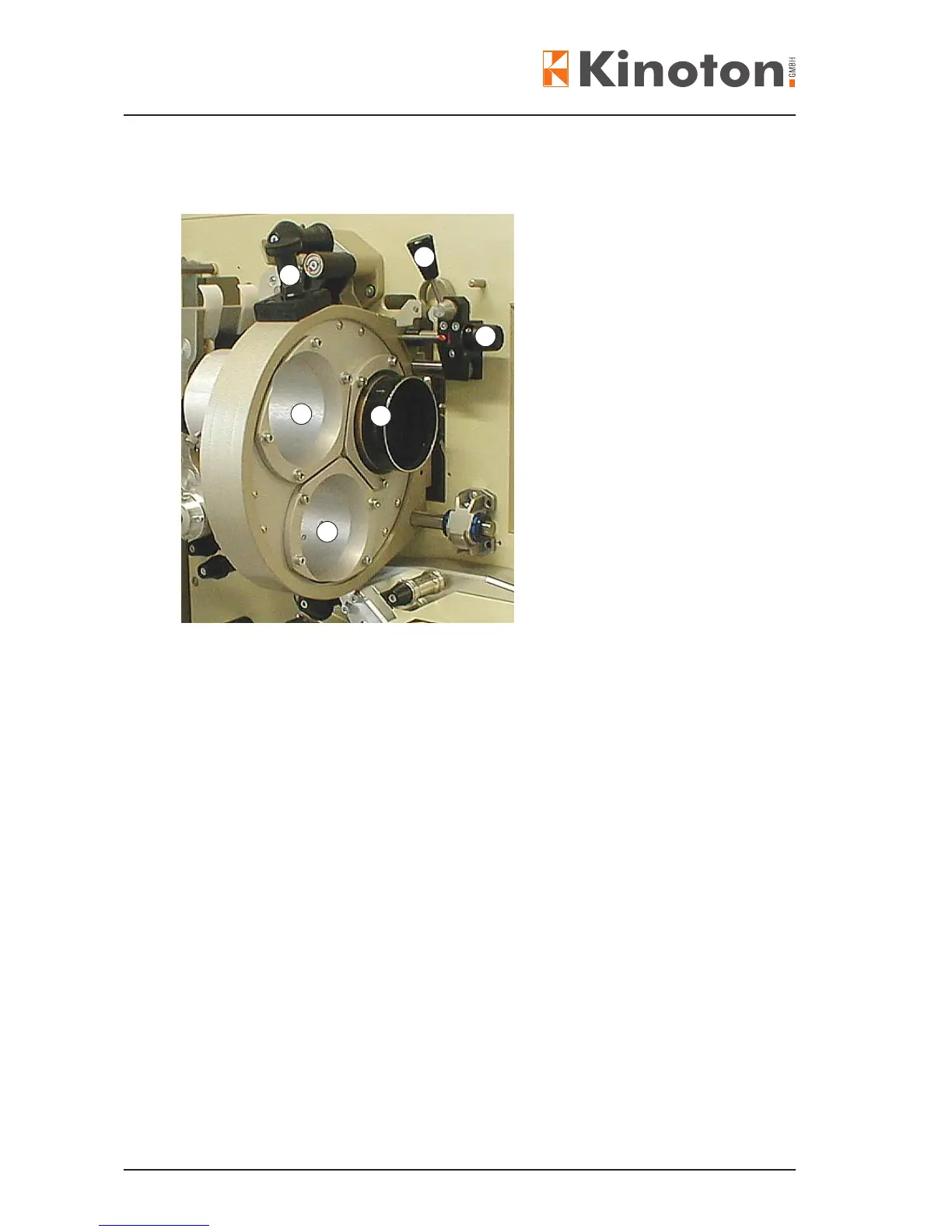
Lens tubes
Lens in lens tube
Handle (arresting pin)
Focusing knob (manual)
Position lever for moving the lens
turret away from the gate
• Loosen the knurled screws.
• Push the lenses into the lens tubes.
The tubes are labelled CS (1:2.40), WS (1:1.85) or NS (1:1.33).
• Precisely focus each lens in its tube without adjusting the focus knob.
• Fasten them with the knurled screws.
X
Some lenses may require rings to support the rear section; these are available from
Kinoton.
• For easy lm threading ip the position lever - the lens turret will move away from
the lm gate.
• To rotate a lens into position, pull out the handle and turn the lens turret to the
desired position. Let handle drop – lens turret is positioned.
X
It is possible to set the handle so it remains up so that the turret can continuously
rotate. This position is not used for normal operation.
2
1
3
4
5
1



 To Next Page