Chapter 3 Error Correction 3-15
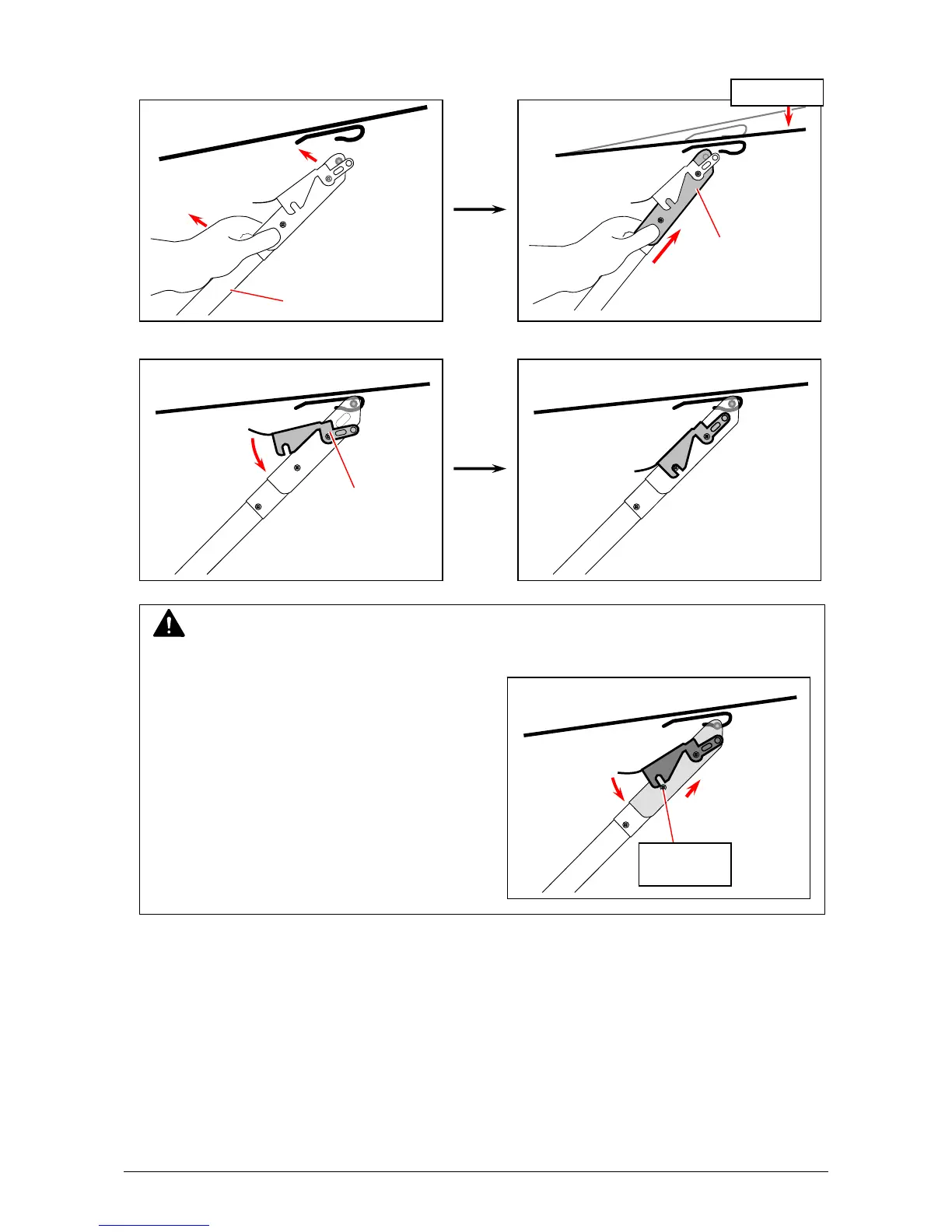
13. Lift the Support Rod to the printer. Fully slide the Lock Slide upward. Slightly push the tray
down to catch its bottom hooking part on the top of the Support Rod.
14. Fully press the Lock Lever down to lock the tray.
NOTE
To fit the Lock Lever in position, fully slide the Lock Slide upward.
Push down
Lock Slide
Lock Lever
Lock Lever
not fit in
Support Rod



 To Next Page