MODULARM
®
75LC MULTI-MONITOR | OPERATING MANUAL
This document contains confidential information. Dissemination, publication, copying, or duplication of this document or software described herein without prior written authorization is strictly prohibited.
Page 16 of 24
kitchenbrains.com
1-800-327-8766
Magnetic Contacts
Mounting
Mounting method will vary depending on the type of contacts utilized. Make sure that the operating
gap between the magnet part and the switch part of the contacts accurately detects a door open or
door closed condition. (The DOOR light is on constantly when the door is open. This light may be utilized
to assist in proper switch and magnet placement.) NOTE: For compartments with more than one
door, multiple sets of contacts, wired in series, may be utilized to monitor the status of multiple doors.
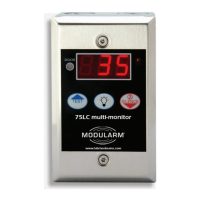
Mounting the 75LC
onto the enclosure
Mount the 75LC onto the enclosure with the provided mounting screws. If the 75LC is mounted
onto an outdoor type single gang outlet box, route all wiring away from the battery when the 75LC is
inserted. Inspect the installation for compliance with electrical codes, safety and sealing against
moisture and condensation. Test to conrm that the Product is installed and are operating properly
in accordance with these instructions. Periodic testing is recommended to ensure continued
proper operation.
INSTALLATION GENERAL SAFETY MEASURES AND PRODUCT LIMITATIONS
Locking the Keypad
Enter programming menu, select password “10” and press Lights (Prog) switch. Display reads
“Set” then returns to run mode. The keypad is locked. To unlock, proceed as above, using password
“105”. The keypad is unlocked. Use password “61” for deleting any accessory that is no longer
needed in the circuit.
Resetting the 75LC
to Factory Defaults
Enter programming menu, select password “20” and press LIGHTS Button. Display reads “Set” then
returns to run mode. The 75LC is now in factory mode.
Temperature
Probe Mounting
Run the probe into the monitored compartment and locate the sensor in a spot which will typify the
average ambient temperature. Recommended location is in the center of the ceiling. Fasten the
sensor with the provided clamp. Make sure sensor and sensor wire are positioned and/or protected,
so as not to be damaged by products or items in the monitored area. Seal any openings made for
passage of the probe wire into the Cooler/Freezer on the inside and the outside of the Cooler/Freezer
to prevent a pathway for condensation.
Low Voltage Wiring
The low voltage terminal blocks will accept wire from 24-16AWG. Accessories and sensors are
typically provided with 24-22AWG wire. General Accessories and sensor connections are shown on
the accompanying 75LC Connections diagram. Connections are also marked on the 75LC. See the
diagrams labeled “IP-1 Connections”, “MD-1 or MD-1+2 Connections”, and “IP-1 & MD-1or MD-1+2
Connections” for wiring specic to your application. The stripped end of the low voltage wire
connections should be kept short, approximately ¼” long. To connect wires, press down on the
respective plunger on the top of the terminal block, insert the wire into the respective hole and
release the plunger. Tug on wires to make sure connections are secure and that they are grabbing
bare wire and not insulation. NOTE: If the IP-1 and the MD-1or MD-1+2 will both be installed, use
the enclosure for the IP-1 as a junction box for connecting the MD-1 in accordance with the “IP-1
& MD-1 or MD-1+2 Connections” diagram. Connect the green wires together in the IP-1 enclosure
with a wire nut or other connector. Strip the 2 black wires approximately 3/8”, twist together and
insert both into the IP-1 block, in accordance with the diagram. Do the same with the two red wires.
Again, tug gently on all wires to make sure connections are secure.
(The stripped end of the
low voltage wire
connections should
be kept short,
approximately ¼” long.
To connect wires, press
down on the respective
plunger on the top of the
terminal block, insert the
wire into the respective
hole and release the
plunger. Tug on wires to
make sure connections
are secure and that they
are grabbing bare wire
and not insulation.)


 To Next Page