LIGHTING CONTROL OPERATION WITHOUT ACCESSORIES
THERE ARE TWO OPTIONS FOR CONTROLLING LIGHTS:
• Regular Timed Lighting (default):
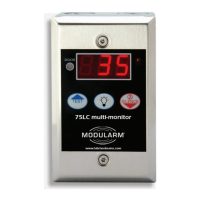
• To turn lights on and activate the lights-off timer, press the “Light” button on the 75LC
• The lights will turn off when the lights-off timer expires
• To manually turn lights off before the lights-off timer expires, press the “Light” button again
• Untimed, Manual Light Control (replaces light switches):
• To turn lights on, press the “Light” button on the 75LC
• To turn lights off, press the “Light” button again
LIGHTING CONTROL OPERATION WITH MC-1 MAGNETIC DOOR CONTACTS
THERE ARE TWO OPTIONS FOR CONTROLLING LIGHTS:
• Regular Timed Lighting (default):
•
Open door to turn lights on
•
The lights will turn off when the lights-off timer expires
•
To manually turn lights off before the lights-off timer expires, close door
• Untimed, Manual Light Control (replaces light switches):
•
Open door to turn lights on
•
Close door to turn lights off
MODULARM
®
75LC MULTI-MONITOR | OPERATING MANUAL
This document contains confidential information. Dissemination, publication, copying, or duplication of this document or software described herein without prior written authorization is strictly prohibited.
Page 6 of 24
PRODUCT OPERATION
kitchenbrains.com
1-800-327-8766
OR


 To Next Page

