PRODUCT FEATURES
AC POWER FAILURE ALARM
• 75LC “chirps” every 30-seconds
• “Power Failure” displays on screen
• For power failures less than one-minute:
• Normal operation restores automatically
• Incident is ignored
• If power failure continues after one-minute:
• Alarm relay activates for remote notication
• The 75LC will go dark to conserve battery life
• Pressing the screen will wake the darkened unit
• Status will again be displayed on screen
VISUAL ALARM ANNUNCIATION
TABLE 1. STATUS OF THE 75LC FOR ABNORMAL & ALARM CONDITIONS SCREENS
MODULARM
®
75LC MULTI-MONITOR | OPERATING MANUAL
This document contains confidential information. Dissemination, publication, copying, or duplication of this document or software described herein without prior written authorization is strictly prohibited.
Page 5 of 24
kitchenbrains.com
1-800-327-8766
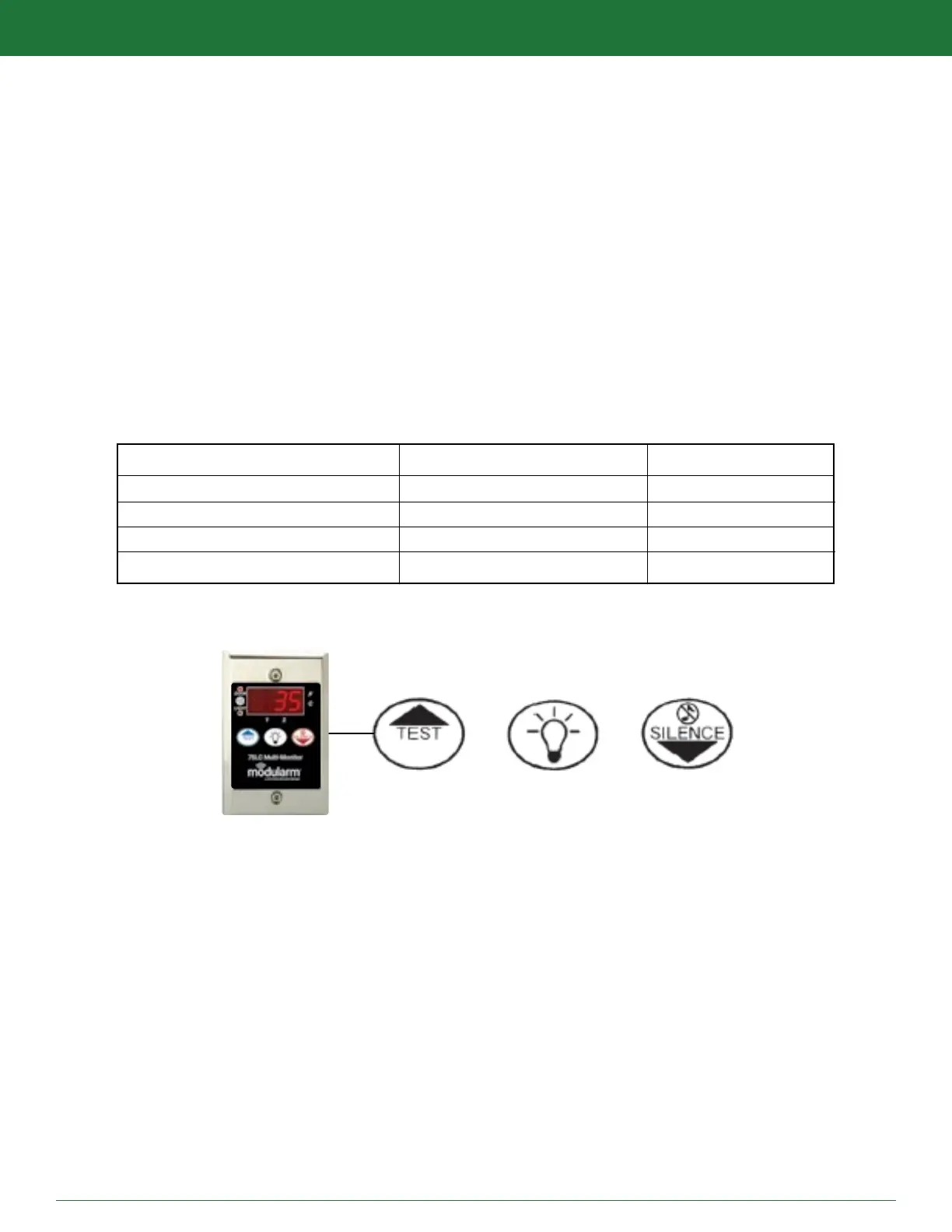
THREE BUTTON USER INTERFACE
ALARM TYPE ABNORMAL CONDITION ALARM CONDITION
PANIC ALARM [Non applicable] “HLP” + “HLP”
DOOR AJAR Door Light On “Dor” + Temp
TEMP OUT OF RANGE “HI” or “LO” + Temp “HI” or “LO” + “AL” + Temp
TEMPERATURE AC POWER FAILURE “PF” + Temp A single dot will display
TEST (UP)
LIGHTS (Prog)
SILENCE (Down)
WHILE IN RUN OR ALARM MODE:
TEST: Press to test and view alarm parameter settings
LIGHTS: Press to manually activate and deactivate compartment
SILENCE: Press to acknowledge an alarm
WHILE IN PROGRAM MODE:
UP: Press to increase and alarm parameter values
LIGHTS: Press to select PAS-PRO™ preset and program menu options
DOWN: Press to decrease alarm parameter values


 To Next Page