EasyManua.ls Logo

KitchenAid Cook Processor - User Manual

KitchenAid Cook Processor
27 pages
Print Icon
To Next Page IconTo Next Page
Loading...
5
English
COOK PROCESSOR INSTRUCTIONS
COOK PROCESSOR SAFETY
Important safeguards .......................................................................................... 6
Electrical requirements ...................................................................................... 8
Electrical equipment waste disposal ................................................................... 8
PARTS AND FEATURES
Parts and features ............................................................................................... 9
Control panel ................................................................................................... 10
Accessories ....................................................................................................... 10
COOKING MODES GUIDE ................................................................................. 12
Automatic cooking modes ................................................................................ 12
ADDITIONAL FUNCTIONS
Timer option .................................................................................................... 14
Quick Stir.......................................................................................................... 15
Pulse ................................................................................................................. 15
MiniBowl and Mini MultiBlade .......................................................................... 15
GETTING STARTED
Preparing the Cook Processor for use ............................................................. 16
Using the Cook Processor................................................................................ 16
START UP AND CONTROL SETUP
Welcome screen ............................................................................................... 17
Display language ............................................................................................... 17
Changing between degrees Fahrenheit and Celsius ........................................ 17
USING AUTOMATIC COOKING MODES ....................................................... 18
USING STEAMING BASKETS
Using the round internal steamer basket ......................................................... 21
Using the upper and lower steamer baskets ................................................... 22
Steamer basket cooking recommendations ..................................................... 23
USING MANUAL COOKING MODES .............................................................. 24
Using optional accessories ................................................................................ 24
Cooking with manual settings ........................................................................... 25
CARE AND CLEANING
Cleaning your Cook Processor......................................................................... 27
Storing accessories .......................................................................................... 28
TROUBLESHOOTING ......................................................................................... 29
WARRANTY AND SERVICE .............................................................................. 30
AVAILABLE ACCESSORIES ............................................................................... 31
Accessory operation guide ............................................................................... 31
TABLE OF CONTENTS
Question and Answer IconNeed help?

Do you have a question about the KitchenAid Cook Processor and is the answer not in the manual?

Summary

Cook Processor Safety

Important Safeguards

Basic safety precautions to reduce risk of fire, electric shock, and injury.

Parts and Features

Cooking Modes Guide

Automatic Cooking Modes

Getting Started

Preparation and Initial Power Up

Steps for setting up, cleaning, plugging in, and turning on the Cook Processor.

Using Automatic Cooking Modes

Step-by-Step Operation Guide

Provides illustrated instructions for using the automatic cooking modes.

Using Manual Cooking Modes

Troubleshooting

Malfunctions, Errors, and Solutions

Addresses common malfunctions, display errors, and troubleshooting steps.

Summary

Cook Processor Safety

Important Safeguards

Basic safety precautions to reduce risk of fire, electric shock, and injury.

Parts and Features

Cooking Modes Guide

Automatic Cooking Modes

Getting Started

Preparation and Initial Power Up

Steps for setting up, cleaning, plugging in, and turning on the Cook Processor.

Using Automatic Cooking Modes

Step-by-Step Operation Guide

Provides illustrated instructions for using the automatic cooking modes.

Using Manual Cooking Modes

Troubleshooting

Malfunctions, Errors, and Solutions

Addresses common malfunctions, display errors, and troubleshooting steps.

Overview

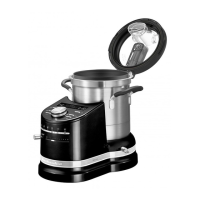
The KitchenAid Cook Processor is a versatile kitchen appliance designed to simplify a wide range of cooking tasks, from preparing delicious soups and stews to kneading dough and steaming vegetables. It features six automatic cooking modes, each with specialty modes, as well as manual cooking options, allowing users to create both complex recipes and everyday dishes with ease.

Function Description

The Cook Processor integrates multiple functionalities into a single unit, acting as a food processor, a cooking pot, and a steamer. Its core function is to automate and simplify cooking processes through its pre-programmed modes and precise temperature, time, and speed controls.

  • Automatic Cooking Modes: The device offers six primary automatic cooking modes: Boil, Fry, Stew, Steam, Puree, and Dough. Each mode is designed for specific cooking tasks and includes various sub-modes (e.g., Boil P1, Boil P2, Boil P3) that adjust temperature, time, and speed for different recipes.

    • Boil Mode: Ideal for creating delicious soups, bisques, jams, jellies, stock, and other foods that require boiling for several minutes.
    • Fry Mode: Used for stir-fries, oriental-style dishes, and easy scrambled eggs and bacon.
    • Stew Mode: Features a wide range of preprogrammed modes for creating everything from sauces to risotto, Irish Stew, Béarnaise sauce, or Ratatouille, making everyday dishes quick and easy to prepare.
    • Steam Mode: Utilizes upper, lower, and inner steamer baskets to steam vegetables, fish, mussels, and more. This mode is excellent for delicate foods and cooking with indirect heat.
    • Puree Mode: Combines cooking and chopping abilities to prepare dishes like hummus or shrimp croquettes.
    • Dough Mode: Designed for easy kneading and proofing of doughs, suitable for homemade pizza crust, various breads (raisin, spelt, white, whole grain), and other baked goods.
  • Manual Cooking Modes: For users who prefer to develop their own recipes or create cold dishes like mayonnaise, guacamole, tapenades, tartare, and rouille, the Cook Processor can be operated in manual mode. This allows for custom control over temperature, time, and speed settings.

  • Additional Functions:

    • Timer Option: The timer can be used as a cooking timer in conjunction with cooking modes or as a standalone kitchen timer for general timing needs.
    • Quick Stir: This function allows for brief, low-speed stirring, useful for incorporating ingredients or preventing sticking. It can be activated with a single press for 2 seconds or held down for continuous stirring.
    • Pulse: The Pulse function runs the installed attachment at high speed as long as the button is held down, providing quick bursts of power for chopping or mixing.
    • MiniBowl and Mini MultiBlade: These accessories are specifically designed for processing smaller quantities of food, such as pureeing small amounts of ingredients, chopping nuts, or preparing pesto.

Usage Features

The Cook Processor is designed for intuitive operation with a clear control panel and status display.

  • Control Panel: The central interface includes a status display, temperature display, time display, and various buttons for temperature selection, quick stir, pulse, start/pause, and cancel. A dial allows for easy adjustment of settings.
  • Accessories: The device comes with a range of accessories to support its diverse functions:
    • MultiBlade: A general-purpose blade for chopping, mixing, and pureeing.
    • StirAssist: A paddle-like attachment for gentle stirring, preventing food from sticking or breaking apart during cooking.
    • Egg Whip: Used for whipping egg whites, mayonnaise, and creams.
    • Dough Blade: Specifically designed for kneading various types of dough.
    • Steamer Lid, Upper Steamer Basket, Lower Steamer Basket, Inner Steamer Basket: These components facilitate steaming, allowing for single or multi-level steaming of different foods simultaneously.
    • Removable Measuring Cup: Integrated into the lid for convenient ingredient measurement.
    • MiniBowl and Mini MultiBlade: For small-batch processing.
    • Storage Case: A dedicated case to neatly store the Egg Whip, StirAssist, Dough Blade, and MultiBlade. The storage case nests with the steamer baskets and steamer lid for compact storage.
  • Safety Features: The Cook Processor incorporates several safety mechanisms, including a lid interlock that prevents operation if the lid is not securely locked. Warnings are provided regarding handling sharp blades, hot liquids, and proper appliance placement to avoid injury or damage.
  • Display Language: Users can select their preferred display language during initial setup or change it later through the control panel.
  • Temperature Units: The device allows switching between Celsius (°C) and Fahrenheit (°F) for temperature display, catering to different regional preferences.
  • Power Outage Recovery: In the event of a power outage, a welcome screen is displayed upon restoration, prompting the user to continue. However, if a cooking cycle was interrupted, it is crucial to ensure food is cooked completely to a safe internal temperature.

Maintenance Features

Maintaining the Cook Processor is straightforward, with many parts being dishwasher-safe.

  • Cleaning:
    • Bowl and Lid: The cooking bowl and lid are dishwasher-safe, though hand washing is recommended. For tough cooked-on foods, filling the bowl with hot, soapy water and allowing it to soak is suggested. Baked-on stains can be scrubbed with a baking soda and water paste.
    • Accessories and Blades: All accessories and blades are top-rack dishwasher-safe. It is important to thoroughly dry all parts after washing and to use gentle dishwashing cycles (e.g., normal) to avoid high temperatures.
    • Exterior Surfaces: The exterior of the Cook Processor should be wiped with a clean, damp cloth and dried thoroughly. Abrasive cleaners or metal scouring pads should not be used to prevent scratching.
    • Drive Shaft: The drive shaft is removable for thorough cleaning of the bowl. It should be removed before washing the bowl and reinstalled after drying.
    • Inner Lid Seal: The inner rubber seal within the lid can be removed for cleaning (dishwasher-safe or hand wash in warm, soapy water) and should be reinstalled before placing the lid back on the Cook Processor.
  • Cooling and Storage: After use, the Cook Processor and its accessories should be allowed to cool completely before cleaning. The dedicated storage case helps keep accessories organized and protected.

KitchenAid Cook Processor Specifications

General IconGeneral
Cord length1 m
Control typeButtons, Lever, Rotary
Bowl capacity4.5 L
Product colorBlack
Pulse functionYes
Number of speeds-
Rotational speed2300 RPM
AC input voltage200-240 V
AC input frequency50 - 60 Hz
Doesn't containBisphenol A (BPA)
Display typeLED
Package weight12520 g
Bowl materialStainless steel
Weight and Dimensions IconWeight and Dimensions
Depth342 mm
Width314 mm
Height411 mm
Weight10140 g

Related product manuals