4-12
REMOVING THE FREEZER THERMISTOR
Electrical Shock Hazard
Disconnect power before servicing.
Replace all parts and panels before
operating.
Failure to do so can result in death or
electrical shock.
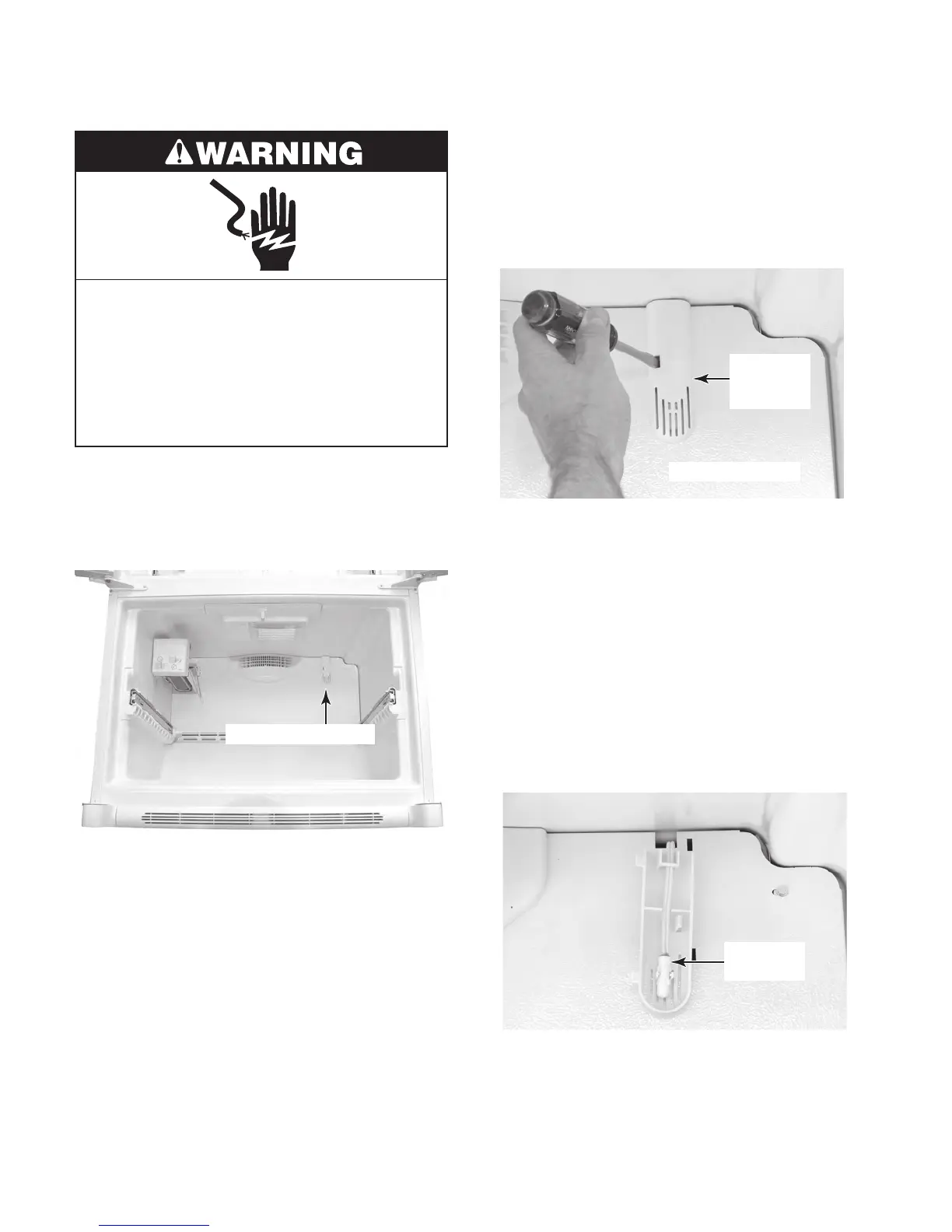
1. Unplug refrigerator or disconnect power.
2. Open the freezer compartment and re-
move the items inside to access the
thermistor.
Freezer Thermistor
3. Place the tip of a flat-bladed screwdriver
in the slot of the freezer thermistor cover,
then move the screwdriver handle to the
left to release the locking tab, and pull
out on the left side of the cover to release
if from the evaporator cover.
Evaporator Cover
Freezer
Thermistor
Cover
4. Unclip the freezer thermistor from the
clips in the cover, and remove the therm-
istor
.
5. Cut the freezer thermistor wires near the
body.
6. Splice the ends of the wires from the re-
placement
thermistor, to the ends of the
wires you cut from the old thermistor in
the previous step. NOTE: Trim the wire
lengths, as necessary, so that they fit neatly
into place when the thermistor cover is rein-
s
talled.
Freezer
Thermistor



 To Next Page