4-15
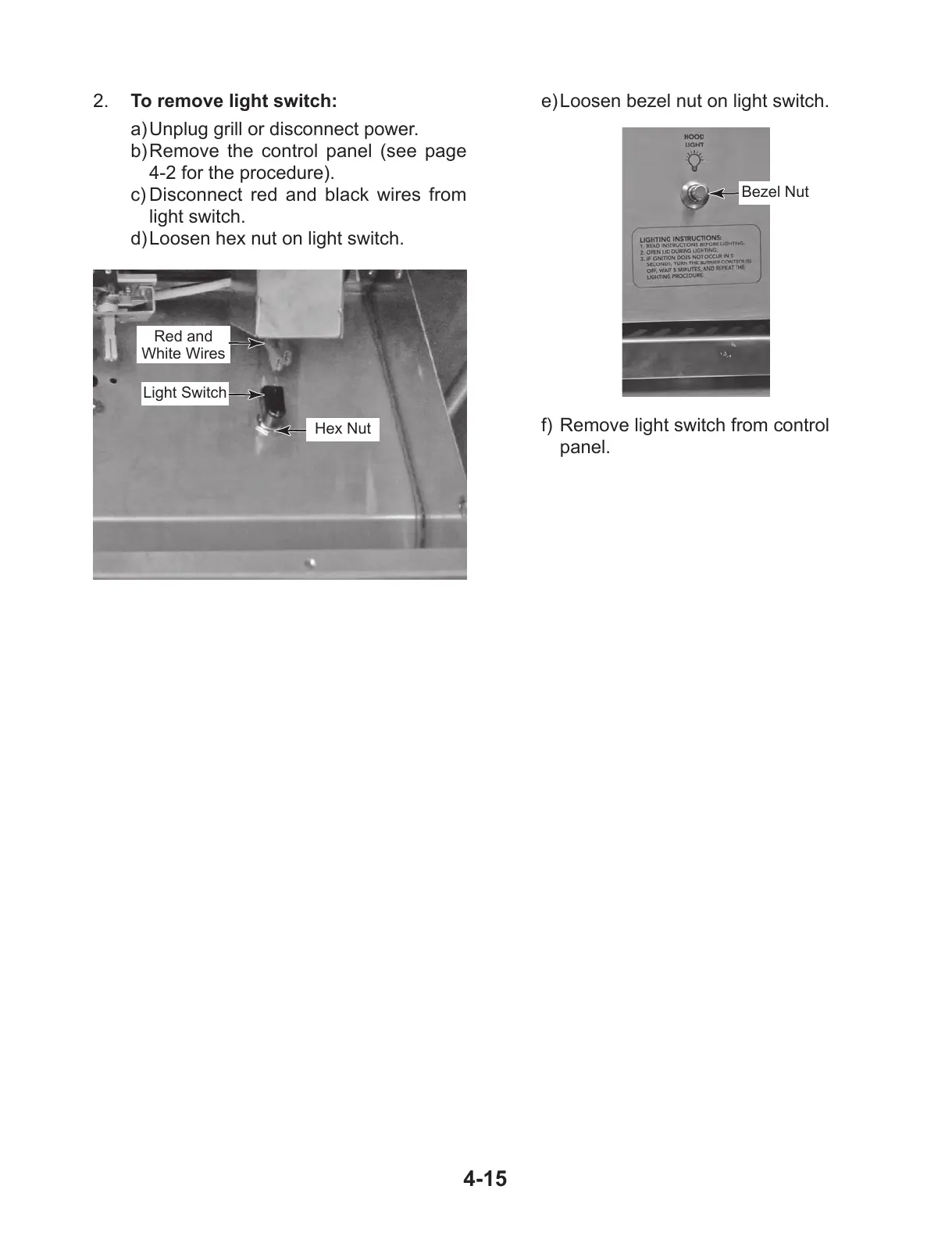
2. To remove light switch:
a) Unplug grill or disconnect power.
b) Remove the control panel (see page
4-2 for the procedure).
c) Disconnect red and black wires from
light switch.
d) Loosen hex nut on light switch.
Light Switch
Red and
White Wires
Hex Nut
e) Loosen bezel nut on light switch.
Bezel Nut
f) Remove light switch from control
panel.



 To Next Page